
Participant
August 7, 2024
Question

After efects error: The file format is not supported.
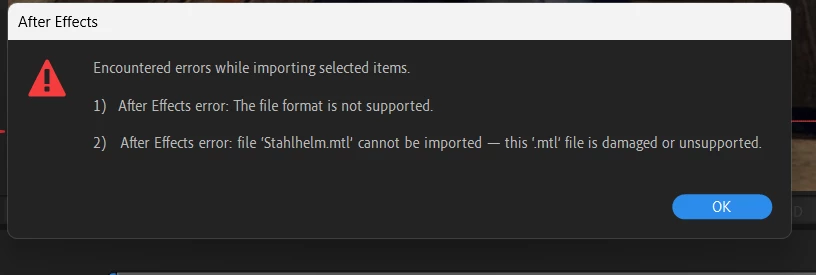
  • August 7, 2024
  • 1 reply
  • 478 views

Could you help me with my problem, I'm already giving up a little. What happens is that when I try to import a 3D .OBJ or glb file I get this window. I am currently using version 2024 and I have tried doing this in version 2023 but I still get the same problem. Thank you, I hope someone can help me with something effective.

This topic has been closed for replies.

1 reply

Ishan Y
Community Manager
Community Manager
August 7, 2024

Hey Sergio, 

Sorry for the issue. Do you see this issue with specific .obj or .glb files? 3D models might have companion files in .mtl format. Please check the source of your 3D files for these dependencies. 


Thanks,

Ishan

Please tag me (@) in your replies so that it notifies me and helps me respond promptly.
Participant
August 8, 2024
  1. @Ishan Y  I have no idea. I was just following a tutorial on YouTube on how to make an effect in the program and I had to import a 3D object in those formats but when I did it it didn't work and that's why I came to ask. 😅 You think this is hopeless. I'm thinking of skipping this and moving on to other things.
Ishan Y
Community Manager
Community Manager
August 8, 2024

If any 3D object will do, you can find several online. A quick search got me this 3D model: https://adobe.ly/3SGKSJa. I'm not endorsing this website. You can use any source for a 3D model. In this link, I can see that the 3D model has several dependencies, including an .mtl file. If you try to import it to your AE project after extracting, please ensure you don't move the .obj file to another folder. Let me know if this helps.