
Participant
November 5, 2014
Question

After Effect Composition turns black

  • November 5, 2014
  • 10 replies
  • 64370 views

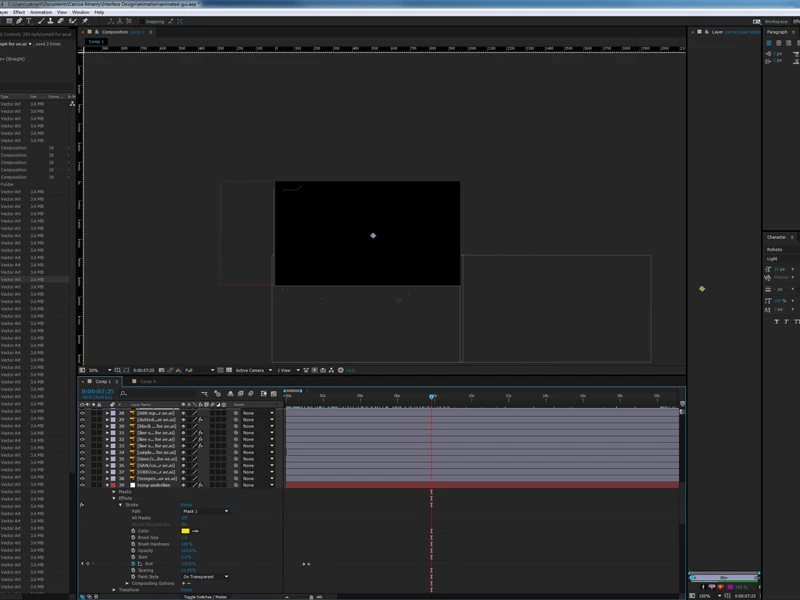
Hello, I have a problem with my AE composition. I've been importing new layers to my AE composition, however suddenly the composition screen turns black. All the keyframes are still there and as I slide the button across the timeline, I can see the keyframes are still there. I tried undo-ing my steps to see if I made a mistake that rendered the screen all black, but no luck. I assume I might have accidentally clicked a function/view that triggers the screen to turn black, but I'm not sure what function that was. I also first thought I activated the wireframe view but as I switched it back to the normal view, still no luck.

If anybody could help me troubleshoot this problem, that would be great. Thank you so much I'd really appreciate it.
10 replies

Known Participant
October 26, 2022

I have this problem since I updated After Effects. All my layers are black. Any idea what it could be?

Participant
September 9, 2021

I fixed my black screen buy changing the view back to default, it was on front. in the bottom right of the comp window

bleand
Participant
April 20, 2020

I just came across with a similar issue, but in my case, all layers had been turn into adjustment layers for some reason!

EXAIRCreative
Participating Frequently
October 24, 2019

Turn off your cap locks!

Participant
September 23, 2019

Hello there!


Try to click the region of interest.

Participant
January 21, 2020

Switching it off worked for me, thank you so much!

hey_barry
Participant
March 3, 2019

The very same has just happened to me, obviously this is a long standing issue. I have tried all these work arounds except trying it on a different machine.

Participant
May 19, 2018

I had the same problem. I tried several solutions but nothing worked. Finally I found out that there a composition a created that had that issue. Once I deleted it everything came back to normal.

So trace your steps backward. There's a recent composition you created that is causing u that nightmare

Participating Frequently
December 11, 2017

I'm having the same problem, and none of the solutions here have helped, I've just ended up starting again but if anyone can help that would be great.

Known Participant
December 11, 2017

it couldn't just be something simple like those two choices at the top left could it?

Known Participant
December 11, 2017

see how in the above picture the movie highlighted in blue has made the rest of everything disappear.  Ad tehn if I click on composition comp 1 it all comes back again.

Participant
October 17, 2016

Hey make sure caps lock is not on that will also give you the black screen, not sure if that was mentioned but I just noticed it.

caps lock off

viola!

Dave_LaRonde
Inspiring
November 5, 2014

That's a prretty small scren grab for diagnostic use.  I can't make out the layer names & such.  Only one question I have at the moment: what's in layers 1 through 28?

catriantyAuthor
Participant
November 5, 2014

Hi Dave, thank you for your reply. I have provided a larger screenshot for your convenience. Layer 1 through 28?

catriantyAuthor
Participant
November 5, 2014

One more thing. This is what the comp looks like when I highlight all the layers. All the keyframes and animation are there but the layers are invisible, just some guides and bounding boxes.