
Participant
November 29, 2017
Answered

After effect Linear Wipe transitiob problem

  • November 29, 2017
  • 2 replies
  • 3257 views

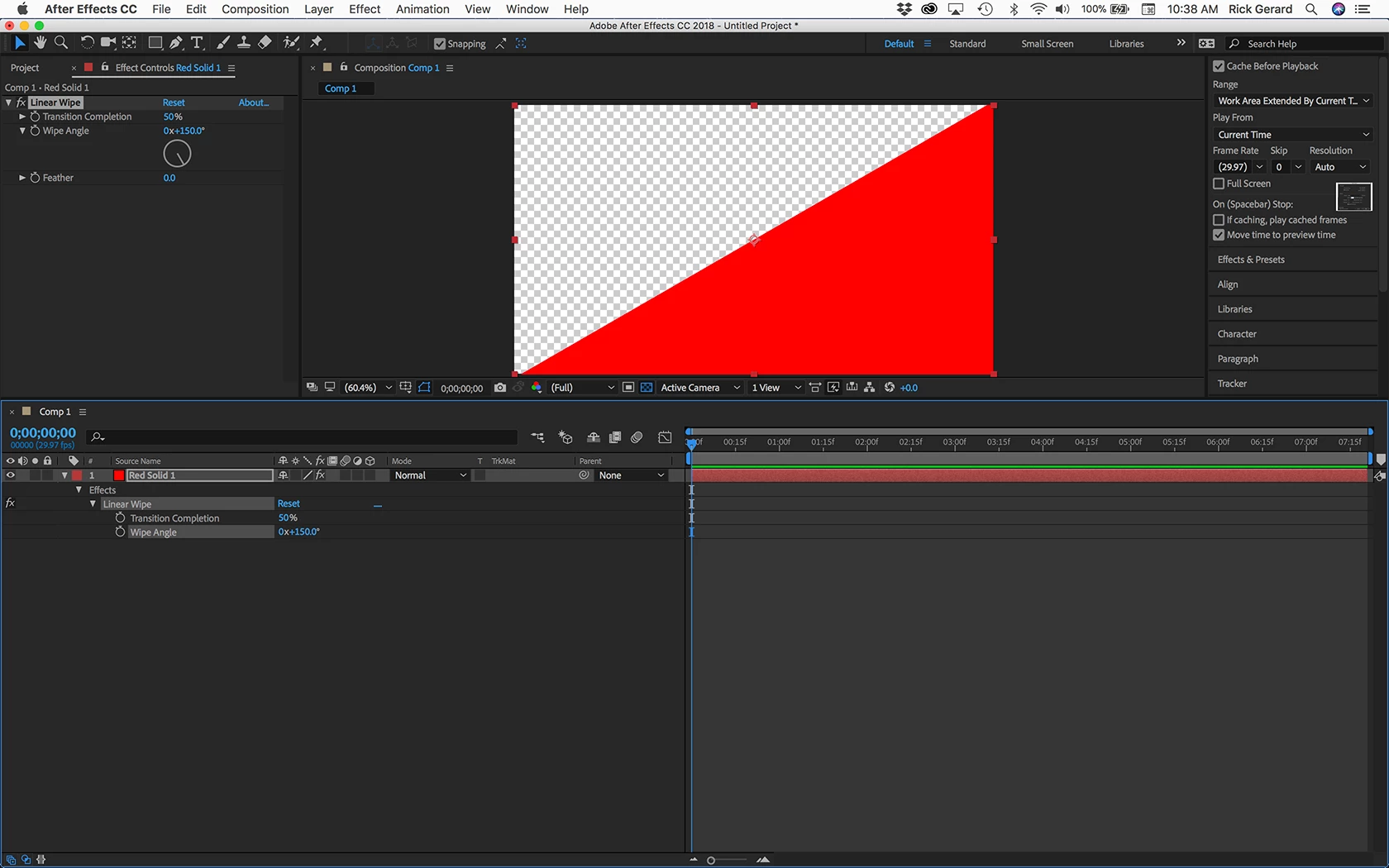
Hello guys, im trying to make eye blinking transition on after effect using linear wipe but i have a little problem. I chosed 45% transition completation and the wipe angle is the problem. I want to make a transition from up to down but i dont know why the program lets me only from left to right or right to left do you have any idea? Im sorry for my bad english.

There are some screens: Left to right : http://prntscr.com/hgwnwe http://prntscr.com/hgwnwe

                                         Right to left : http://prntscr.com/hgwocn

but what ever i do i cant get the up to down. Im hope you understand what i mean. Thank you
This topic has been closed for replies.
Correct answer Rick Gerard

First, it's a lot easier just to PrintScreen and paste your screenshots directly to the forum and it makes them easier for us to see. You can also drag images from a folder or the desktop.

Second, to diagnose problems you should select the layer or layers giving you problems in the timeline and press the U key twice to see all of the modified properties. Then you should start soloing layers to figure out where the problems are.

From what I can see you have a layer with the same name just above the layer with the wipe effect applied. You also have a paint effect and a mask. Without seeing the modified properties of the layer you are working I can only guess that the angle of the transition is the problem. In two of the screenshots the angle is near 90º and the other screenshot shows the angle near 270º so your wipe is going to be pretty near vertical in both cases. Try soloing the layer and adjusting the angle.

You should also spend a little time with the help files when you run into problems just type Linear Wipe in the Search Help field at the top right corner of AE to see how it works.

2 replies

Participant
March 10, 2021

bottom to top angle 0

top to bottom 180

Rick GerardCommunity ExpertCorrect answer
Community Expert
November 29, 2017

First, it's a lot easier just to PrintScreen and paste your screenshots directly to the forum and it makes them easier for us to see. You can also drag images from a folder or the desktop.

Second, to diagnose problems you should select the layer or layers giving you problems in the timeline and press the U key twice to see all of the modified properties. Then you should start soloing layers to figure out where the problems are.

From what I can see you have a layer with the same name just above the layer with the wipe effect applied. You also have a paint effect and a mask. Without seeing the modified properties of the layer you are working I can only guess that the angle of the transition is the problem. In two of the screenshots the angle is near 90º and the other screenshot shows the angle near 270º so your wipe is going to be pretty near vertical in both cases. Try soloing the layer and adjusting the angle.

You should also spend a little time with the help files when you run into problems just type Linear Wipe in the Search Help field at the top right corner of AE to see how it works.