


Participant
February 27, 2024
Answered

After effect outline

  • February 27, 2024
  • 1 reply
  • 259 views

#ask

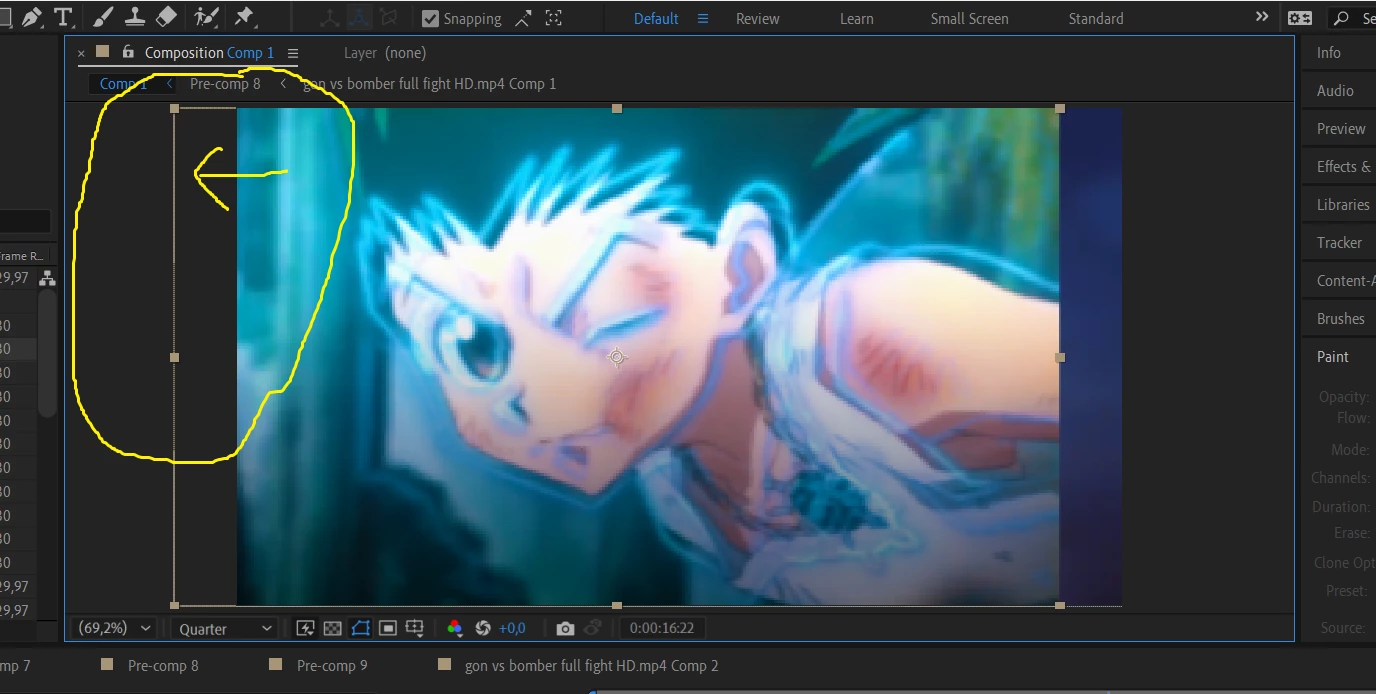
please help, i don't know what button i just press, but after that when i move my layer it become like you do (alt + click) and it has visible box when the layer is out of the comp screen and it make my pc lagging, please help me how i can turn off this feature, the example is like the image below
This topic has been closed for replies.
Correct answer Airweb_AE

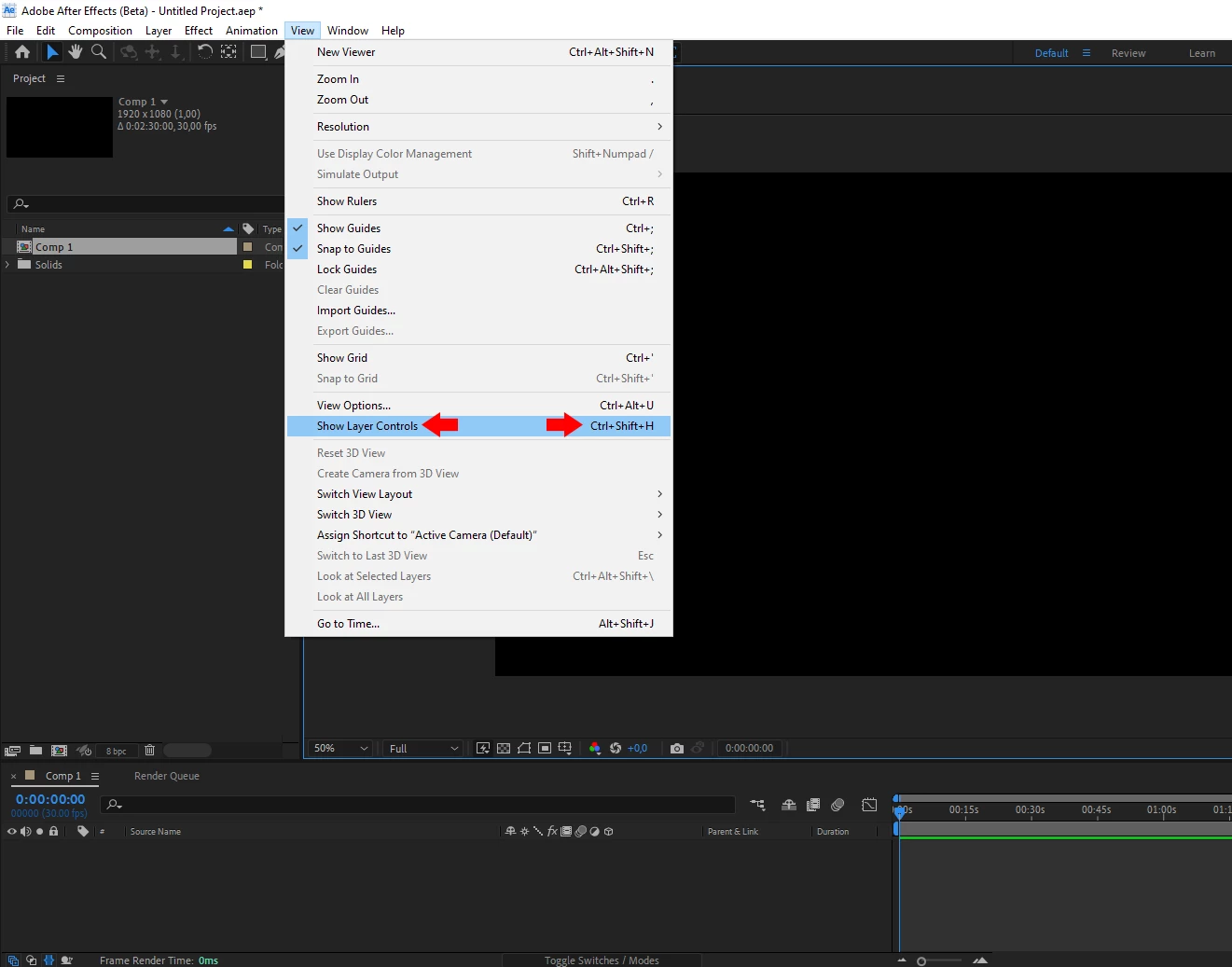
Select the preview panel and go to View -> and uncheck Show Layer Controls

Or look at View -> View  Options... and uncheck Handles


1 reply

Airweb_AECorrect answer
Legend
February 27, 2024

Select the preview panel and go to View -> and uncheck Show Layer Controls

Or look at View -> View  Options... and uncheck Handles