Participant
June 26, 2021
Question

After Effect - Shape Layer colour is not looking perfect
  • June 26, 2021
  • 3 replies
  • 373 views

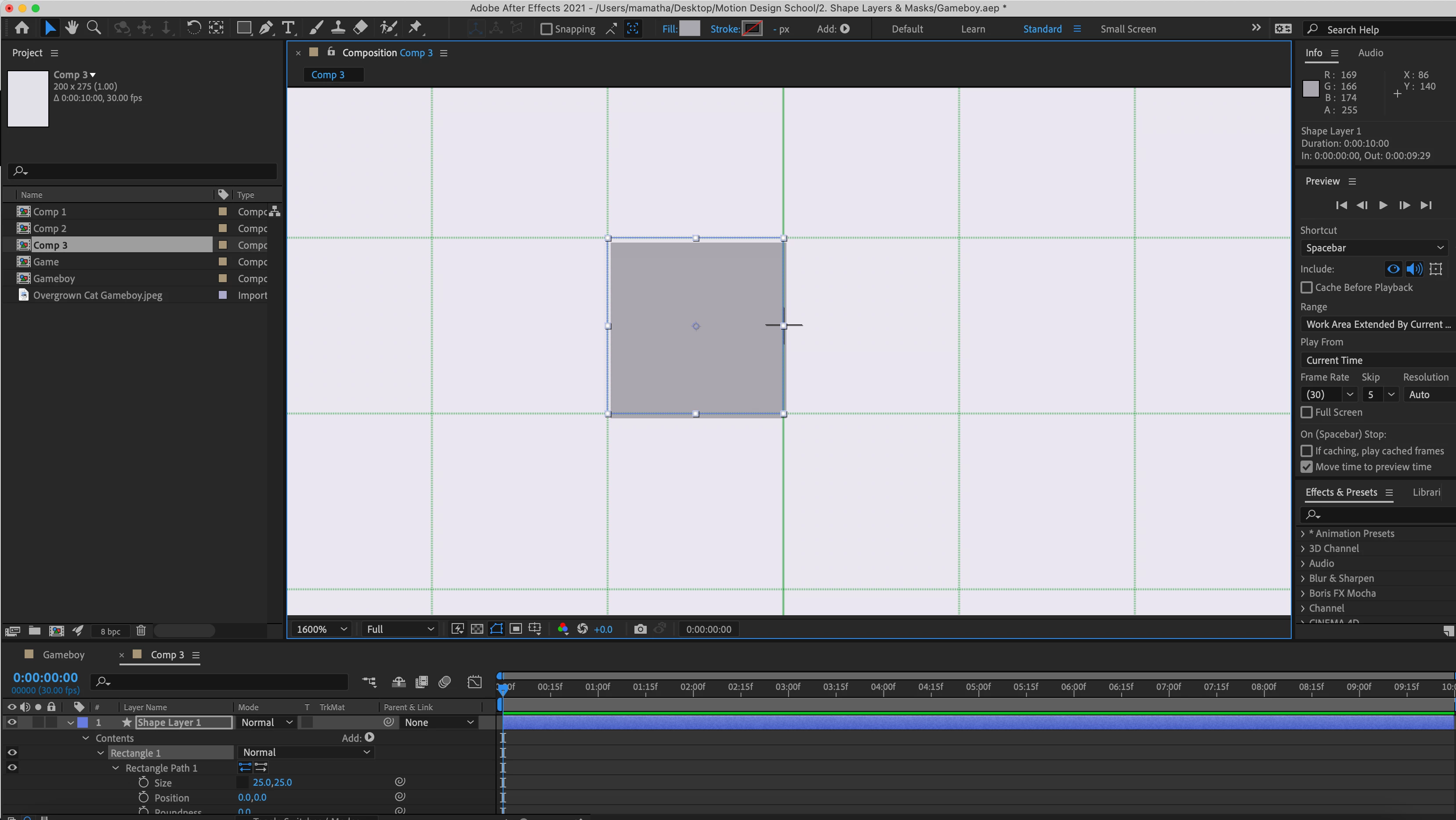
Shape layer square is not looking perfect as I can see gap in the edges. Could you please tell me how to correct it? Thank you

This topic has been closed for replies.

3 replies

Community Expert
June 27, 2021

Muéstranos al 100% no al 1600%. Te aseguro que si lo pones al 100% no se va a notar y simplemente podría ser un problema de previsualización al momento de trabajar la composición.

Byron.
Mylenium
Legend
June 26, 2021

Your whole approach makes no sense. If you want exact, non-antialiased shapes don't use scaling! Resize the shape path rectangle to exact dimensions and place it at full pixel value increments. 55% is not an even divider value, anyway. You have to understand the math here. Also of course none of this really matters if you zoom in 1600%. The only thing that is relevant in AE is how stuff looks at 100% because only that is waht is going to end up in your final video. You have several bad workflows here. That might also explain any discrepancies with the grid, as AE simply has limitations in how precisely those overlays for grids and guides work, which in itself of course also doesn't make a lot of sense if you don't actually show the rulers to verify grid orientation and guide placement.


Mylenium

Harold Silva
Community Expert
Community Expert
June 26, 2021

La solucion podria ser que en el tamaño de la posicion se un  numero decimal y no un valor entero eso te esta generando el problema.
Quizas sea ese el problema


Harold Silva B.
Participant
June 26, 2021


Hi,

Thanks for the reply. 

I tried reset the position but it's not working.

Any more suggestions please?

regards