Known Participant
April 4, 2018
Answered

After Effects 15.1 broken AVI support?

  • April 4, 2018
  • 1 reply
  • 8132 views

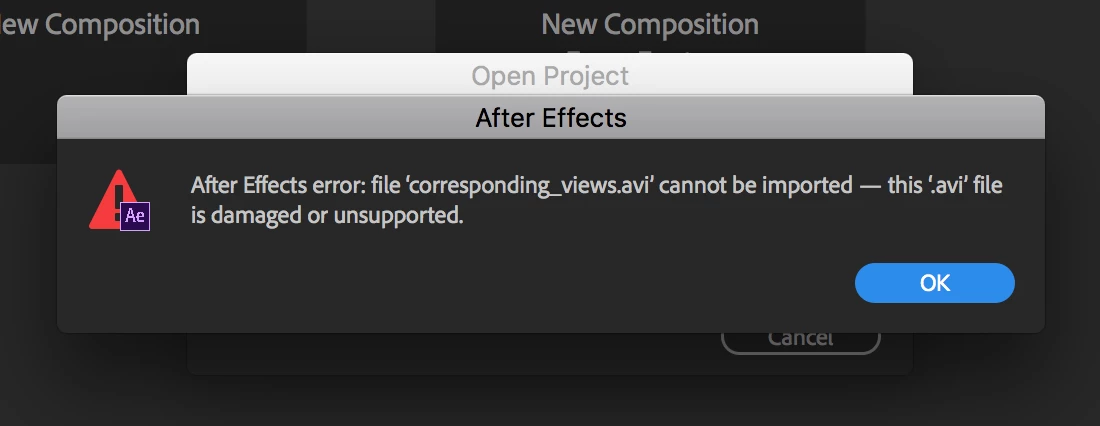
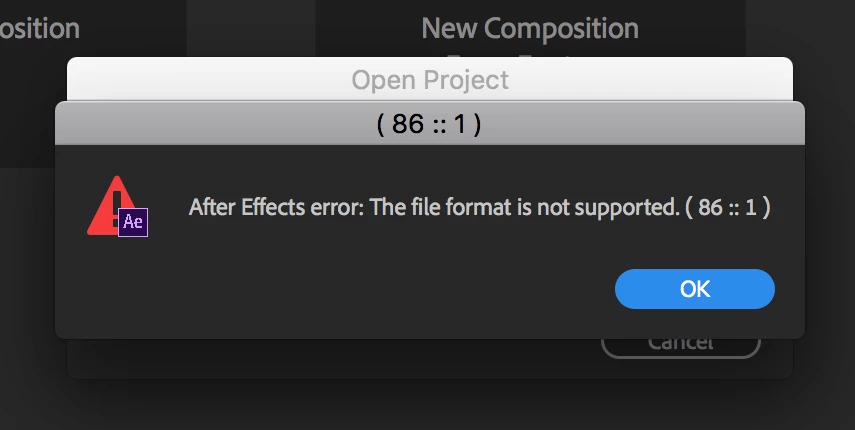
A client has just asked me to make some changes to a project I'm working on, the project containts a few screen capture clips which are AVI's, I made the mistake of updating AE last night and now I'm getting the following errors when opening this project. I have been working on this project for weeks with no issues prior to this update.

These errors appear for all AVI's in my project. After hitting 'OK' numerous times it eventuall gives up and just states that the files are missing.

Im running OSX High Sierra 10.13.4.

    This topic has been closed for replies.
    Correct answer Tim Kurkoski

    What codec do the AVI files use?

    Can you provide us with a sample AVI file so we can investigate? Send an link to aebugs@adobe.com. Thanks.

    That said, I suspect that the problem is that the codec in the AVI file is no longer supported by After Effects due to the removal of support for legacy 32-bit QuickTime codecs. From your screenshot, you appear to be on macOS. On macOS, AVI files are generally not supported in the same way that they are on Windows, but some AVI files could be read in older versions of After Effects because they used codecs that were provided by the legacy 32-bit QuickTime. (The same AVI file may open on Windows, depending on whether or not Windows provides that codec.)

    More information about the removal of legacy 32-bit QuickTime codecs, and which codecs will continue to be supported by Adobe applications, is here:

    Dropped support for Quicktime 7 era formats and codecs

    We understand that the removal of legacy 32-bit QuickTime codecs will require workflow changes for many people. However, as Apple has ended support of 32-bit QuickTime on Windows, and has announced that macOS 10.13 (High Sierra) will be the last version to support 32-bit applications (see links below), the ability to use the legacy codecs is no longer viable for any application.

    Apple Ends Support for QuickTime for Windows; New Vulnerabilities Announced

    https://developer.apple.com/news/?id=06282017a

    We recommend that you transcode any footage using legacy codecs to a new codec. You can do so using Adobe Media Encoder CC 2017 or earlier, which is available to you using the Creative Cloud desktop application.

    Install previous version of your Creative Cloud app

    If you would like to see native support for a specific codec added to a future release of After Effects or other Adobe video applications, please submit a feature request for that codec here:

    https://adobe-video.uservoice.com/

    1 reply

    Tim Kurkoski
    Adobe Employee
    Tim KurkoskiCorrect answer
    Adobe Employee
    April 4, 2018

    What codec do the AVI files use?

    Can you provide us with a sample AVI file so we can investigate? Send an link to aebugs@adobe.com. Thanks.

    That said, I suspect that the problem is that the codec in the AVI file is no longer supported by After Effects due to the removal of support for legacy 32-bit QuickTime codecs. From your screenshot, you appear to be on macOS. On macOS, AVI files are generally not supported in the same way that they are on Windows, but some AVI files could be read in older versions of After Effects because they used codecs that were provided by the legacy 32-bit QuickTime. (The same AVI file may open on Windows, depending on whether or not Windows provides that codec.)

    More information about the removal of legacy 32-bit QuickTime codecs, and which codecs will continue to be supported by Adobe applications, is here:

    Dropped support for Quicktime 7 era formats and codecs

    We understand that the removal of legacy 32-bit QuickTime codecs will require workflow changes for many people. However, as Apple has ended support of 32-bit QuickTime on Windows, and has announced that macOS 10.13 (High Sierra) will be the last version to support 32-bit applications (see links below), the ability to use the legacy codecs is no longer viable for any application.

    Apple Ends Support for QuickTime for Windows; New Vulnerabilities Announced

    https://developer.apple.com/news/?id=06282017a

    We recommend that you transcode any footage using legacy codecs to a new codec. You can do so using Adobe Media Encoder CC 2017 or earlier, which is available to you using the Creative Cloud desktop application.

    Install previous version of your Creative Cloud app

    If you would like to see native support for a specific codec added to a future release of After Effects or other Adobe video applications, please submit a feature request for that codec here:

    https://adobe-video.uservoice.com/
    donbarrum
    Inspiring
    April 4, 2018

    Why not remove the ability to render these codecs instead of removing the ability to open files of old quicktime codecs entirely? And, even ProRes cant be opened now... which is such a vastly used codec, still. This will create a huge problem for everyone not being able to even open them. People, like myself have huge libraries of video files, do you find it user friendly having to convert 1000's of old videofiles to be able to continue using After Effects?

    Tim Kurkoski
    Adobe Employee
    Adobe Employee
    April 5, 2018

    I have received clarification from our developers that on macOS, AVI files can no longer be imported into After Effects 15.1, Premiere Pro 12.1, or Adobe Media Encoder 12.1. This does not affect Windows; AVI files can continue to be imported there, as Windows provides the service to parse and decode the files.

    As I described above, the reason for the change on macOS was the removal of legacy 32-bit QuickTime processes. On macOS, the only AVI parsing and decoding service available was in 32-bit QuickTime; the applications do not contain this capability natively.

    donbarrum  wrote

    Why not remove the ability to render these codecs instead of removing the ability to open files of old quicktime codecs entirely?

    That is not possible.

    Support for both decoding and encoding legacy 32-bit QuickTime codecs is dependent on the 32-bit QuickTime processes. As Apple is dropping support for 32-bit QuickTime processes altogether, it's not possible to have one without the other.

    And, even ProRes cant be opened now... which is such a vastly used codec, still. This will create a huge problem for everyone not being able to even open them.

    Adobe applications continue to support ProRes codecs. Per this page ( Dropped support for Quicktime 7 era formats and codecs ), After Effects, as well as Premiere Pro and Adobe Media Encoder, can import and export ProRes on macOS, and import ProRes on Windows. (These applications have never had a native ProRes encoder on Windows. That wasn't possible even with the legacy 32-bit QuickTime processes; Apple did not allow that.)

    That said, we are investigating reports that some ProRes files can't be imported into After Effects 15.1 or Premiere Pro 12.1. On my computers, I am able to import many ProRes files, but a different file provided to me by a customer indeed fails to import.

    As we are still investigating the problem, it could be helpful to have more samples of ProRes files that fail to import. Would you be willing to send us one? If so, please email a link to aebugs@adobe.com.

    People, like myself have huge libraries of video files, do you find it user friendly having to convert 1000's of old videofiles to be able to continue using After Effects?

    We understand that this change will be difficult for some people. Many video formats (both physical and software) have come and go over the years; this is certainly one of the more significant changes I've seen in my career. Ultimately, Adobe does not own nor control the QuickTime codecs, and we are trying to help our customers with the transition. We were aware in advance that Apple was planning to discontinue the legacy 32-bit QuickTime codecs and have done a lot of work in the past 2 years preparing for this by adding native support to our applications for the most common codecs (based on application usage data and talking with customers).

    As I said above, if there is another codec you would like us to support natively, please submit a feature request. (It is unlikely that we will add support for all of the legacy 32-bit QuickTime codecs, but if certain codecs are popularly requested we will consider what work it would take to support them.) And you can also transcode your files with older versions of Adobe applications, or another application of your choice.