
Participant
May 21, 2019
Answered

After Effects 16.1.1 Crashes on opening, Adobe says only solution is to create new user!?

  • May 21, 2019
  • 6 replies
  • 2261 views

When I launch AE CC19, it loads and then pops up with this error and code 205. It was working yesterday on my laptop, no changes that I can think of for this to happen.
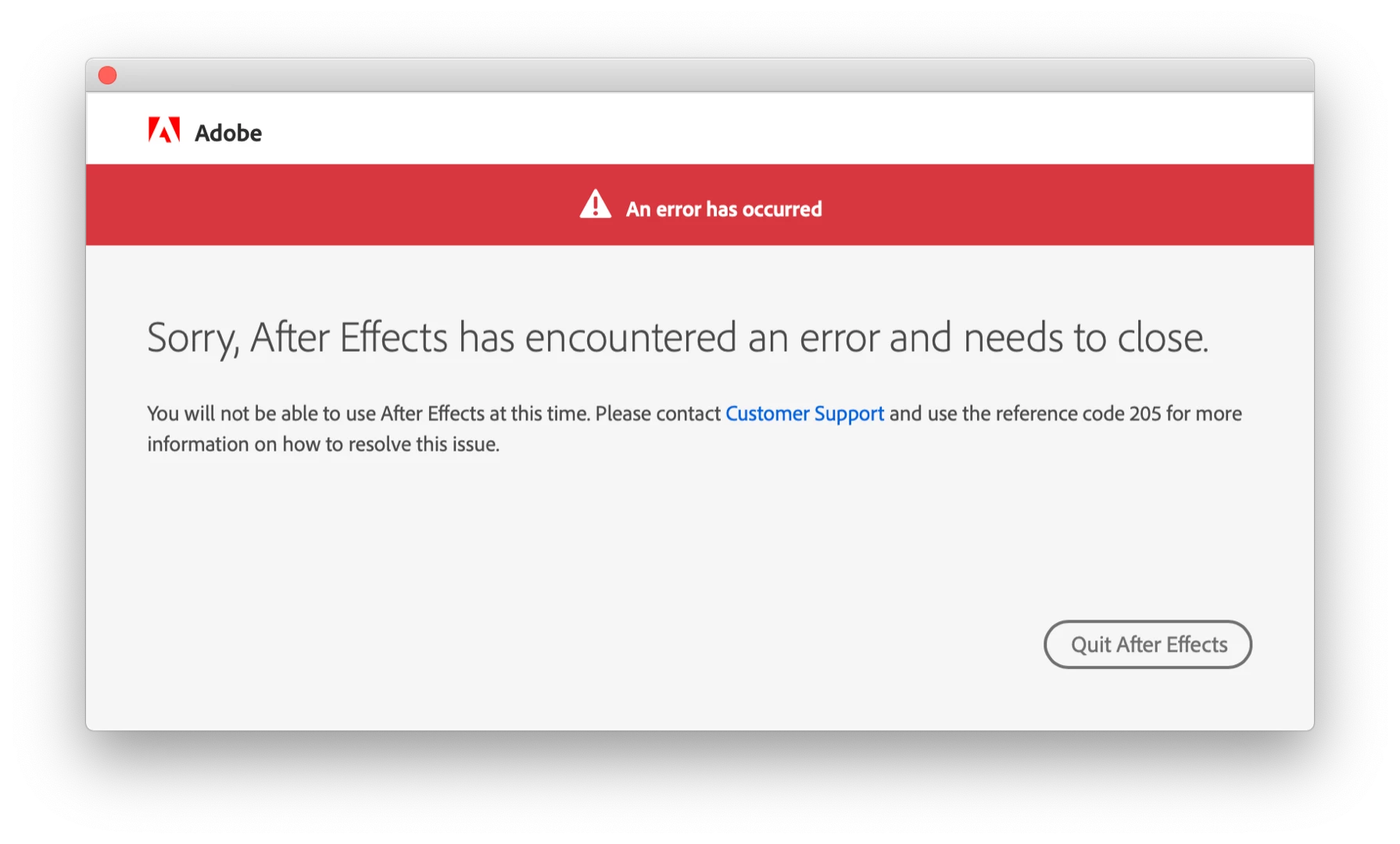
No one from Adobe has been able to help me. We've uninstalled everything, did clean installs, I removed all plugins, Adobe people took control remotely and removed all Adobe files. The only way AE CC19 opens is from a new user account we created.  Adobe says "well that's the permissions issue with this user account then. I recommend you to please migrate data on new user account and work with that....I wish we could make it work here, which isn't possible."

It's very unrealistic to tell me to create a brand new user on this machine and use that for AE, it completely breaks all other programs and not to mention my Timemachine backups (which now I realize are at the newest a few months old. Not sure if reverting to one will solve my issues here) Or should I do a new timemachine backup and a clean install of macOS? Help! I'm going insane here and missing client deadlines

macOS 10.14.5, 32GB RAM, Radeon Pro Vega 20 4GB,  AE 16.1.1

    This topic has been closed for replies.
    Correct answer Shivangi_Gupta

    Hi Shivangi,

    I'm running AE 16.1.2, still the same problem.


    Hi all,

    I researched this and found that there are a series of steps which are working for most of our users with the same issue.

    EDITED:

    1. Close all Adobe applications
    2. Log out from Creative Cloud desktop application
    3. Quit all the Creative Cloud and Adobe related processes from Activity Monitor [Note: Make sure you quit Adobe IPC Broker at the end].
    4. Open Keychain Access [you can search for it in Spotlight].
    5. Delete all Adobe secure notes
    6. Sign in to Creative Cloud
    7. Launch the application.

    Let me know if it helps.

    6 replies

    PHILIPPE MARTIN DVIEW
    Participant
    January 28, 2020

    Hi all,
    thank you very much shivangi_gupta

    I actually made your solution and it works for the moment.
    thank you so much

    Philippe

    Participant
    June 21, 2019

    Suggestions to try:
    1. Use the workaround for error 205 mentioned https://wiki.corp.adobe.com/display/NGL/Error+Codes+and+Troubleshooting  and see if it works.

    2. If #1 does not work, then you can try deleting entries in login keychain > Secure Notes that start with Adobe *

    It seems like the individuals experiencing this issue are on Mac - is this issue seen by anyone on Win?

    Zoopy123Author
    Participant
    June 3, 2019

    So no other suggestions? I'm about to completely wipe my laptop and start from scratch... simply ridiculous and beyond irritating.

    alexd45518695
    Participant
    June 19, 2019

    I've had exactly the same issue today.

    Adobe came also with the solution to create a new user account in Mac OS.

    I think that's not a solution ?!?

    Zoopy123Author
    Participant
    June 19, 2019

    Sorry to hear you're in the same boat....  I ended up wiping my laptop and starting over from scratch because a new user would have only caused frustration with my workflow. I tried re-installing macOS and it didn't work. I also tried restoring from a time machine backup to no success. I finally bit the bullet and wiped it all and then just restored from iCloud and spent hours loading all my software back onto the laptop. I'm not a satisfied customer these days...

    Shivangi_Gupta
    Community Manager
    Community Manager
    May 31, 2019

    Hi there,

    Thanks for reaching out. We're sorry for the delay in response. I checked the notification screenshot that you have attached along with the issue description. I understand you are getting the same error every time you try to launch After Effects. Am I correct?

    It comprises of various error codes and their solutions for Adobe applications including error code 205

    Let me know if it helps.

    Thanks,

    Shivangi

    Zoopy123Author
    Participant
    May 31, 2019

    Three separate Adobe tech supports have walked me through that page and one of those tech supports did everything himself via remote screen control. Nothing worked and I still have that issue... very irritated as I’ve had to walk back all my current projects to the last version of AE. At least I had access to another computer to do that....

    Participant
    May 27, 2019

    I have fixed the problem!!

    Go to your Library folder, if you can't find it, do this:

    In Finder go to menu "Go" / Go to folder... (it opens a window, type) ~/Library (and enter)

    Find the route: Library / Preferences / Adobe / After Effects / 16.0 (or) 16.1.1 (acord the version you instaled)

    If this folder is empty: Right click on the folder, press Get info / down the window, in Sharing and Permissions, clic on the padlock, enter the admin password, changes permissions from Read only to Read and write. Close window

    Now lauch AE and you will see how the program fills all this folders with the program pressets

    Hope it helps you!!

    Zoopy123Author
    Participant
    May 28, 2019

    It didn't work for me. I deleted all the preferences in the folder and changed the Sharing & Permissions to read and write. No luck....

    Inspiring
    May 22, 2019

    Maybe it's related to my Windows issue... Permissions problems with AE 16.1.1 and Windows 10