


Participant
July 10, 2026
Question

After effects
  • July 10, 2026
  • 7 replies
  • 34 views

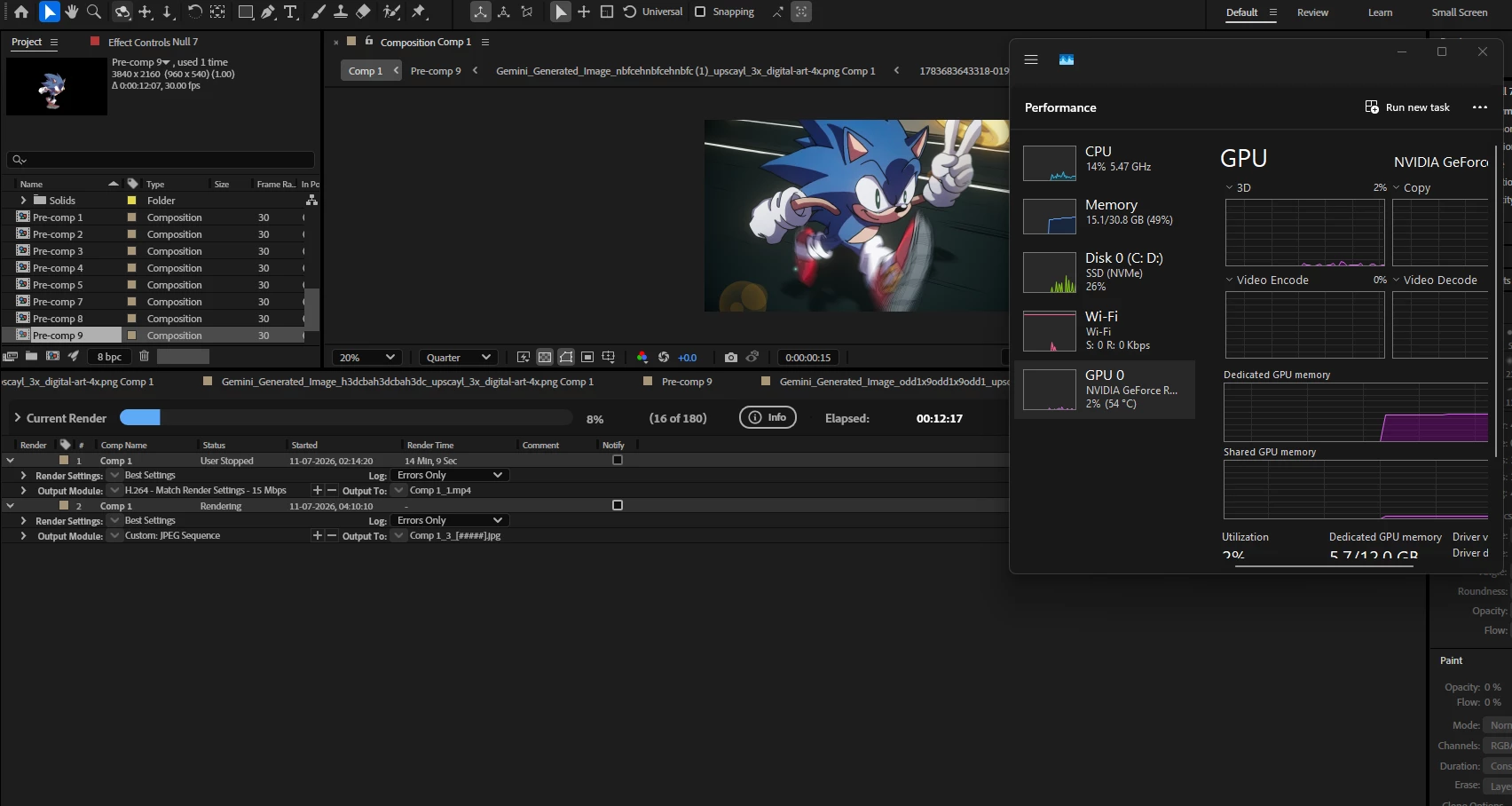
I am tired , After Effects does not use my GPU

Few Months Ago everything was working fine in after effects , it was using my gpu and performance was very good but all of a sudden one day it stopped using my gpu and renders that used to complete in 15 mins are now taking 5 -4 hours and sometimes crashing in between , i have literally tried every possible fix on the internet . disabled integrated gpu, updated drivers , set up graphics setting for highest performance nothing is working , please help , it was working few months ago , now i dont know what happened .

    7 replies

    Participant
    July 13, 2026

    UPDATE -

    I rolled back to After Effects 2023 Version , its now working smooth again , AE now using the gpu but i would have a bit trouble in some 3d features that 2025 version had .

    Nishu Kushwaha
    Community Manager
    Community Manager
    July 14, 2026

    Thanks for updating the threads. What version of the GPU driver is installed? Is it updated? If yes, can you try installing an older version of the driver?

    Let us know how it goes.


    Thanks,

    Nishu

    Nishu Kushwaha
    Community Manager
    Community Manager
    July 13, 2026

    Adding to Mohammad and ShiveringCactus's suggestions:

    1. Check File > Project Settings > Video Rendering and Effects and make sure Renderer is set to Mercury GPU Acceleration (not Mercury Software Only).
    2. What's your GPU model, AE version, and OS?
    3. When did this start? Was it around the time you updated AE, Windows, or your GPU drivers?

    Let us know.


    Thanks,

    Nishu

    Participant
    July 13, 2026
    1. I already did every possible setting mentioned in all over the internet nothing worked .
    2.  I have RTX 5070 and 2025 version AE and Windows 11 
    3. No I did not updated any thing while it happened .
    Mohammad.Harb
    Community Expert
    Community Expert
    July 13, 2026

    Have you tried rolling back to a previous AE version and still getting the same result ? 

    ShiveringCactus
    Community Expert
    Community Expert
    July 13, 2026

    What is your GPU?

    Try this fix that worked for me.  It’s a bit odd, so bare with me:

    A few years back, I got an on-paper really powerful PC and was so excited when I booted it up and everything was really unimpressive.  Not bad, but not special.  Then I broke the cheap usb Wi-Fi dongle I was using and decided to spend a bit more on the new one.  And suddenly, with a better internet connection, everything flew!  Not just After Effects.  So, try disconnecting your computer from the internet and see if you notice an improvement.

    My best guess is that Windows was constantly doing things which required the internet but wasn’t flagging up to me and a poor connection was creating a resource bottleneck.

    Participant
    July 13, 2026

    Internet connection really effects AE ? , most of the time i keep the internet shut while rendering so full performance goes to AE