
Participant
September 30, 2021
Question

After Effects 2021 crashes when launching

  • September 30, 2021
  • 2 replies
  • 181 views

Hi.


I'm using MacOS Big Sur (11.6) on a MacBook Pro 16". I intalled the latest After Effects on the MacBook Pro and each time I run the After Effects, the After Effects crashes with the attached error message. Can you help me solving this issue?
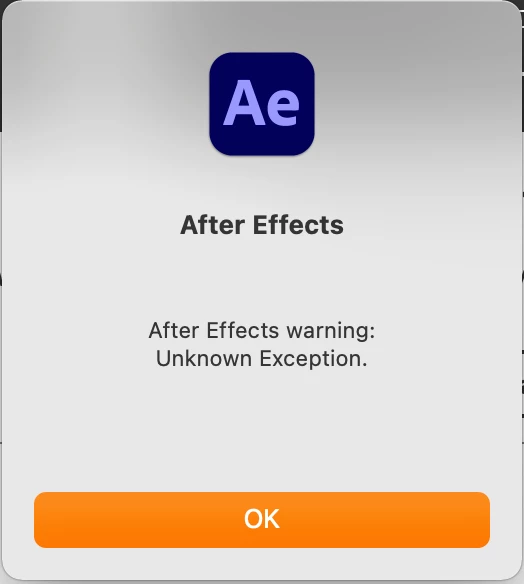
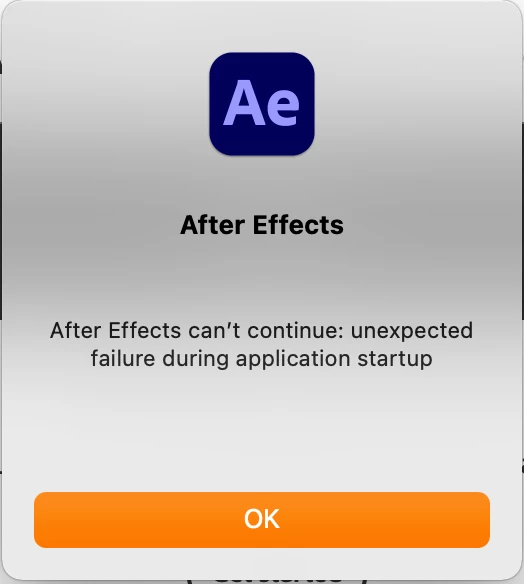
This topic has been closed for replies.

2 replies

nishu_kush
Community Manager
Community Manager
September 30, 2021

Hi Sina5EAC,


Sorry for the crash. Could you share the following details so that we can understand the issue better:

  • What are your system specifications (CPU, GPU, RAM, OS)?
  • How do you launch After Effects - by clicking its icon or by double clicking a project file?

Also, did you try Kartika's suggestions? Did it help?

Let us know.


Thanks,

Nishu


Sina5EACAuthor
Participant
October 1, 2021

Hi Nishu,


Thanks for your response. I re-installed the application with the lower version (18.0) and it works just fine now. Thanks.

Kartika Rawat
Community Manager
Community Manager
September 30, 2021

Hi Sina5EAC!

Sorry about that. Have you tried resetting preferences? https://community.adobe.com/t5/after-effects-discussions/faq-how-to-reset-trash-preferences-in-after-effects/td-p/10634342

Would you mind considering reinstalling the application?

Let us know.

Thanks,

Kartika


Sina5EACAuthor
Participant
October 1, 2021

Hi Kartika. Thanks for your support. I tried what you recommended here, but they didn't work until I re-installed the lower version (18.0). Now I'm using the 18.0 version and it is working good now.