

After Effects 2025.1.0 - can't figure out how to trigger animated typewriter effect with audio
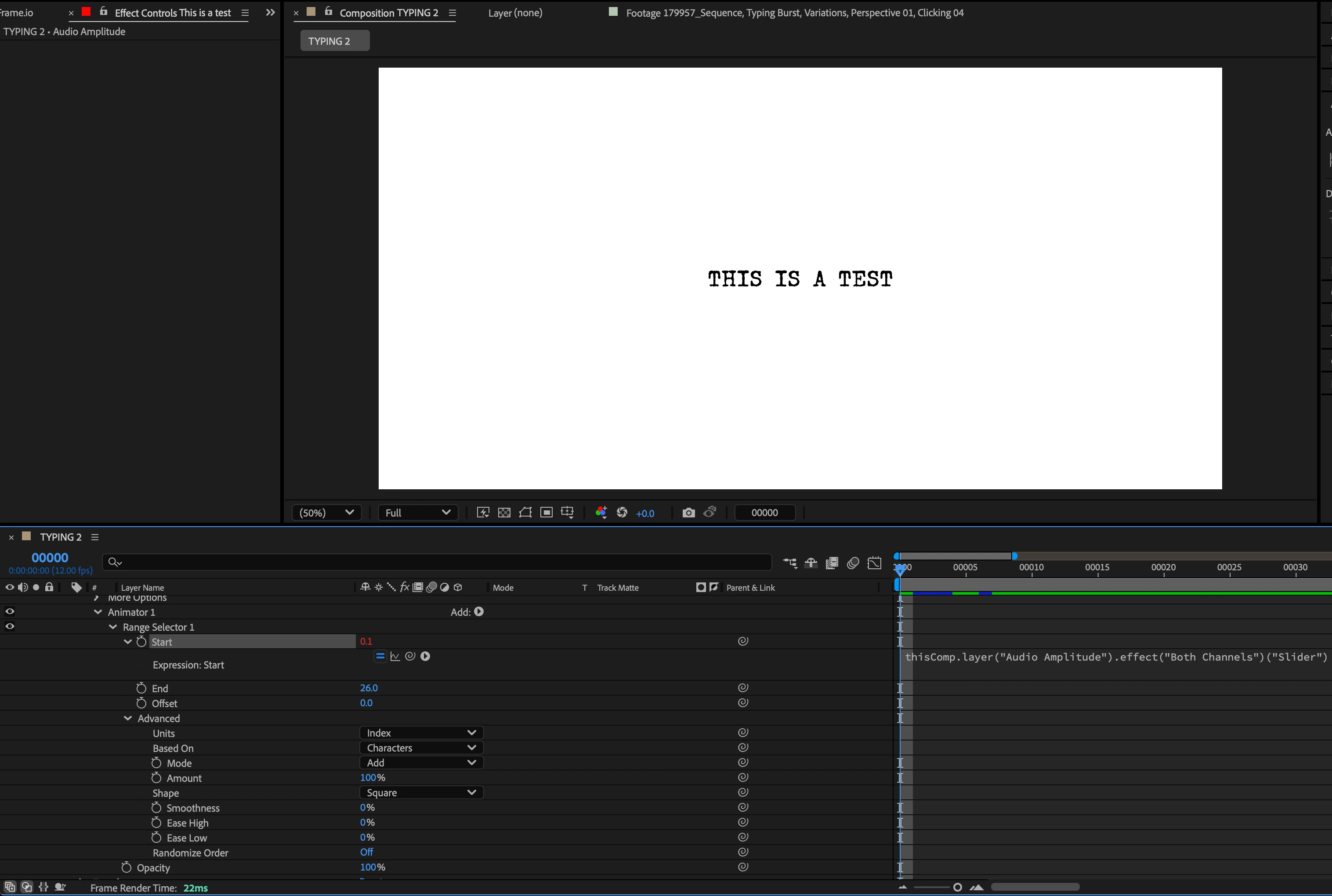
I have a project set up where I'm trying to type out the words "THIS IS A TEST" and have each character appear on screen the moment the typing sound occurs:
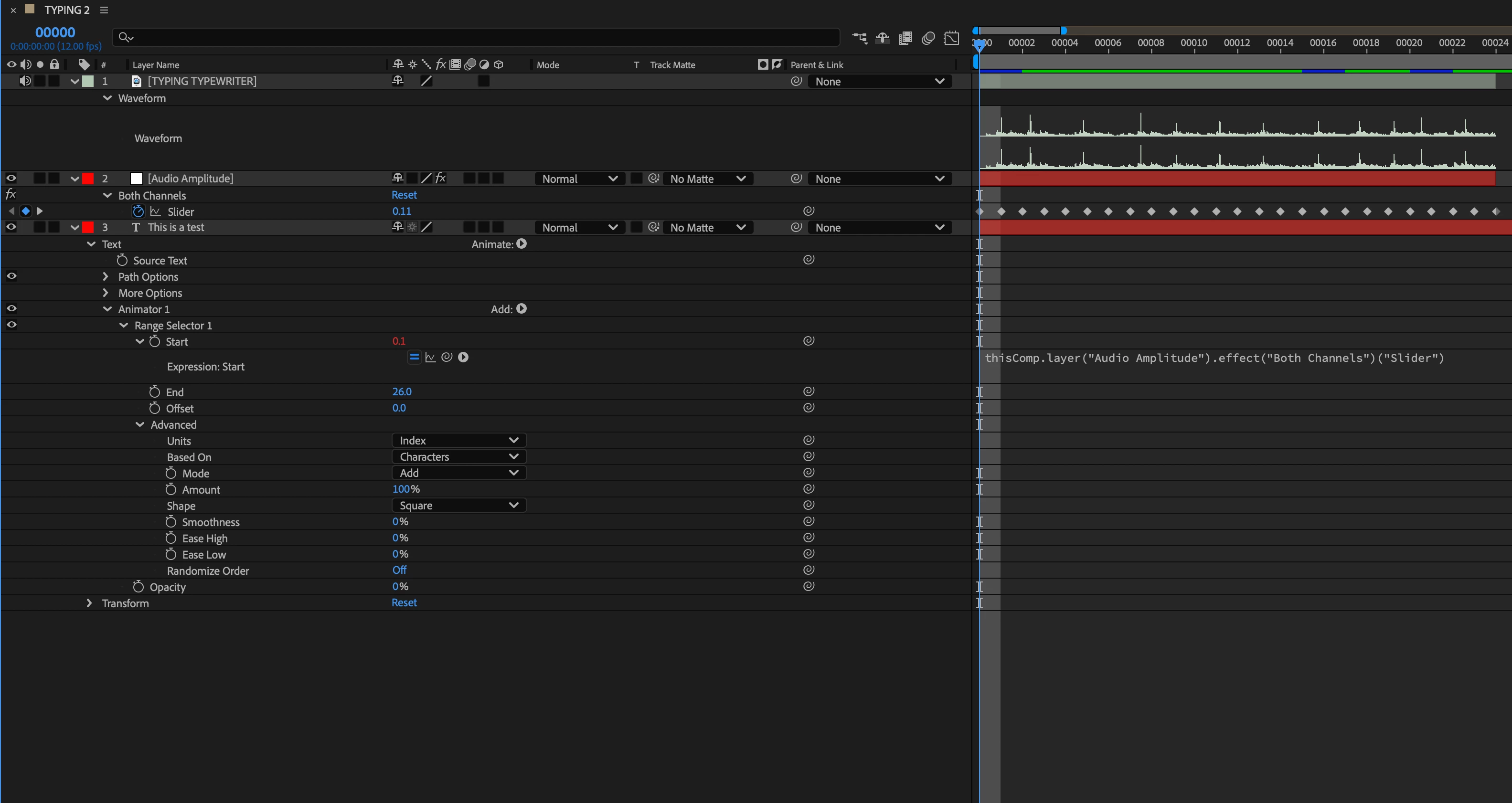
So after following a lot of youtube tutorials, here's what I did:
[1] Took the audio file and converted it to keyframes and noted the amplitude of the typing sound being around 2.0 units
[2] Applied "Opacity" animator to Text layer, switched Units from "Percentage" to "Index", set Smoothness to "0", and set Range (not Layer) Opacity to 0%.
[3] Pickwhipped Range Selector Start to Audio Amplitude Slider.
I'm not getting the desired result: typewriter text is not animating to typing sound. I'm sure I'm doing sometihng wrong, but I have no idea what.
Thank you so much to anyone who can help me resolve this.



 AdChoices