
Known Participant
April 15, 2022
Answered

After Effects 22.3 - Real-Time 3D Draft Preview greyed out

  • April 15, 2022
  • 1 reply
  • 1275 views

Hello,

I have a problem with Real-Time 3D Draft Preview on my computer. In my project, the button for Real-Time 3D Draft Preview shows up (my layers are all 3D) but is greyed out. When I hover over it, I get a message telling me to enable Accelerate Panels in Preferences-->Display - which I already have enabled. Is this a hardware issue? Are there any specific requirements to use this feature?


The lack of Real-Time 3D Draft Preview also disables other related features, like the ( new as of AE 22.3 ) extended viewer. There is no information anywhere on the Adobe page that you need to have a specific configuration or graphic card to use the new features of AE...
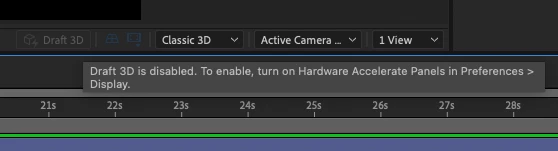
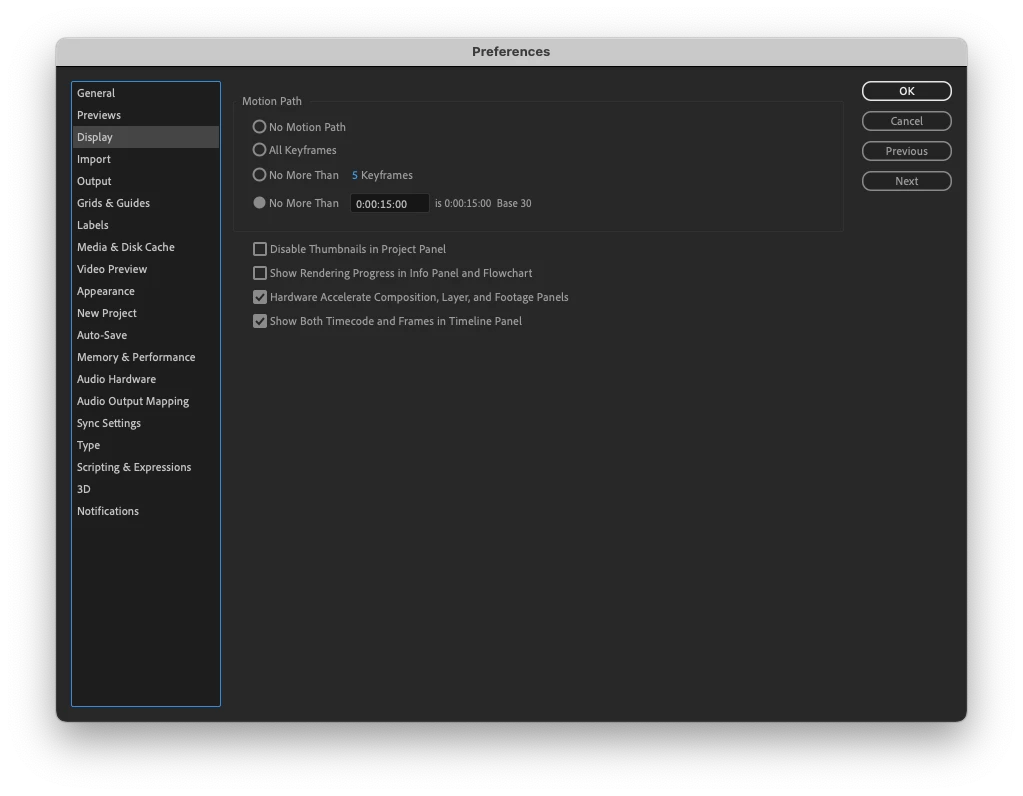
I have found a suggestion elsewhere on this forum that a "fresh reinstall" of AE might be the solution. So I uninstalled AE via Creative Cloud and re-installed it. Upon startup, I chose not to keep the settings from the earlier versions. It didn't work - but perhaps it wasn't a real clean re-install? Is there a specific way to do it? I would be grateful for an answer...


My configuration: MacBookPro 2015,  2,2 GHz Quad-Core Intel Core i7,  16GB RAM, Intel Iris Pro, Mac OS Monterey ( 12.3 )


Thanks in advance for any help,

Mikołaj

This topic has been closed for replies.
Correct answer P.M.B

Intel Iris Pro 1536 MB might be your problem.  I believe "hardware excelleration" refers to using a dedicated GPU.  What you're using is an integrated GPU, not dedicated.

1 reply

nishu_kush
Community Manager
Community Manager
April 15, 2022

Hi mikolajkamler,


Sorry for your issue.

Were you able to use it in the previous version? Is there a dedicated GPU installed on your computer? Simply uninstalling may not remove all the After Effects files. I'd suggest using the Adobe Cleaner tool to remove After Effects and associated file and then reinstall. 

Let us know if it helps.


Thanks,

Nishu

Known Participant
April 15, 2022

Nishu,

Thanks a lot for your answer. I'll try using the Cleaner tool and see if it works.

To answer your questions - ever since Real-Time Draft 3D preview was introduced, I haven't been able to use it. I have even posted about it - without any answer at the time... I have a dedicated GPU installed - Intel Iris Pro 1536 MB.

I'll let you know whether the Cleaner has solved my problem.


Regards,

Mikołaj

P.M.B
P.M.BCorrect answer
Legend
April 16, 2022

Intel Iris Pro 1536 MB might be your problem.  I believe "hardware excelleration" refers to using a dedicated GPU.  What you're using is an integrated GPU, not dedicated.

~Gutterfish