


After effects 23.4 is booting in rosetta on a mac studio running Ventura 13.4
I'm assuming this is a bug. I've restarted, uninstalled and reinstalled AE and I always get this notice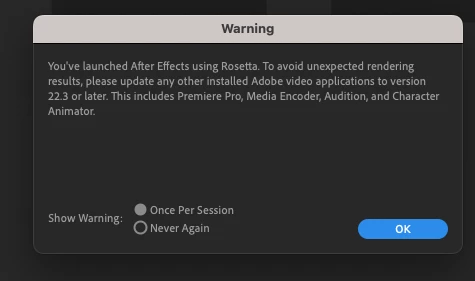 Not sure what's going on. I don't use AE that often although I've been working with it for well over 25 years... Everything mentioned in the warning has been updated to the latest version... Am I missing something obvious. Been very happy with my new macstudio which I've had for maybe 6 weeks using Premiere. Running Ventura 13.4. Got the entry model with 32 gigs of RAM. Today, I opened a sequence that had a AE comp in it that was "offline" and when I found the AE project and tried to open it, got this message. So I started to render out the clip figuring I'd just replace the AE comp with the rendered file (my workflow on my old mac). and got a message that I was out of memory and AE locked up. First time on the new macstudio... Was able to restart and render it out... but would like to figure this out... I searched this forum for anything obvious...
 AdChoices