

nishu_kush
Community Manager
Community Manager
February 22, 2024
Question

After Effects 24.2.1 is now available for download!

  • February 22, 2024
  • 19 replies
  • 9674 views

After Effects 24.2.1 is Here

Good day, Everyone,

The previous release made quite an impact, garnering widespread appreciation for its introduction of new features to seamlessly integrate 3D objects into scenes. Building upon that success, the February release has arrived. Alongside enhancements to 3D functionality, this update brings a number of bug fixes to ensure a smoother user experience. Don't hesitate - install After Effects 24.2.1 today.


What's New
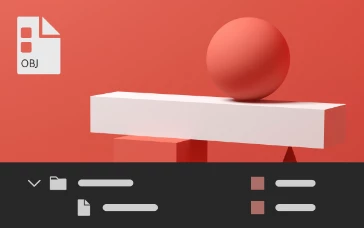
Besides GLTF and GLB formats, After Effects now also allows you to import 3D model files in OBJ format. You can import the .obj file and any associated .mtl files (material) to add them to your composition, animate, and render them in the same 3D space as native After Effects cameras, lights, and other 3D layers. 
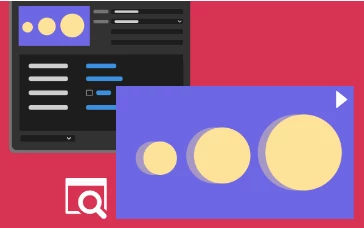


Export Motion Graphics template with a video preview of the primary composition as a thumbnail for quick visualization within Premiere Pro.
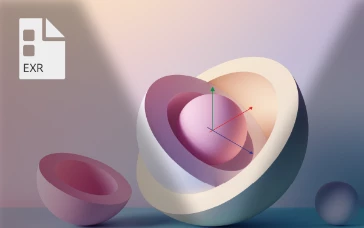


.exr file for environmental lighting

Use OpenEXR image (.exr) files in your composition to create realistic and high-quality lighting in your 3D scenes.
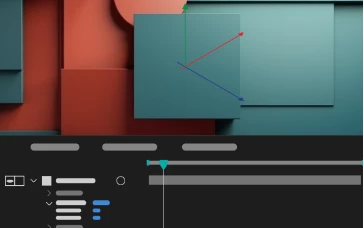


Cast and accept shadows for 3D objects

Control how 3D objects interact with light and shadows in your composition by configuring their cast and receive shadow properties.
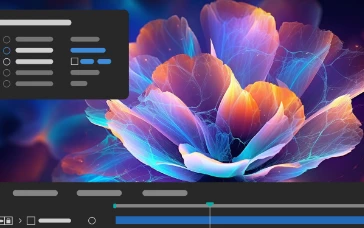


Enhancements in Cycore plug-in effects

Plug-in effects-specific enhancements with new controls and fixes to support your diverse animation needs and workflows.


Features in Beta
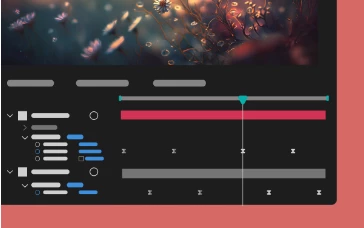
Multi-layer keyframe copy-paste

Copy and paste keyframe selections that span multiple layers so that you can easily duplicate complicated animations at different points in the timeline.


What's Fixed

  • After Effects no longer freezes when you remove a Cinema 4D layer.
  • Updating Cineware to 5.1.10 allows projects with Cinema 4D files to open as expected when saving them to After Effects 23.x and 22.x.
  • After Effects no longer crashes when you use Mask Feather Tool to adjust a feather beyond the bounds of a mask. 
  • Ampersands "&" in the effect names are now correctly displayed in the Effects submenus.
  • Expression errors no longer cause "{PrepAndWhite() called on non-diskcacheable stuff}" error.
  • Preview no longer fails when collapsing transformations on a nested composition that has a layer with Puppet pins.
  • The Rotation value no longer resets to 0 after one rotation while holding the Shift key.
  • For image-based lighting, replacing footage now correctly updates Environment Light rendering.
  • For image-based lighting, Environment Light no longer renders too bright through intensity range.
  • When applying a preset, the Position of a layer will now be combined or separated automatically according to what the preset was saved with.
  • Error message when failing to read Project XMP data is correctly formatted.
  • Fixed a crash that could occur when using sampleImage()in a layer expression.
  • High-quality shadow settings no longer cause TDRs on systems with AMD Radeon PRO cards.
  • The tiling size is calculated correctly even when the shadow Smoothness value under Advanced 3D Renderer Options is set to greater than 1.
  • Adaptive Resolution will activate when needed and as expected when you change settings values in the Advanced 3D Renderer Options dialog.
  • 3D placeholder models no longer cast shadows.
  • Replacing the source of a 3D model updates the name and bounding box as expected.
  • After Effects no longer crashes when you modify Color settings in the Interpret Footage dialog box.
  • In Cineware, when you revert to Cinema 4D, the composition viewer updates to use the C4D camera as expected.

How to update After Effects to 24.2.1

Open the Creative Cloud desktop application and click the Updates tab on the top left. Find After Effects in the list and click Update.



I don't see the update in my Creative Cloud desktop application. What should I do?

Click Help > Check for Updates from the Creative Cloud desktop application to refresh it.


19 replies

Participant
March 5, 2024

can't import sequences of obj files. it works in version 24.1. why?


Multipasser
Inspiring
March 4, 2024

ARE YOU GUYS SERIOUS??


Both my mac and Pc updated! Now I cannot open my project files and i'm on a deadline in few hours!

You keep doing this.. So annoying and not professional.  I'm steaming right now! Why??


What kind of sick error is this? So you need to reinstall 24.1 just to open a file ???


Multipasser
Inspiring
March 4, 2024

FIX the cineware bug!  AE 24.1 project that uses cineware cannot be opend in 24.2.1!

Multipasser
Inspiring
March 13, 2024

So for others with this problem. 24.1 is a unique version. Projects made in 24.1 that use Cineware can ONLY be opened in 24.1. No other versions!!!! And you cannot save to newer or older version!!

Known Participant
March 1, 2024

As I understand, we can now import natively 3D objects into our projects - GLBs and OBJs within our scenes with Advanced3D renderer. I am testing it with GLB objects, which use complex shading paradigm, ASM.

I have several questions:
1) If and when the 3D object layers will support Effects directly? Currently, even we use Calculations, simple color correction means hell of effort.
2) If and when Advanced3D renderer will suppot 3D Channel effects for compositions containing 3D objects? Currently, impossible to do depth-based compositing.
3) If and when standard 3D layers will have AcceptLights switch? Contrary to those imported 3D objects, those layers can't be assigned fancy texture maps and have limited material properties, thus can't be lit by the same lightsc.

In my case, I have to achieve stylized toon shading for everything: flat and curved footage 3D layers and imported GLBs. Meanwhile,
- the flat layers depend very much on light angles, and how would you light up e.g. sky layer in bg ;
- there's too much contrast between the lit and unlit sides in the curved layers, especially considering the Light Transmission is unavailable ;
- the 3D GLBs are underlit, and only way is to use Environment Light, yet again it has different effect on flat 3D footage.


In the image: the tree trunk is GLB, normals are outward-facing. There's selected Parallel Light 100% close to the trunk, no Falloff - yet, lighting is very sombre and from the opposite direction. The layer's in the BG because of lighting are ~50% darker. Switching to Cinema4D renderer brings expected lighting, however stops rendering GLBs and renders curved layers incorrectly.


Earlier I was able to create complex 3D machinery in AFX, now it appears to be much more difficult / impossible. Why should I be able do less five years later?

Participant
February 28, 2024

yeah, and once again it doesn't work, crashes......gotta love adobe for holisticly thinking there software works

Participant
February 27, 2024

Do you even test it? crash everytime I try to import .exr sequence. 

Participant
February 25, 2024

Hello Everyone,

In the wake of the previous impactful release, the February update has arrived with further improvements. Building on the success of seamlessly integrating 3D objects into scenes, this release enhances 3D functionality while addressing various bugs for a smoother user experience. Your positive feedback has been instrumental, and we encourage you to install After Effects 24.2.1 today to enjoy the latest features and an even more refined performance. Thank you for your continued support.

Best regards,

Participant
February 23, 2024

I have had to revert back to 24.1 due to persistent crashes. Previous version was very stable, this one has crashed every time I've opened it so far..

Participant
February 23, 2024

Its Slow!


Terrible experience this update.

HunchoDreams
Known Participant
February 23, 2024

Hopefully this update fixes the Prores Raw decoding issue!

HunchoDreams
Known Participant
February 23, 2024

INCREDIBLE! Does not fix the issue.. I did isolate the issue to MFR causing the bug when using ProRes Raw. I have a Amd 9 7950X w/a RTX 4080 OC if that matters.