
After Effects 24.3 error: overflow converting ratio denominators (17 :: 19)
Hi everybody, I'm working with the latest available AE with a Dual Xeon v3 based workstation, so AVX2 compatible, 64 Gb of RAM, Asus branded nVidia 2080Ti 11Gb GPU.
I have a relatively simple 24 fps project with a single fixed 24 fps video and many, many, many levels of text overlaying as Titles. After a while, adding more and more levels of text, I get this infamous warning After Effects error: overflow convreting ratio denominators: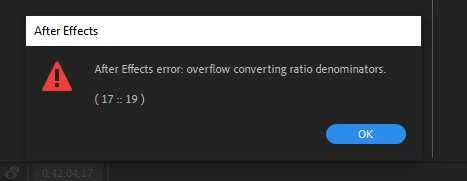
I can ignore the warning, but the latest levels in the composition's list become not visible anymore and if I need to modify one of them I cannot access it, just like it has disappeared in the list, even if they are still effectively present and I can render correctly the final file.
Many of the layers in the project disappear even though scrolling the slider in timeline shows them in preview. If I try to delete the only video file in the project it crashes, if I try to copy all the layers and move them to another new project it gives me the same error.
Can you help me? I'm driving nuts. I even tried changing the Mercury render engine from Cuda to Software, nothing... using Classic 3D composition... same issue.


 AdChoices