

After Effects 24.3 is now available for download!
Welcome to After Effects 24.3
Hello After Effects users,
With a number of new features made available in After Effects 24.2.1, this release focuses on bringing stability and resolution to bugs reported by the After Effects community.
Install the latest version today!
What's New

Get much finer control over the appearance and animation of characters within a Text layer using scripting.
Features in Beta
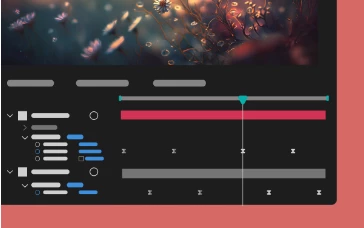
Multi-layer keyframe copy-paste
Copy and paste keyframe selections that span multiple layers so that you can easily duplicate complicated animations at different points in the timeline.
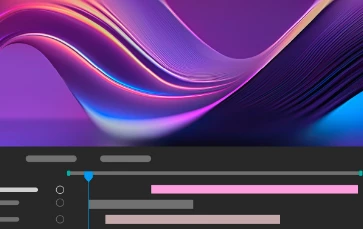
Label Color Menu Swatches
Easily identify the color you'd like to set for your project items, keyframes, layers, or composition marker labels.
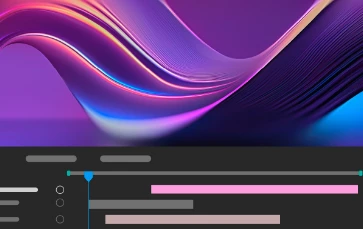
Navigation to the earliest In and latest Out points
Move your CTI to the earliest In point and the latest Out point when multiple layers are selected using keyboard shortcuts I and O.
What's Fixed
- After Effects no longer crashes when you try to export tracking data to the 3D model layer.
- The maximum values for specific layer style sizes (Drop Shadow, Inner Shadow, Outer Glow, Inner Glow, Satin, Stroke) have been reduced from 30,000 to 250.
- The “Invalid clipboard format” alerts no longer show up when bringing After Effects in focus.
- Textures now render for model exported in .obj format.
- White Noise option is added to the Audio Tone effect.
- After Effects no longer quits when undo is pressed during playback after a camera is created and the number of views is changed.
- After Effects no longer crashes rendering track mattes using the Advanced 3D renderer.
- Users who sign in to Creative Cloud within After Effects should no longer be signed out after 30 minutes.
- Navigating After Effects menus on macOS Sonoma 14 should now work as expected.
How to update After Effects to 24.3
Open the Creative Cloud desktop application and click the Updates tab on the top left. Find After Effects in the list and click Update.

I don't see the update in my Creative Cloud desktop application. What should I do?
Click Help > Check for Updates from the Creative Cloud desktop application to refresh it.


 AdChoices