

nishu_kush
Community Manager
Community Manager
May 10, 2024
Question

After Effects 24.4 is now available for download!

  • May 10, 2024
  • 9 replies
  • 7491 views

After Effects 24.4 is now live

Hello Artists,

After Effects 24.4 is a bundle of new features. From performance improvements to making your workflow faster and more efficient. All of it is now just a click away. Dive into the latest update today, go to the Creative Cloud desktop app, and click Update next to After Effects.

Happy creating!


Here's what's New

Take advantage of pre-existing propagated frames during the Freeze process for efficient and accurate rotoscoping workflows.
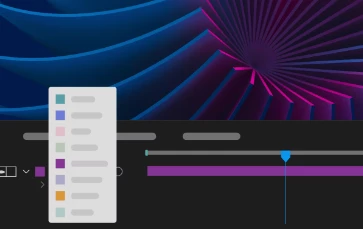


Label Color Menu Swatches

Easily identify the color you'd like to set for your project items, keyframes, layers, or composition marker labels.
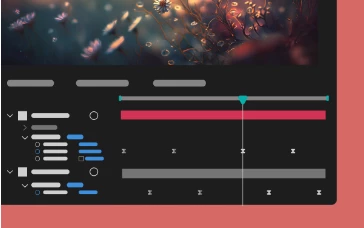


Multi-layer keyframe copy-paste

Copy and paste keyframe selections that span multiple layers so that you can easily duplicate complicated animations at different points in the timeline.
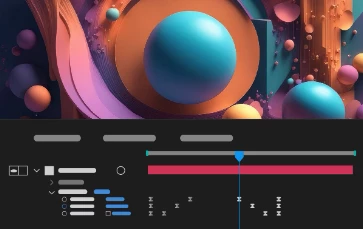


Reverse paste keyframes

Speed up animation by copying existing keyframes spanning multiple layers and reverse pasting them to create captivating animations.
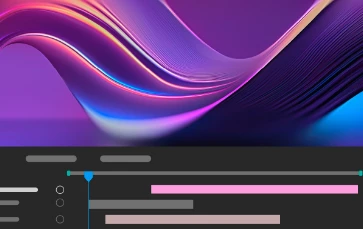


Navigation to the earliest In and latest Out points

Move your CTI to the earliest In point and the latest Out point when multiple layers are selected using keyboard shortcuts I and O.


Features in Beta
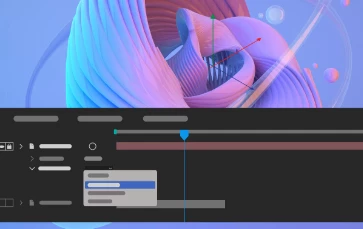
Embedded 3D Model Animations

Access embedded animations in the imported GLB or GLTF models and select one of them to play back in your composition.
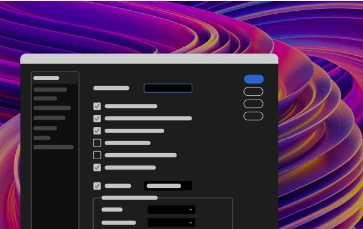


New After Effects Spectrum User Interface

Experience the new modern look across the entire app, themed and styled using Adobe Spectrum design.
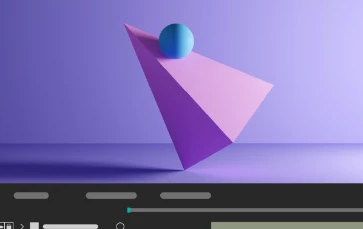


Shadow Catcher

Create realistic composites using a 3D shadow catcher layer to capture shadows cast by overlying 3D models.
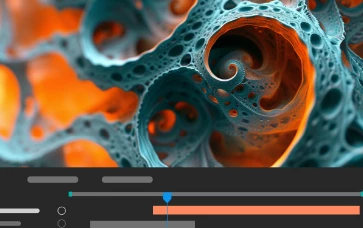


Get depth data from an Advanced 3D Scene

Extract depth data and use the map to create more realistic composites by simulating real-world camera settings for 3D renders.


What's Fixed

  • Incomplete Warp Stabilizer tracking data no longer causes UI slowdowns and caching issues.
  • The composition panel no longer flickers when the Draft 3D option is enabled.
  • Changing the view mode to Draft 3D and enabling the Extended Viewer now renders layers correctly.
  • After Effects no longer shows “Unknown Error” when opening an AVI codec configuration window.
  • Slow model import can now be canceled. 
  • Fixed an issue that caused After Effects to crash when using Adobe Dynamic Link to work with Premiere Pro sequence. 
  • Multiple installations of the Microsoft ONNX Runtime should no longer cause After Effects to crash on startup.

How to update After Effects to 24.4

Open the Creative Cloud desktop application and click the Updates tab on the top left. Find After Effects in the list and click Update.



I don't see the update in my Creative Cloud desktop application. What should I do?

Click Help > Check for Updates from the Creative Cloud desktop application to refresh it.


9 replies

Known Participant
June 18, 2024

And yet, still, MXF files sent from After Effects to Media Encoder come up in Media encoder as missing.  Furthermore, it says they will be replaced with the missing media frame, but actually are replaced with colour bars.  Both unnacceptable, but just goes to show how broken this is.

I logged this bug over a month ago with adobe.  It is a critical aspect of our workflow, to maintain quality through the broadcast pipeline.

Updated this morning with the hope it is sorted.  It's not.  I have no words.  I'm not angry.  Just dissapointed. Actually, I am angry.  To re-introduce a past bug speaks volumes on how the development workflow if flawed.  Do better Adobe.  Do better!


Participant
June 14, 2024

Paste on the reverse of the key frames doesn't work for me,

Why?

coolwhiff
Participant
June 13, 2024

It seems that now *some* Extendscript is missing. For example, in v24.2.1 `Array.isArray` is available and valid, but in 24.4.1 it reports as `undefined` and causes issues. 

coolwhiff
Participant
June 13, 2024

Turns out that those polyfills only work if the CC Library is open! Whoops Adobe

rtdc
Known Participant
June 11, 2024

@nishu_kush thanks for the post, but why Adobe is not updating AE Release notes page frequently? Every time an update is pushed to CC app, I go to Known/Fixed issues page, and info is not there. Even now page says "Last updated on Apr 14, 2024". Right now I see that 24.4.1 is available, but I don't have info what's in it. 
https://helpx.adobe.com/after-effects/kb/known-issues-after-effects.html

֑nubnubbud
Inspiring
June 6, 2024

My brother in software development-

After Effects cannot handle 3 flat layers under 8Gb of Ram, and it cannot use more than 8% of my GPU effectively. It is NOT ready for a 3D workload. The average dev can code a 3D path traced render engine if they know what they're doing. We don't need that. We need excellence in optimization, a full refactor, or a new freaking program. 


We don't need 3D and GPU usage for a program that cannot do 4k playback at 24fps, and doesn't have GPU effects. Please, get it together. We have entire 400W subcomputers specifically to calculate graphical math. We don't need to be using an antiquated RAM cache system that was used to accelerate a system already obsolete by 2012, and we absolutely don't need to be getting colored outlines on keyframes when we're busy dealing with the fact that multithreading is just copying the render process because none of the effects are multithreaded anyway.

Participant
June 3, 2024

I have 32 GB of RAM and After Effects uses almost all of it. Despite that, I get a low memory warning and my preview is interrupted. I wish there was an alternative software so we could start using it.

֑nubnubbud
Inspiring
June 6, 2024

It's called davinci resolve. As for layer based stuff... yeah, this is kinda it. 

There's no reason layer based workflows could not be made in software like nuke though. I'd like to see that!

Known Participant
May 28, 2024

So I've installed this, and now After Effects will not open at all. Either via the options of regularly opening it, resetting the preferences, with or without my 3rd party plug ins or safe mode. I've tried a PC restart, updating my Nvidia drivers, uninstalling AE and re-installing it. There's no other options left.

Where can I get direct help from customer service, this is URGENT.

Known Participant
May 28, 2024

I've also now tried downgrading to the previous version and AE still wont open.

Participant
May 28, 2024

Super unstable. Both Premiere and Aftereffects keep crashing all the time. 

PC user

Sterphy
Known Participant
June 10, 2024

My projects crash and cannot export ANYTHING when I use rotobrush on both PC and mac.  Adobe's quality control for their software is apalling. 

Sterphy
Known Participant
May 25, 2024

Can you please, for the love of everything that is good in the world, slow down your release cycle? 


It's not a selling point.  I get that your marketing team make all the decisions, but they're morons.  A lack of stability is NOT a selling point.  New features that never really work is not a selling point.  Failing to fix legacy issues and letting new ones pile up is not a selling point.  I will keep subscribing to CC because you force me to and DESPITE the annual release cycle.  But saying that, the thing that will make me cancel my subscription completely is the fact that the software gets worse with every version.  What are you actually playing at??  Take your time, don't release a new version for 3 years... take FIVE years if that's what you need to finally make a good app.  It's appalling.  Do you even look at what the community is saying?