

nishu_kush
Community Manager
Community Manager
June 19, 2024
Question

After Effects 24.5 is now available for download!

  • June 19, 2024
  • 17 replies
  • 12526 views

After Effects 24.5 is now live

Great news! After Effects 24.5 is here, packed with exciting new features to bring your scenes to life. With Shadow Catcher and Animated Models support, creating more realistic and dynamic scenes has never been easier and the new presets are just amazing.

Dive in and let your creativity soar!


Here's what's New
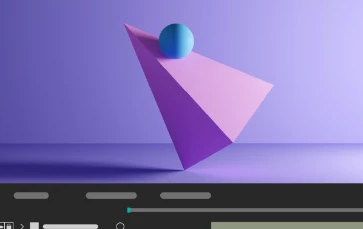
 

Shadow Catcher

Create realistic composites using a 3D shadow catcher layer to capture shadows cast by overlying 3D models.
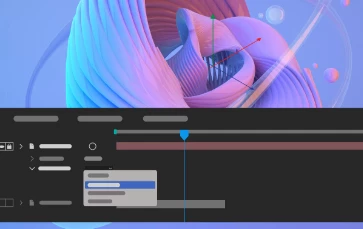


Embedded 3D Model Animations Support

Access embedded animations in the imported GLB or GLTF models and select one of them to play back in your composition.
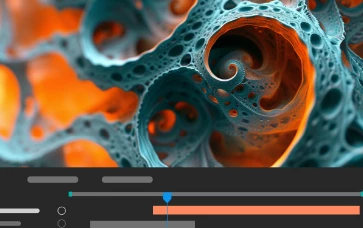


Get depth data from an Advanced 3D Scene

Extract depth data and use the map to create more realistic composites by simulating real-world camera settings for 3D renders.



OBJ Import from Libraries

Drag and drop 3D models directly from Creative Cloud Libraries into your project to enhance workflow, collaboration, and efficiency.
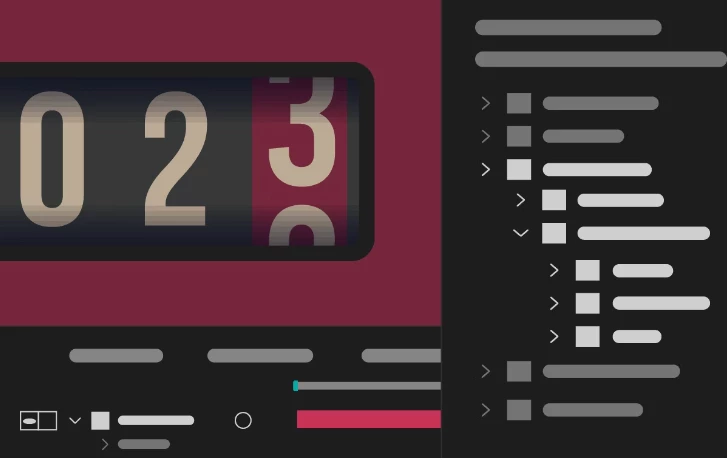


Use new animation presets that cover infographics, numbers, transitions, textures, and more to streamline your creative projects.
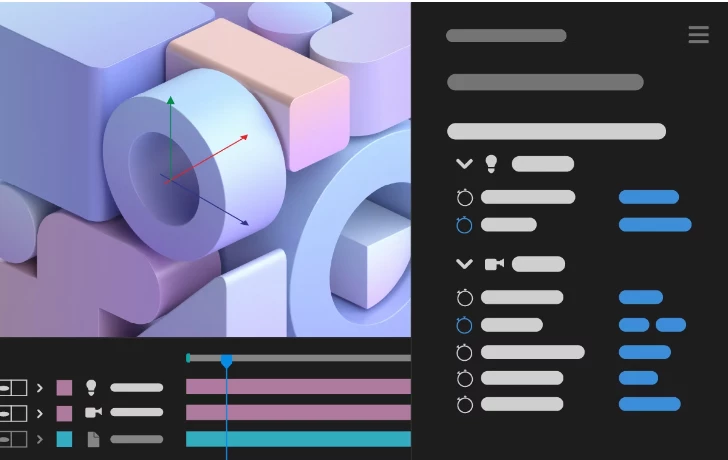


Camera and Light properties in the Properties panel

Use the Properties panel to quickly access and edit Camera and Light properties and work with layer transforms.


Features in Beta
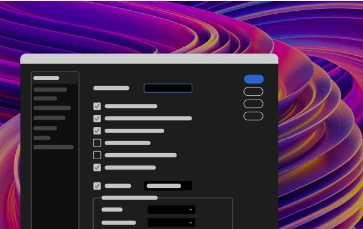


New After Effects Spectrum User Interface

Experience the new modern look across the entire app, themed and styled using Adobe Spectrum design.
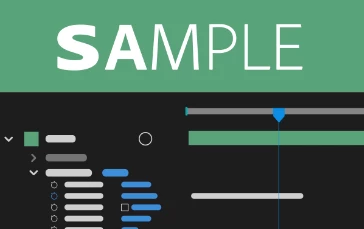


Per-character text and Paragraph styling in Expressions

Use extended text and paragraph styling capabilities in Expressions, including per-character control for efficient text-based animations.


What's Fixed

  • Improved UI interaction performance in the composition panel with Faux Bold enabled.
  • After Effects no longer crashes when adding an asset from the library to a folder in the Project panel.
  • Animation presets are now applied correctly when Advanced 3D render is enabled.
  • Fixed memory leaks that caused users to run into application memory exhausted error where the mask path was keyframed.
  • Pasting a keyframe from a scale property no longer gives an error.
  • The 3D model layer keyboard shortcut to toggle shadows now works correctly.
  • Purging ALL_CACHES no longer shows a confirmation dialog when scripts are run from ScriptUI palette, ScriptUI window, or VSCode Extendscript debugger.
  • Purging ALL_CACHES now purges cache successfully if app.purge() is called from a ScriptUI dialog.

How to update After Effects to 24.5

Open the Creative Cloud desktop application and click the Updates tab on the top left. Find After Effects in the list and click Update.



I don't see the update in my Creative Cloud desktop application. What should I do?

Click Help > Check for Updates from the Creative Cloud desktop application to refresh it.


This topic has been closed for replies.

17 replies

Volition74au
Inspiring
June 27, 2024

The new preset Backgrounds>Anime Speed Lines> Gives barely any lines. I have to adjust the parameters to get some lines. I rendered out a 15s sample and got Not 1 Speed line. I changed the random seed and got 1 in 15s . Seems a bit light on. I mean i am happy to change the parameters but I am guessing that is not the idea. I created it with a 1080x1080 comp and a 1920x1080 comp too

JaimeGomez78
Known Participant
June 25, 2024

Installed yesterday and today...rollback. Memory issues with simple proyects. Eating RAM doing nothing. I don´t understand really.

֑nubnubbud
Inspiring
July 30, 2024

AE was not developed with RAM or GPU's in mind, and now that both are plentiful, it hit AE like a certain narcotic blend in the 80's hit low income neighborhoods. It's not optimized for it, so it gobbles it all up for little to no (and sometimes negative) benefit, but it's the only way to go faster without an intervention (refactor/rewrite) and boy would that be a lot of technical debt to undo. Probably better off starting from scratch.

SteveBlacker
Participating Frequently
June 21, 2024

Another hopeless update. I have autoupdates for AE switched off, and it *still* updated itself. Not only that, it's been crashing and feezing constantly since then. Scripts that were working just fine no longer work properly (Motion 4, for example). What am I even paying for at this point? It gets worse and worse with each update, costing me time and, ultimately, money. Get it together Adobe. Rewrite it from the ground up, whatever. This is a farce. 

Inspiring
June 20, 2024

I hope the never ending out of memory errors have stopped. 

Known Participant
June 20, 2024

Nope, it's worse than ever. I'm currently trying to render a project that took 15 minutes to render about 3 weeks ago. I changed the music today and it froze 3 times on rendering, now it looks like it's working and the timer is saying 4hrs 30, it's already been going for an hour. Ram previews are also painful even at 1/4 res. It's beyond a joke now. 

Known Participant
June 20, 2024

I'm so tired of this. Yet another awful update. Crashed 5 times yesterday on simple projects. Unusable today on a marginally more complex one. Stop adding more "features" that nobody cares about, nobody wants full 3D in AE, it can't even render 2D efficiently. Fix the UI and the painfully slow RAM preview, this software is taking huge leaps backwards with every update and I'm sick of it. 

SteveBlacker
Participating Frequently
June 21, 2024

100000%


Participant
June 20, 2024

After the last update, After Effects started to freeze and took some time to become responsive at the start. It opens, shows the recent project window, then it blanks and freezes for a while. I updated my Nvidia drivers to the latest version with no difference. at all. This wasn't an issue with the previous versions. I use a decent 2023 laptop with fast Gen4 m.2 SSD's and 64 GB RAM, with a 4080 laptop card btw. 

֑nubnubbud
Inspiring
June 30, 2024

AE doesn't really use GPU, sadly. Mine actually renders slower if I turn it on. You need davinci, blender, or nuke for that. If you're going to include specs, CPU, RAM amount, and drive tech are the only parameters that will significantly change anything.

֑nubnubbud
Inspiring
June 20, 2024

Cool stuff, i don't care.

If I want 3D i'll use a 3D package.

If i wanted new UI, I wouldn't consider it AE's best strength already.

If I wanted more presets, I'd make them- that's barely even a plugin


We don't need a poor 3D rendering toolset in a 2.5D software when good external ones are free. We're paying for a compositing software to use with 3D.


So when are we getting proper multithreading, GPU usage in more than like 7 effects, and when is AE going to render faster than the 2012, or fastest version, 2014? Can we please get something that doesn't struggle on a few keyed shapes, please? Maybe some actual support for its EXR workflow, perhaps?


Or are you just gonna keep running it into the ground till it buckles under its own poorly supported bloat? It's gotten slower for a decade, to the point that new computers are the only way to avoid total uselessness.

Inspiring
June 21, 2024

My firstborn child for: 


GPU acceleration of shape layers

GPU acceleration of "classic 3d"

Using the GPU at all. Nothing like having a $1800 GPU sitting idle when it could be making things render in realtime. 

֑nubnubbud
Inspiring
June 25, 2024

Adobe, holding out hands, suspiciously firstborn-shaped protrusion in their neck:

"May i have another?"