nishu_kush
Community Manager
Community Manager
April 2, 2025
Question

After Effects 25.2 is now available to download!

  • April 2, 2025
  • 16 replies
  • 18086 views

Welcome to After Effects 25.2


The Adobe After Effects 25.2 April release is now available for download, bringing a host of quality of life features and a comprehensive list of bug fixes to enhance your overall experience. This latest update includes significant improvements to streamline your workflow, ensuring better stability and performance.


New in 25.2


Here are the new features coming with version 25.2
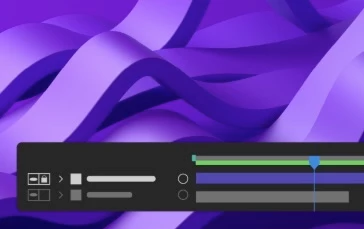
 

High Performance Preview Playback

Experience smoother and significantly longer preview durations without any limitation of RAM size allocated to After Effects.

 

HDR preview support

Preview and monitor your work in HDR for high dynamic range motion design and visual effects.
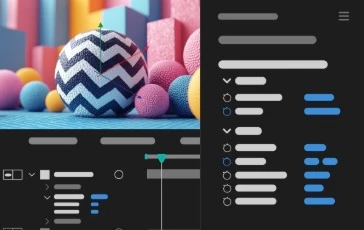
 

3D model animation controls in the

Properties panel

Easily modify the lighting and shadow effects on a 3D model layer and select embedded animations through the Properties panel.
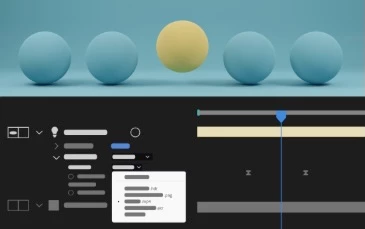
 

Animated Environment Lights

Illuminate your Advanced 3D compositions by choosing a composition, video, or image layer as an Environment light source.
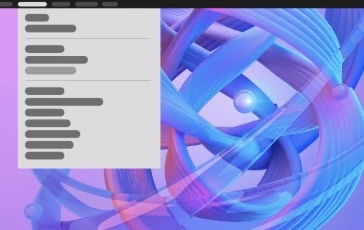
Helper commands for common 3D workflows

Use new commands to simplify common 3D workflows with single-click actions, such as linking a camera to a light, applying 2D effects to 3D objects, and visualizing the Environment Light's source.
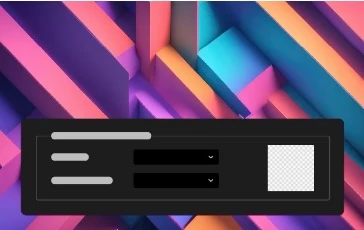
Customize Transparency Grids

Use a new set of options in Grids & Guides preferences to change the size and colors of the transparency grids displayed behind the composition contents.
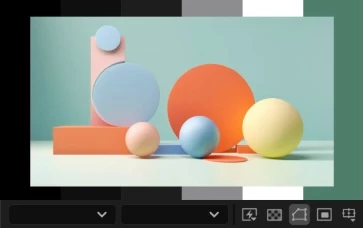
Customize panel background colors

Personalize the empty fallow area around your composition by selecting a background color from five grey brightness levels or choosing a custom color.
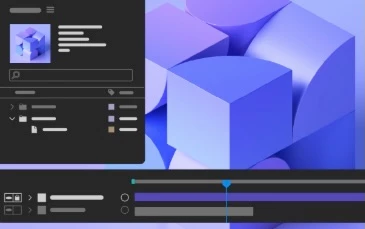
Maintain your workspace when opening projects

Keep your current workspace layout consistent when opening projects saved with different workspaces in After Effects.
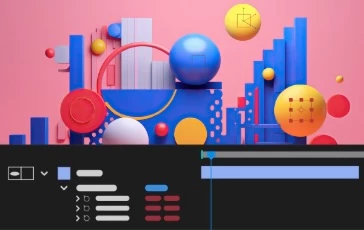
New and improved Null creation commands

Effortlessly create Null controllers for positional properties such as the gradient points of Shapes, Puppet Pins, and effect points, simplifying your workflow and enhancing efficiency.


Fixed issues in 25.2


The After Effects product team has diligently worked on the 25.2 April release, which brings a comprehensive list of bug fixes to enhance the overall user experience.

Click here to check out the list of bugs that were fixed.

16 replies

Participant
June 5, 2025

Olá meus caros. Estou tendo um problema que está destruindo minha usabilidade no programa.

Segue víddeo do ocorrido.

É como se o AE não detectasse minha placa de vídeo. O preview fica EXTREMAMENTE LENTO e sempre que clico e arrasto algum item ele se movimenta extremamente lagado.

Poderiam me ajudar?

RX 7600 (já reinstalei os drivers desinstalei e instalei novamente com DDU)
R5 5600X
32gb RAM

Já fiz tudo de superfulo que o youtube pode oferecer para solucionar esse problema. Nada acontece.

Minha placa de víddeo está funcionando normalmente.

David.Arbor
Community Manager
Community Manager
June 6, 2025

Hi @Vasco Mamede ,


This sounds like a problem we fixed in a recent version of the AE Public Beta. Can you install it and give it a try? Alternatively, the fix will be included in the upcoming release of 25.3.


To install the public beta, open the Creative Cloud desktop app, click the "Apps" button on the left sidebar, then click the "Beta" icon in the top row. You'll be able to install the release version and the public beta alongside each other.


Thanks,
- David, After Effects Engineering Team

curt.gallery
Known Participant
April 29, 2025

Highly recommend not updating. Hosed my entire project, could not find footage would not resync or allow me to replace or reimport any thing. It struggles with sending compositions to the Media Encoder too. Lost nearly a day of time sorting it out. The solution was to go back a version. Be warned. 

rtdc
Known Participant
April 29, 2025

In your case, if AE doesn't allow to replace missing file with the one on your HDD, try to duplicate that file, and then replace missing footage with the duplicate you just made. Just make sure the duplicated file has different name (like "footage-copy.mp4"). Hope this helps.

I think it really depends on OS version and hardware. When I had latest AE version on my iMac2020 (i7 3.8, Radeon 5700, 96Gb RAM), I had so many bugs I didn't even want to list them here, cause then I would have to troubleshoot everything, and write essays here nobody @adobe reads. I had a suspicion that Adobe doesn't care so much about Intel versions anymore, and mayor resources could be focused on Apple Silicon, so I upgraded.
Now, on 16" MBP M3Max 48GB RAM and AE 25.2.2 (apple silicon ver) I feel almost comfortable. [M4Max with 2x bandwidth was not in my budget]. Timeline preview is very fast compared to iMac, old bugs are gone. OK, there are few minor bugs like this one (attached) where panels stretch incorrectly, but it is not something that worry about.

curt.gallery
Known Participant
May 5, 2025

Thanks the only thing that remains and this seems to be an ongoing are preview performance issues. Randomly preview behaves as expected, quickly renders frames at 1/4 quality quickly and then all of a sudden it refuses to rendering any frames and it becomes ten times faster to just export that section, which is not a great work flow and makes no sense. How could rendering the file in full rez take less time then a 1/4 quality preview?! 48GB of RAM?! SWEET!


Known Participant
April 25, 2025

Are 50 series Nvidia GPUs fully supported in this version?


Known Participant
April 29, 2025

Hello!!! Anyone there????


David.Arbor
Community Manager
Community Manager
April 30, 2025

Hi there,


Nvidia 50 series GPUs should just work in the latest version of AE; there's no special support that needed to be added. Make sure you're using the latest Studio driver. But if you do run into any issues, please report them in the forums.


Thanks,
- David, After Effects Engineering Team

Known Participant
April 17, 2025

Hey there, I would love to use the latest version as it seems to have some awesome changes but in both versions I had the problem that dragging keyframes is extremely sluggish and not usable. I used the normal latest AE version and not any Beta. Is this a known error or is there any fix for this?

Known Participant
April 15, 2025

In the latest version 25.2.2, windows (e.g. color palette, animation keys) forget their position on the screen. It’s impossible to work like this.

David.Arbor
Community Manager
Community Manager
April 15, 2025

Hi @koralfx2, sorry to hear you're having issues with the patch update. Could you please start a new thread with a full UI screen recording that clearly shows the problem. This will help us either reproduce the issue on our side or better troublehshoot with you.


Thanks,
- David, After Effects Engineering Team

Known Participant
April 15, 2025

Done

Participating Frequently
April 15, 2025

This is the worst  it does not  seem to run any faster actually the oposite is true. it's somehow now use all the capacity of the computer and still can't do a render preview.  never had so much troubles until now.  i cant even do a simple render. somehow you make it worse than it was. I need to get toa previus version because this is imposible to wirk with, how can i manage this?


David.Arbor
Community Manager
Community Manager
April 15, 2025

Hi @Pablo-D,
This is definitely not the experience we want you to have, nor is it the expected one. Can you try temporarily launching in Safe Mode to see if your preferences or a third-party tool might be causing problems? Also, if you have reproducible issues and project files, it really helps us to see full UI screen recordings or the problem projects so we can reproduce your issues on our end.

Participating Frequently
April 15, 2025
Thanks for the reply David,
before when it ran on RAM I couldn't render a lot of time, but at least it
ran smoothly when it was charged, not because it uses all the space in my
computer so it crashes. so i have to make space for it, and still it takes
longer to preview and when it does it does not cover the full extent of the
in and out of the render bar. I used to render. project in about 8 min, and
now for the same projects it takes about an hour, and crashes in the middle.
So I don't know what else has changed in the update but it is not working,
is there a way to go back so that it only uses the RAM i assigned ?
Thanks

--
Participant
April 12, 2025

Mein After Effects startet nach dem Update nicht mehr. Stürzt immer beim Öffnen ab. Selbst Log-Dateien löschen hilft nicht.

Participant
April 10, 2025

CEP to UXP migration?

rtdc
Known Participant
April 9, 2025

Is anyone else experiencing an issue when pressing Cmd+I or double clicking in Projects panel, doesn't open Import dialog window with first try (it just blinks and disappears), after second try Import dialog window opens just fine.

mihimaruGT
Inspiring
April 5, 2025

Please don't spend time and energy on useless features, such as 3D. I don't think people who use AE will love this feature so much. In addition, I am very happy to add smooth zoom function in Beta