

Question
After Effects 25.4 is now available to download!
Welcome to After Effects 25.4

After Effects 25.4 is here!
This release brings new features, bug fixes, and workflow improvements to enhance your creative experience. A highlight is Quickly Offset Your Layers and Keyframes, making it easier than ever to adjust timing in your projects.
Update now to enjoy smoother, faster, and more intuitive animation in After Effects.
This release brings new features, bug fixes, and workflow improvements to enhance your creative experience. A highlight is Quickly Offset Your Layers and Keyframes, making it easier than ever to adjust timing in your projects.
Update now to enjoy smoother, faster, and more intuitive animation in After Effects.
New in 25.4
Here are the new features coming with version 25.4
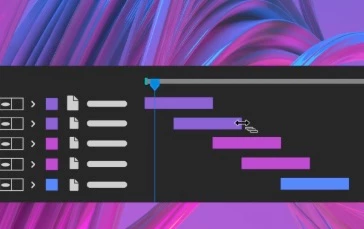
Quickly offset your layers and keyframes
Create animations by staggering layers or keyframes across multiple layers over time with a simple keyboard shortcut.
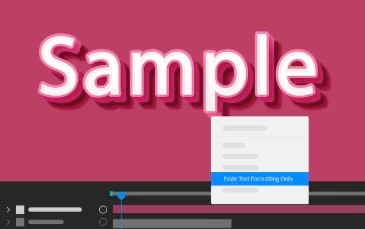
Copy and paste only the text formatting
Apply only the text formatting to an entire Text layer or a specific word using the Paste Text Formatting Only command.

Support for CICP Metadata
Import and export HDR content with CICP Metadata to ensure accurate color management and consistency across different devices and platforms.
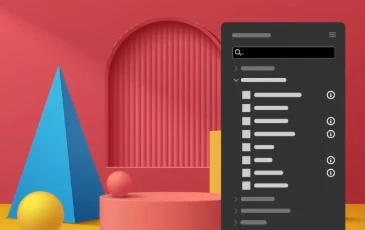
Learn about Effects before applying them
Use the Info buttons next to each effect in the Effects & Presets panel for easy reference while you work.
Fixed issues in 25.4
- Using Edit > Edit Original on files rendered from After Effects with project links now correctly opens the associated original project.
- Sending a 3D model from Substance Painter to After Effects no longer triggers an error on macOS devices.
- The 3D View no longer influences the rotation of 2D layers when using the Rotation tool.
- Writing EXR files to network storage is now significantly faster, with improvements depending on network speed and NAS architecture.
- All 3D models separated by a bin-breaking layer are now visible in the Draft 3D mode.
- Quitting After Effects while the “Import File” Finder dialog is open on macOS no longer causes a crash.
- Sending multiple compositions to the AME queue no longer causes text to appear blurry or “vibrate” in rendered output.
- Importing specific JPEG files from network locations no longer causes After Effects to crash due to file handling issues.
- Refocusing After Effects after resizing an image on disk that is part of the current project no longer causes a crash.
- Scale, Rotation, and Orientation values now update in real time in the Properties panel when adjusting layers in the composition viewer.
- Projects using the Adobe Clean font on Windows no longer trigger warnings during mogrt import and conversion.
- OCIO Transform effects now retain their previous settings when projects are reopened.




 AdChoices