



After Effects 26.0 is now available to download!
Welcome to After Effects 26.0
Ae 25.6 Banner.png
A powerful new version of After Effects is here, and it’s all about unlocking fresh creative possibilities. This release introduces a set of exciting new features designed to push your 3D workflows further than ever. With the addition of Spot and Parallel Light shadows, you gain greater control over lighting and realism in your scenes. The ability to create Parametric Meshes opens up faster, more flexible 3D design, while support for Substance 3D Materials (SBSAR) brings rich, fully customizable materials directly into After Effects. Together, these updates make this release a big step forward for artists looking to create more dynamic and visually striking work.
New in 26.0
Here are the new features coming with version 26.0
Substance 3D Materials (SBSAR).jpg
Substance 3D Materials (SBSAR)
Apply Substance Materials (.sbsar files) to 3D models and parametric meshes to explore a wide range of visual styles and achieve stylized looks.
Create parametric meshes.jpg
Create parametric meshes
Use the new mesh tool to create parametric shapes such as spheres, cubes, and cones directly within the app, and customize or animate their size, shape, and appearance.
Enable lights to cast shadows
Add multiple shadow-casting Spot, Parallel, and Environment lights to your 3D scene when using the Advanced 3D renderer in a 3D composition.
Tip of the Day.jpg
Support for Variable Font Axes
Animate OpenType Variable fonts in After Effects, using a single font file that includes multiple styles for precise control over weight, width, and style.
Improved Illustrator layer conversion.jpg
Improved Illustrator layer conversion
Illustrator layers now preserve gradient fills, strokes, and transparency when converted to native shape layers, which also support animatable Scale and Rotation for gradients.
Import SVG files as vectors.jpg
Import SVG files as vectors
Import SVG files directly into your composition and convert them into editable shape layers, ready for customization and animation.
Unmult effect for Keying transparency.jpg
Unmult effect for Keying transparency
Remove solid black or white backgrounds from footage while preserving the colors and details of the foreground for compositing or other visual effects.
Lossless Compressed Playback.jpg
Lossless Compressed Playback
Preview longer segments of your timeline while using significantly less disk space, without compromising visual quality.
Single 3D Gizmo for multiple 3D layers.jpg
Crop composition to selected layer(s) bounds
Crop your composition to the selected layers’ bounds by shrinking it to fit smaller content or expanding it to include elements that extend beyond the current frame.
New built-in audio effects.jpg
New built-in audio effects
Add new audio effects— Distortion, Compressor, and Gate to enhance and manage sound in your compositions, giving you precise control over audio directly within After Effects.
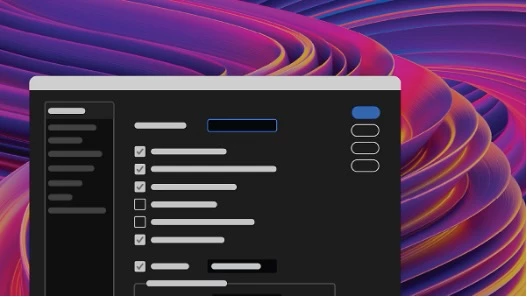
Refreshed After Effects Preferences
Improved grouping and preference organization for faster access and a more efficient workflow.
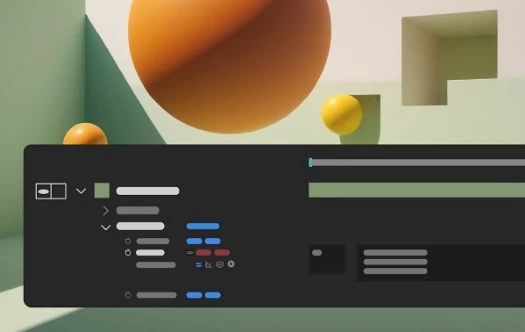
New expression and scripting enhancements
Quickly locate the keyframe or marker before or after a specific time, and read the current text value along with the full list of dropdown menu items.
Windows ARM native support
Find quick, practical insights into features, time-saving shortcuts, and best practices each time the Composition, Footage, or Layer panels are reloaded or empty.
unicode-support.png
Improved UI language support
Run After Effects in languages different from the OS display language, enter Unicode characters in UI elements, mix multiple language scripts in a single text field, and more.
Fixed issues in 26.0
- After Effects no longer crashes when selecting the October India Compressed Hairline font.
- Line breaks are now preserved when scripting marker comments that include carriage return characters.
- Scale, Rotation, and Orientation values now update live in the Properties panel as you adjust layers in the Composition viewer.
- Undoing a change to a Light’s falloff type now correctly updates the visibility of the falloff controls.
- Using expressions to create variable font animations no longer slows performance or creates extra font-style menu entries.
- Playback no longer drops frames when using Cache Before Playback with cached frames.
- The Info panel now updates correctly when navigating the layer stack using Cmd/Ctrl + Arrow keys.
- Times in the Project panel’s Date column now display correctly without future offsets.
- The Number effect now correctly displays date and time formats when After Effects runs in a language different from the OS.
- After Effects no longer crashes when creating Shapes from Text layers with special characters.
- The Info panel now shows the number of timeline layers selected with Edit > Select All.
- Still Footage duration settings no longer affect new non-Still Footage layers.
- Japanese characters are preserved when exporting files from the render queue.
- After Effects no longer exhibits rendering issues with fonts when using 3D text extrusion, including cutouts, overlaps, and missing fills.
- After Effects now has improved stability during playback when using disk cache, preventing potential crashes.

 AdChoices