
Participant
May 12, 2026
Question

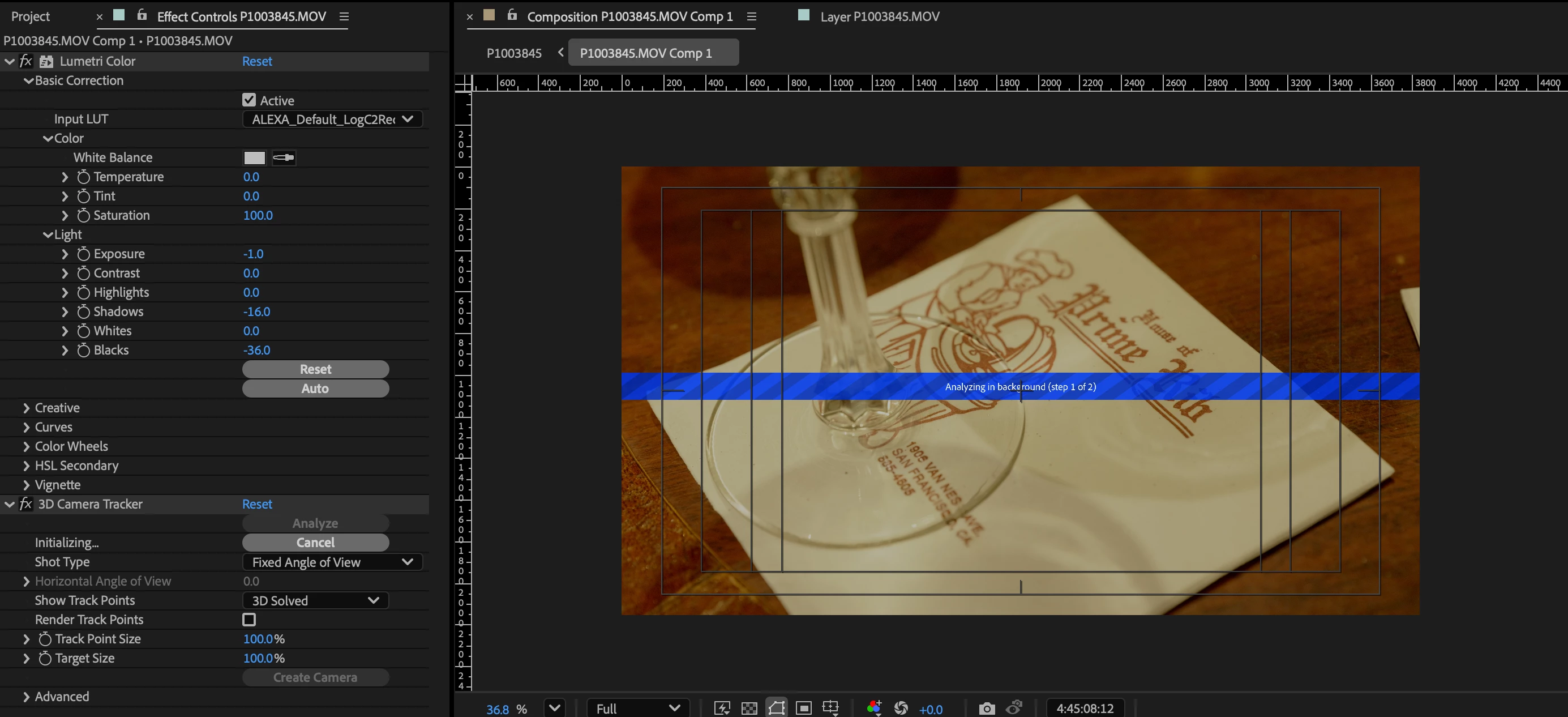
After Effects - 3D Camera Tracker stuck on "Analyzing in Background"
  • May 12, 2026
  • 1 reply
  • 7 views

For some reason, I cannot use the 3D camera tracker anymore. It worked fine on my last project. I’ve tried to track multiple clips to no avail. It doesn’t move past “Initializing.” After a while, I get an error that reads “timed out obtaining dynamiclink server” even if it’s a standalone project that isn’t connected to Premiere. I’m using AE v 26.2.1. Anyone know how to fix this?

    1 reply

    Community Manager
    May 12, 2026

    Hey Jack,

    Thanks for the question. I hope we can assist.

    That Dynamic Link timeout message is interesting, because the 3D Camera Tracker actually relies on some shared background components even when you’re not actively using Premiere.

    A few things I’d try:

    * Reset AE preferences while launching.

    * Clear the disk cache and memory cache.

    * Try disabling Multi-Frame Rendering temporarily.

    * Test with a short/simple clip in a brand-new project.

    * Make sure the Adobe Dynamic Link Manager process is running in the background.

    * If you recently updated AE, try temporarily rolling back one version.

    Also, could you share:

    * your OS version

    * GPU

    * and what kind of media you’re trying to track (codec/resolution/frame rate)?

    Sometimes the tracker can hang depending on the media format or a system/driver issue.


    Let me know any other details if these troubleshooting steps don't help.


    Thanks,
    Kevin