


Participant
November 6, 2016
Answered

After Effects: 3D Composition, lights not working.

  • November 6, 2016
  • 1 reply
  • 7768 views

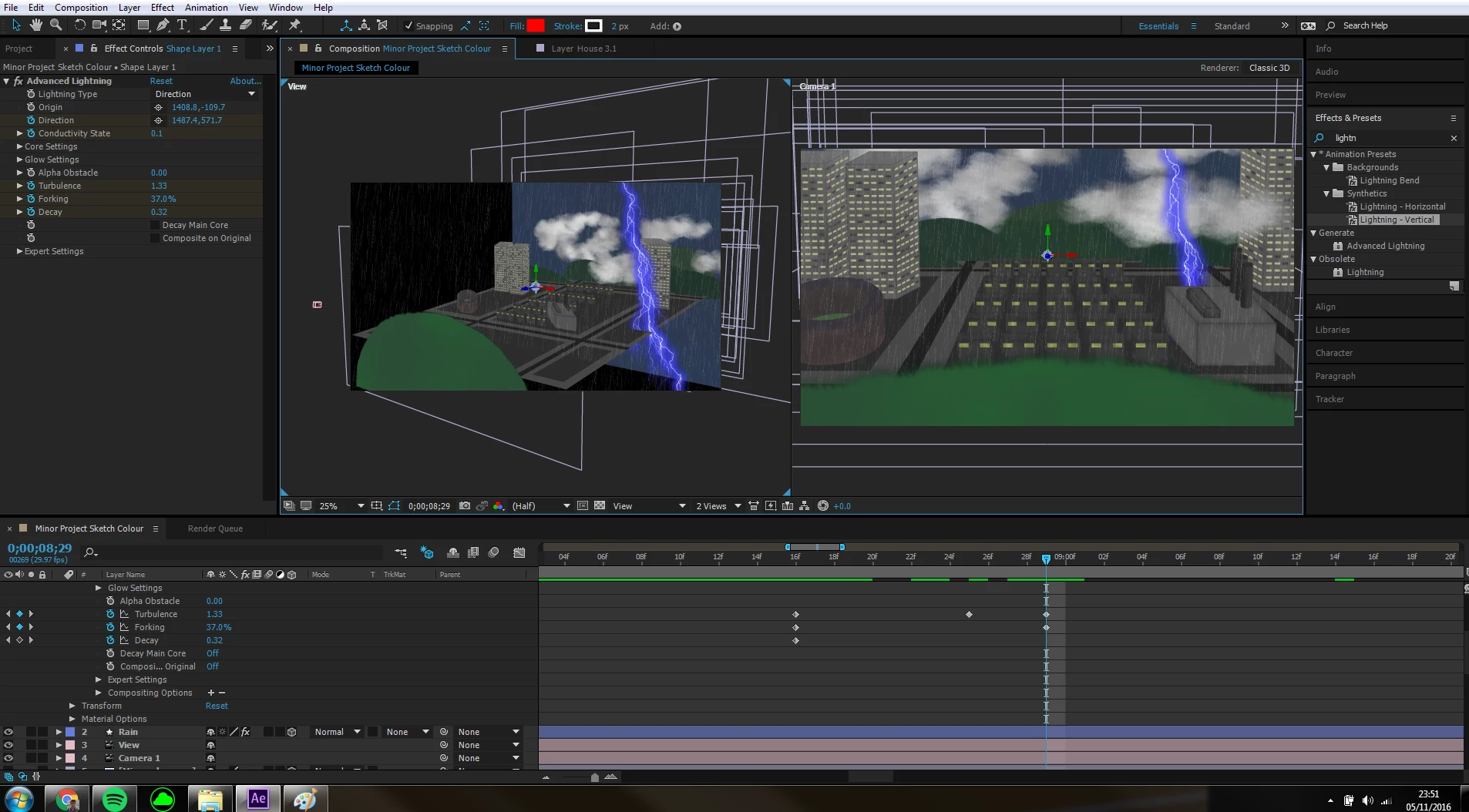
I have only just started using After Effects but I am doing ok I think, I have made numerous images in Photoshop and created a 3D scene out of them in After Effects.

I have begun adding particles such as rain and lightning, and I want to add a spot light to light up the city as the lightning strikes, but when I add a new light layer it does not have any affect on the scene. I have tampered fully with the options but no matter what I do with it it doesn't affect the project at all. I am used to a light turning everything black if the parameters are too narrow, but this is completely new to me and I don't know what's going on. I need this to work for a University deadline coming soon so any help is appreciated.
    This topic has been closed for replies.
    Correct answer Roei Tzoref

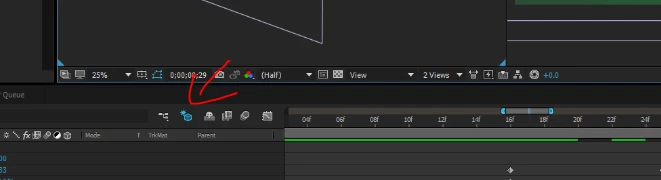
    this is your culprit

    Draft 3D switch disables lights, shadows, and depth-of-field blur for cameras. it's currently active. switch it off.

    1 reply

    Roei Tzoref
    Roei TzorefCorrect answer
    Legend
    November 6, 2016

    this is your culprit

    Draft 3D switch disables lights, shadows, and depth-of-field blur for cameras. it's currently active. switch it off.

    Participant
    November 6, 2016

    Ah! You're my hero, that sorted it.

    Thanks very much, one day I'll learn what all this stuff does.

    Roei Tzoref
    Legend
    November 6, 2016

    you definitely should invest as much time as you can in learning what you can. After effects is fun to play with, but intuition can only get you so far. when things get complex, your knowledge will help you avoid or at least understand the pitfalls. that and the forums