
After Effects and Premiere Pro 25 versions - Instantaneous Crash when importing clips
I have not used After Effects or Premiere Pro for about two months.
The software is completely updated.
I opened After Effects to import some clips for what I thought would be some quick work.
Unfortunately, After Effects was behaving erratically; it told me that it would have to disable 3d because my video card was not compatible. It then failed to load or display clips added to a composition and then crashed.
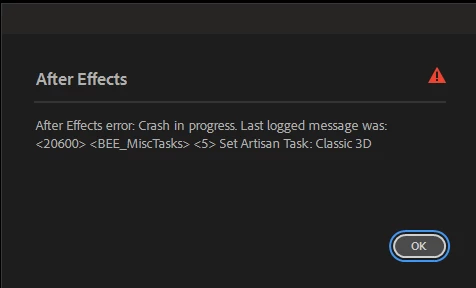
I assumed, as has happened so often in the past, that I needed to update my graphics drivers.
I updated my drivers, restarted the system, and ran After Effects.
Same startup complaint; now, however, After Effects crashes immediately upon importing a clip.
I uninstalled all of my plugins. I uninstalled After Effects and reinstalled. Same issue.
I ran After Effects in Safe Mode. Different error number, same issue.
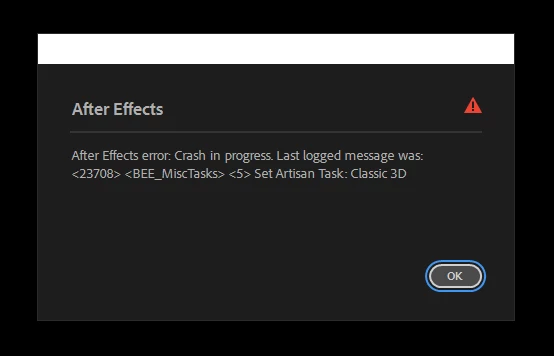
I am using two nvidia Titan RTX video cards connected via NVLink, each with 24gb of VRAM. My system has 128gb of RAM. These are the same video cards I have been using with Adobe CC for the last six years at least.
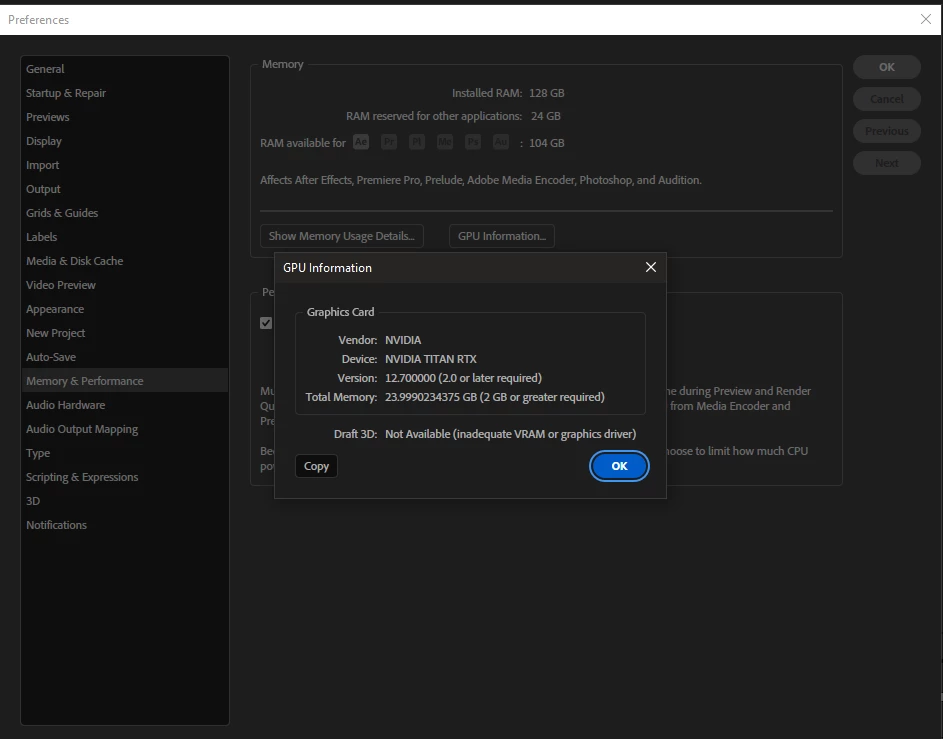
I literally cannot work on anything right now. I cannot open or work on anything in After Effects or Adobe Premiere Pro without instant crashes after loading clips.
The clips in question were motion graphics work I created using After Effects, produced by After Effects.
I have tried safe mode, resetting preferences, uninstalling plugins, uninstalling After Effects, installing and re-installing the video card drivers (I use the Nvidia Studio Drivers).
I will also add that I had no 3d layers in the compositions. I was creating a composition directly from a video clip.
I cannot use these two applications which are central to my work.
Any assistance is appreciated.
My OS is Windows 10. All current updates have been applied.
Thank you in advance for any assistance you can provide.


 AdChoices