
Question
After effects animate without keyframe
Hello,
I have the next problem: when i create two keyframes to animate a object or layer in After effects, between those keyframes, with the same value of position in the Y axis, for example moving the object from left to right After effects move the object up to down too, and in the graphic editor i can see how After makes a curve in the middle creating a vertical displacement...
How can i disable that ???
I added a screenshot where you can see in red the keyframes with the same value (no movement in this case) and in blue how After effects make a movement :S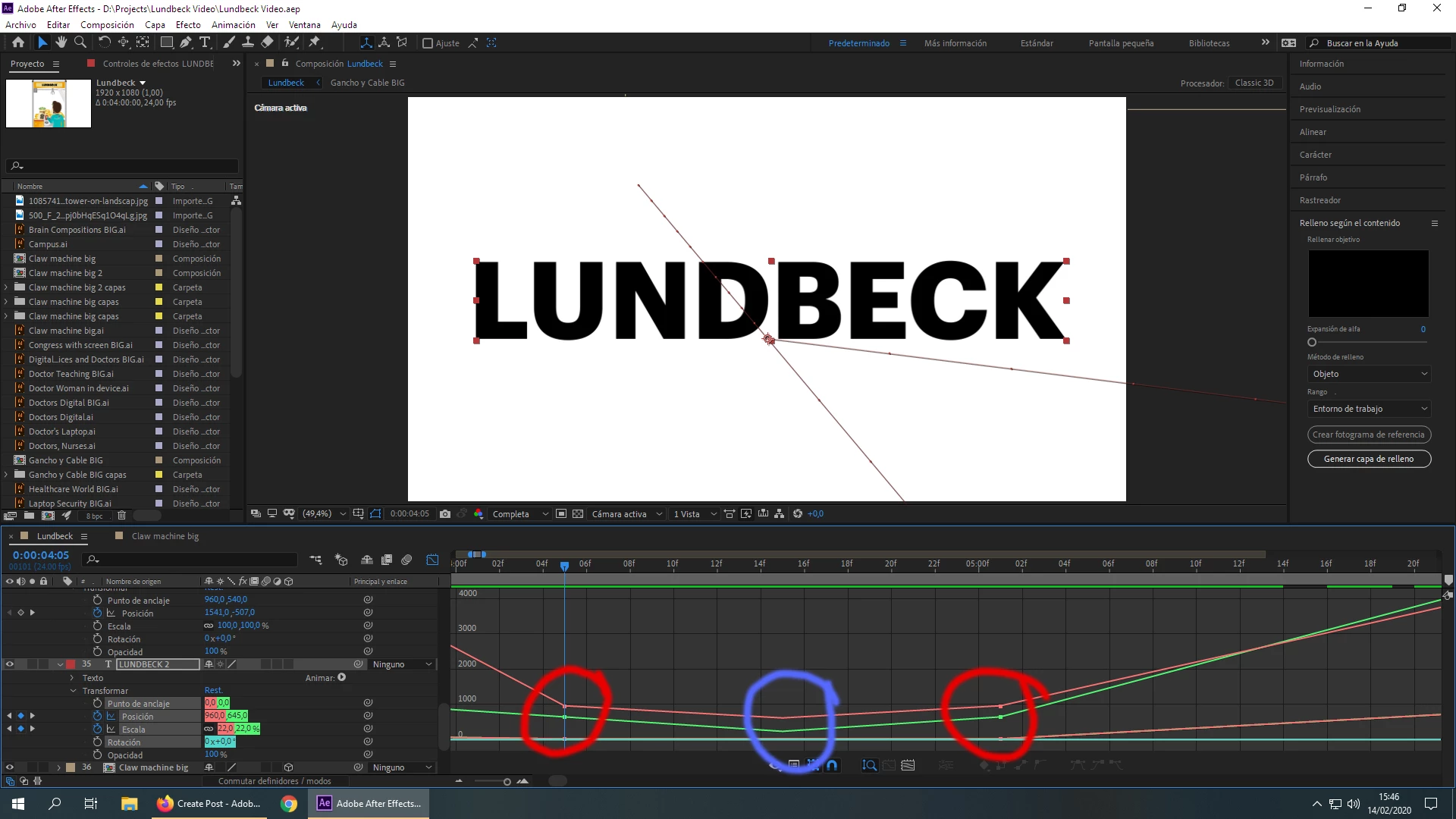
 AdChoices