Inspiring
September 29, 2017
Answered

After Effects bounding box not in line with object.

  • September 29, 2017
  • 2 replies
  • 2907 views

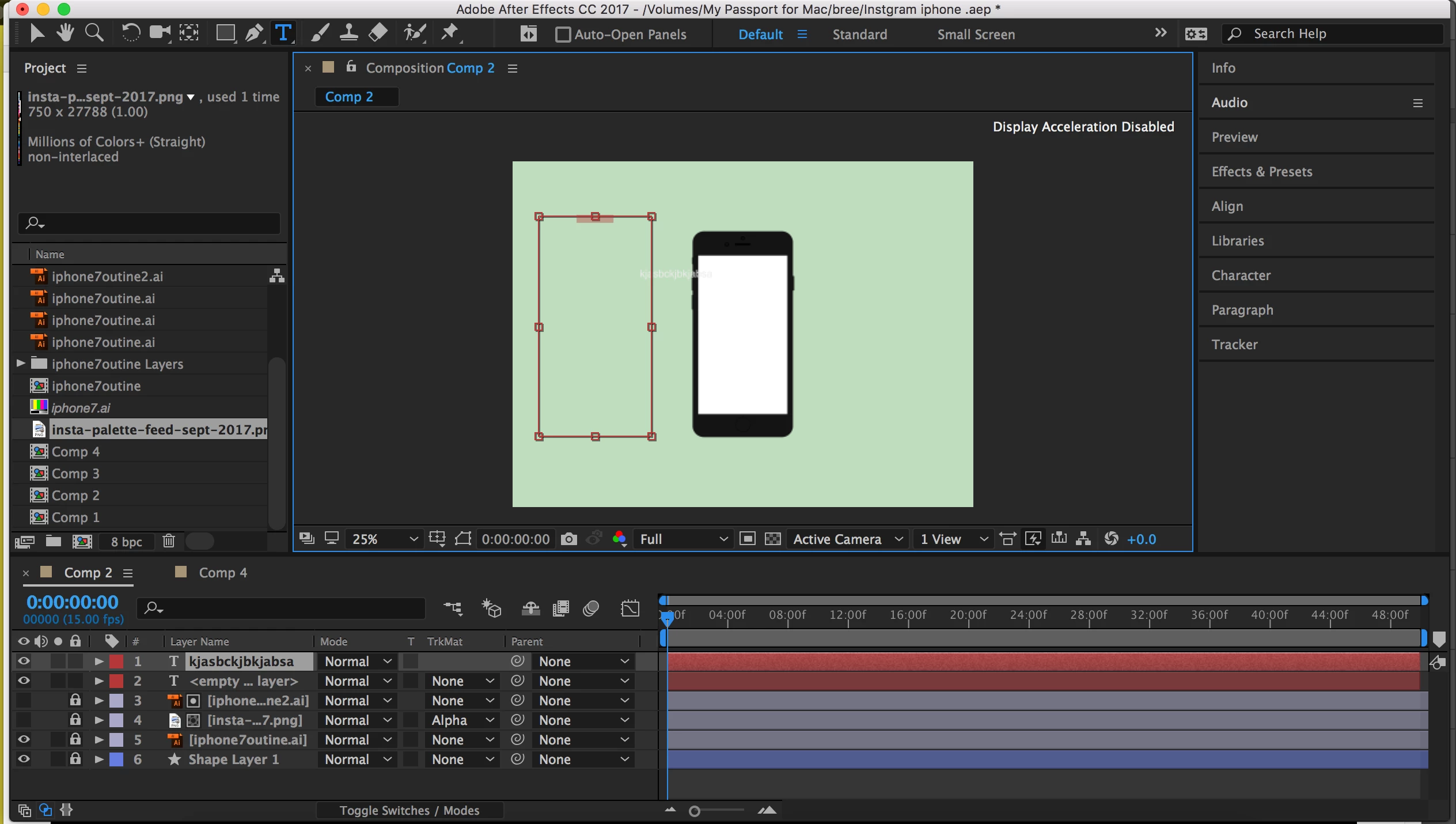
HI, My bounding box is not in line with any object I create and I can't seem to get it back in line.

Please see as follows:

I create a text box and type and the text comes up to left and down? Im guessing its got something to do
with the anchor point but struggling to figure this out.

Thanks

This topic has been closed for replies.
Correct answer breekeogh

Thanks Kevin,

All fixed!

It must have just been a bug.

I restarted the program and all was better!

Thanks

Bree

2 replies

breekeoghAuthor
Inspiring
September 30, 2017

Thanks theangietaylor! But it's not not test it is dong it for... It's doing the same thing for every object in the Comp?

angie_taylor
Legend
September 30, 2017

Please can you select the layer and then go to Animation > Reveal Modified Properties (or double-hit U) to reveal what’s changed in the layer. Also open the Character and Paragraph panel. When you ha e done this, please take a screenshot so I can see all of this and upload it for me. Thanks *****

angie_taylor
Legend
September 29, 2017

Use the Paragraph panel to choose your text alignment and justification options and the Character panel to adjust Kerning, Tracking or Baseline Shift if necessary. It sounds like you may want to centre align the text but it's hard to know as you haven't explained what you expect to happen. Text always defaults to Left Aligned.

angie_taylor
Legend
September 29, 2017

You may also want to Reset the Character and Paragraph panel options. Do this by clicking on their wing menus and choosing the Reset option.