Participant
August 14, 2026
Question

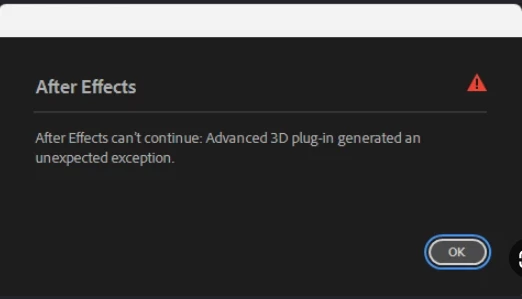
After Effects can't continue: Advanced 3D plug-in generated an unexpected exception.
  • August 14, 2026
  • 4 replies
  • 47 views


Problem

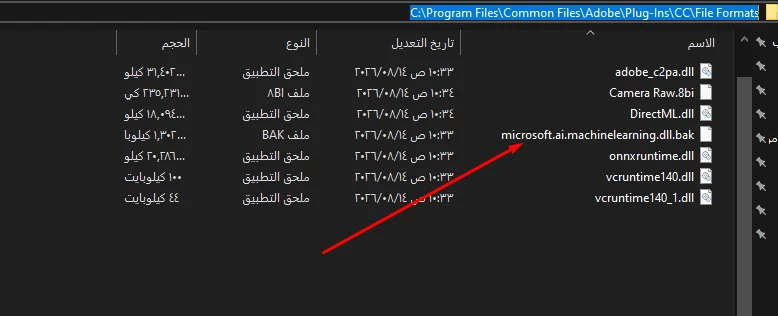
Solution is change this file name from “microsoft.ai.machinelearning.dll” to “microsoft.ai.machinelearning.dll.bak”
 

path is “C:\Program Files\Common Files\Adobe\Plug-Ins\CC\File Formats”

    4 replies

    Nishu Kushwaha
    Community Manager
    Community Manager
    August 14, 2026

    Hi there,


    Thanks for sharing the workaround. I am sure it'll be helpful for others.

    Do you mind also sharing more on when exactly do you ge this error? Does it happen when you try to use the Advacned 3D renderer? Is there a specific action/command that triggers it?

    Let us know.


    Thanks,

    Nishu

    Participant
    August 14, 2026

    That happen when turn project to advanced 3d by anyway ( add 3d model,change composition settings to advanced 3d and etc ), this problem taked a long time to be solved *___*

    Nishu Kushwaha
    Community Manager
    Community Manager
    August 14, 2026

    I see! Thanks for letting us know. Just learned internally that you can also move the Camera Raw plug-in to a different location if you have it installed. Here’s the location where it lives: "C:\Program Files\Common Files\Adobe\Plug-Ins\CC\File Formats\Camera Raw.8bi"

    But it will result in both AE and PS being unable to import Camera Raw (and related) files.

    Let me know if that’s helpful.


    Thanks,

    Nishu

    Participant
    August 14, 2026

    Hi

    I have found solution for this problem If tradetional solutions havenot lead to result