Participating Frequently
November 2, 2016
Answered

After Effects CC 2017 Won't Open! Shows Empty Box!

  • November 2, 2016
  • 19 replies
  • 24116 views

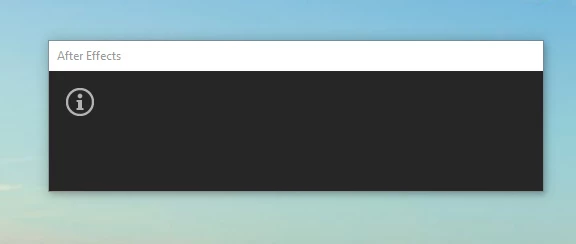
All the other applications updated just fine. This is what I get when I try to open AE.

I've uninstalled/restarted/reinstalled and still has the same problem. Can't seem to find an answer anywhere. Please help?

This topic has been closed for replies.
Correct answer kulpreet singh

Hi JohnnyZ,

Please try these steps:

Close all of the Adobe processes from the Task Manager/Activity Monitor and go to the following locations:

MAC

Location 1: When in Finder, click on Go > Go to Folder > ~/Library/Application Support/Adobe

Location 2: Go > Go to Folder > ~/Library/Preferences/Adobe

Location 3: Documents > Adobe

WIN

Location 1: C:\Users\<Username>\AppData\Roaming\Adobe

Location 2: C:\Users\<Username>\Documents\Adobe

In all the locations, rename the 'Adobe' folders to 'OldAdobe'

Launch Premiere, accept the License Agreement and see if it works.

Note: You will lose your customized workspaces and keyboard shortcuts.

Thanks,

Kulpreet Singh
19 replies

xopsuey
Participant
April 4, 2017

We need an upgrade please!

Szalam
Community Expert
Community Expert
April 19, 2017

xopsuey.41230692  wrote

We need an upgrade please!

It has arrived!

This bug should be fixed in the update that released today. See Tim's post about it here. The After Effects CC 2017 update to version 14.2 is rolling out worldwide. It may take a day or so to show up for you depending on where you live. You also may need to log out and back in to your CC app or other funky things to get it to show up.

Participant
March 30, 2017

I have the same problem, and renaming the Adobe folders doesn't work. I tried changing the amtlib.dll file from Premiere like I read here, but it doesn't work either. I need a solution fast since I need to work. Thank you.

Kevin J. Monahan Jr.
Legend
March 30, 2017

Hi Virgina,

Sorry for this issue. Have you tried running the Adobe Cleaner and reinstalling the software?

Thanks,
Kevin

Kevin Monahan - Sr. Community and Engagement Strategist – Adobe Pro Video and Audio
Participant
March 31, 2017

Hi Kevin, yes I tried running the Adobe Cleaner and reinstalling the

software and it's still happening the same again and again.

I tried going back to the previous version but the option on the Creative

Cloud doesn't show up for me, and I have an unfinished project that I

started on CC 2017 v14.0.1 that I can't open on the 2015 version either.

I'd appreciate a fast solution or an update fixing this issue, please.

Thank you.

Participant
March 20, 2017

it didnt work for me i dont have original amtlib.dll file somehow

i need someones help to give me the original dll

Szalam
Community Expert
Community Expert
March 21, 2017

kappaxd  wrote

it didnt work for me i dont have original amtlib.dll file somehow

i need someones help to give me the original dll

Uninstall and reinstall via the CC app. That should help.

rishabhs45744452
Participant
March 16, 2017

Same problem! Replacing Adobe with 'OldAdobe' isn't working!

Participant
February 26, 2017

I've followed these steps and still no result.

Participating Frequently
February 21, 2017

I have found a possible cause to this issue. A friend of mine did some troubleshooting on his computer and found that the problem lies within the "amtlib.dll" file. I'm going to wait for an update that can hopefully fix this problem. He updated the software on his school-pc and was faced with the same error. He then tried installing the program as a trial on his personal computer, and it worked fine. Then he took the amtlib.dll file from his school computer and found that, after replacing that file with the one from the "licensed" version on his school-pc causes it to stop working. So he reverted his school-pc back to before the update, and it works just fine. Then updated again but no luck. Then he tried copying the "trial" versions amtlib.dll file onto his school computer and after going through the licensing within after effect it now works.

So if you're in a hurry to get this version going, try replacing the "amtlib.dll" file with one from a trial installation. Then try to run the program and go through the installation. Or if you have uninstalled the program, just try installing the it as a trial in the first place, then launch AE in trial mode, then when it asks you to license the program, just log in with your Adobe CC-registered account and it should activate the software and work fine.

Participating Frequently
February 21, 2017

This worked for him and a couple of other of my friends. I've already reverted to a previous version that works just fine, so I'll just wait for another update that addresses this issue.

Participant
February 21, 2017

ok thanks I shall try...

Participant
February 21, 2017

Hello, Can you please explain where about i can do this and I have this problem on after effects cc 2017.1, 64 bit comp, win 10 pro, 512mb nvs300 graphics card.

Participant
February 20, 2017

Well I tried to rename the named folders. That did work.

Now I couldn't enjoy me test week of the new After Effects 2017 because it didn't work!

I am on Windows 8.

Still the "!" at the start and then nothing happens...

diegom42350393
Participant
February 20, 2017

same problem here in a mac book pro from 2014 fully updated,i cant find the preference folder and still crashing

even if i had renamed them

Participant
February 20, 2017

For Mac, in Finder (Desktop), keep hold down Option key, and click Go on the menu bar, you will see Library there. If you release the option key, the Library is disappeared.

nachot6407767
Participant
February 18, 2017

same problem here, running windows 10 home, and with AMD R7 340 all drivers updated