After Effects CC 2018: Need to change the size of many layers
Hi, I'd like to tell you about a issue:
I created a project in After Effects. In the main composition, I have introduced many files, each with an Adobe Illustrator vector graphic. Once I placed them in their rightful places in the scene, I have been applying many animation effects. After all that work, I realized that the size of the scene is smaller than what I will need to export later so I have enlarged the scene but, obviously, all the elements in it have remained in the same size. The problem now is that if I modify the scale of all the layers of the composition, they increase in size but do not retain their position in the scene with respect to the rest of the layers since they only take into account their respective anchor points. Attached captures of before and after scale change screen.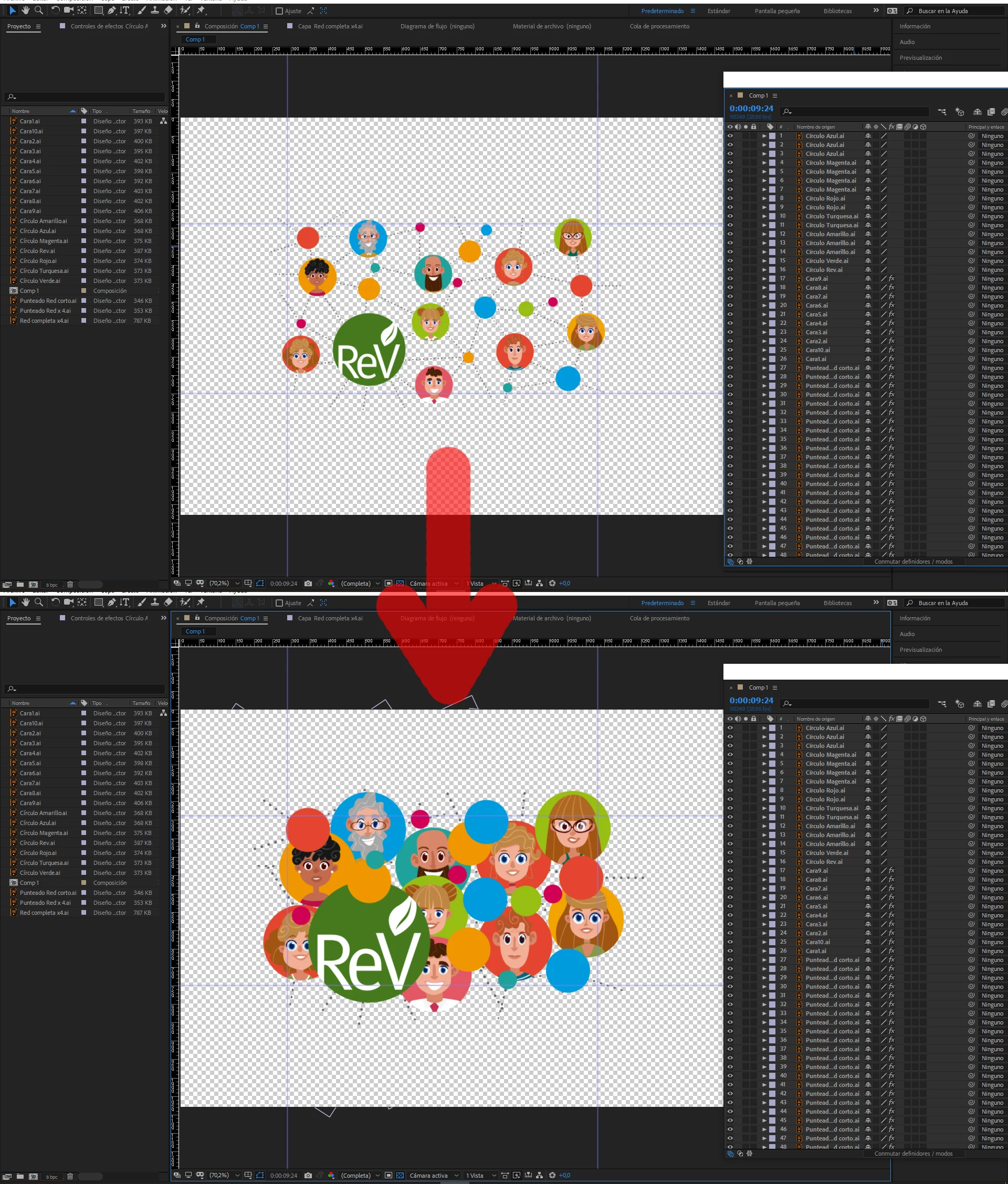
Is there any way to link/merge/group all layers and increase the entire scene while preserving space just like when using the "transform" tool in Photoshop?
Thank you.
 AdChoices