ninose11
Inspiring
Mar 20, 2018 2:16 AM UTC
Answered

After Effects CC 2018 - playhead keeps going back to beginning of timeline

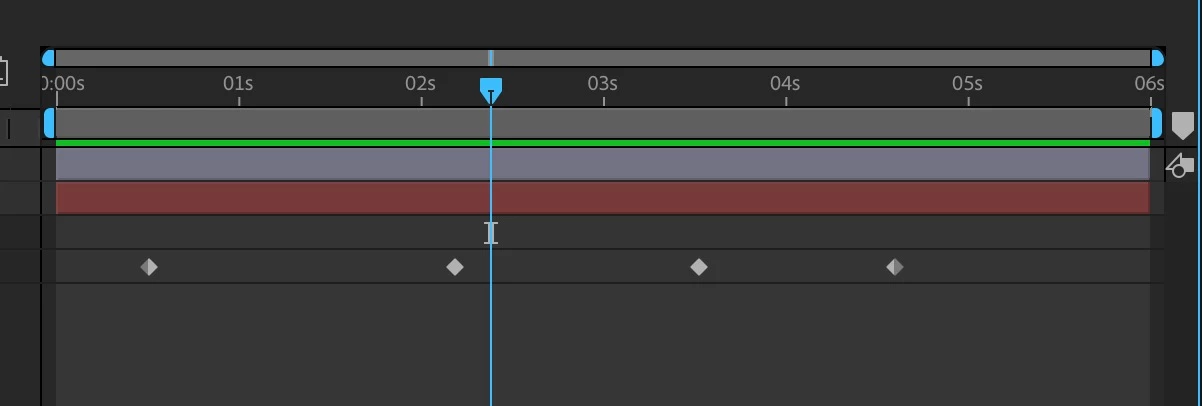
If my playhead is in the middle of my timeline, I'd like to play from that point. But the playhead keeps going back to the beginning of the timeline. Is this normal or is it a bug in AE CC 2018? I've never seen it do that prior versions. Is there some setting to toggle regarding the playhead because I haven't found it in Preferences.

Thanks very much in advance.

Roland Kahlenberg
Roland KahlenbergCorrect answer
Legend
Mar 20, 2018 2:49 AM UTC

Your solution is not the real solution - it just so happens that default setting for Previews initiated with the Spacebar is set to start Previews from Current Time. What you should be looking at is Preview Panel; specifically, the Play From setting - it has a menu below it which provides for two Play From (Preview start point) - Start of Range and Current Time.

When set to Current Time, your Preview will begin at the Current Time Indicator (CTI) and proceed onwards - where the Preview ends gets tricky as it depends on the Range setting. When "Start of Range" is selected, the Preview begins at the frame set by the "Range" parameter.

It is useful to note that you can have two Preview settings; with each set to start at different points in time. On my system, I have Spacebar set to initiate Previews at the CTI and Shift+Spacebar to initiate Previews starting from the Range - my Range is set to Work Area for both shortcut keys.

Although the Shortcut menu provides up to seven Preview options; only the Play From option dictates where in time, the Preview begins. You can add other Preview shortcuts via the Shortcuts menu but these will be relevant based on the Range you select for the shortcut. So, you can set Numpad 0 to start Previews from the beginning of the Timeline by selecting Numpad 0 from the Shortcut Menu; Entire Duration from the Range Menu and Start of Range from the Play From Menu.

Very Advanced After Effects Training | Adaptive & Responsive Toolkits | Intelligent Design Assets (IDAs) | MoGraph Design System DEV


16 replies

Participant
Jun 28, 2021 2:09 PM UTC

Hi! I tried to do exactly this, however, it still is not working 😞
If anyone has the same problem with the lastest update or knows how to resolve it, please let me know 🙂

Thanks in advance.

Translate
Warren Heaton
Community Expert
Community Expert
Jun 28, 2021 2:31 PM UTC

Hello jikkev94701455:

Could you expand your Preview panel such that it shows all of the options from the play buttons to "Move time to preview time", take a screenshot, and then post it?


Here's an example of how After Effects 18.2.1 might be confirgured:

In this example, the Preview Panel is configured to play the Work Area extended by the Current Time when Spacebar is pressed.  If yours is set like this, make sure that the Current Time is within the Work Area when the Spacebar is pressed if you only want to play the Work Area.


-Warren

Translate
Participant
Feb 3, 2021 10:58 PM UTC

This is the way!

Translate
Participant
Apr 3, 2020 2:58 AM UTC

thank you so much!!!

Translate
ninose11
ninose11Author
Inspiring
Mar 20, 2018 2:22 AM UTC

Just figured it out. You have to option select "Reset Preview Option" (U-turn arrow symbol) right of the Spacebar drop down menu. Now it's playing from any position I want on the timeline.

Translate
Roland Kahlenberg
Roland KahlenbergCorrect answer
Legend
Mar 20, 2018 2:49 AM UTC

Your solution is not the real solution - it just so happens that default setting for Previews initiated with the Spacebar is set to start Previews from Current Time. What you should be looking at is Preview Panel; specifically, the Play From setting - it has a menu below it which provides for two Play From (Preview start point) - Start of Range and Current Time.

When set to Current Time, your Preview will begin at the Current Time Indicator (CTI) and proceed onwards - where the Preview ends gets tricky as it depends on the Range setting. When "Start of Range" is selected, the Preview begins at the frame set by the "Range" parameter.

It is useful to note that you can have two Preview settings; with each set to start at different points in time. On my system, I have Spacebar set to initiate Previews at the CTI and Shift+Spacebar to initiate Previews starting from the Range - my Range is set to Work Area for both shortcut keys.

Although the Shortcut menu provides up to seven Preview options; only the Play From option dictates where in time, the Preview begins. You can add other Preview shortcuts via the Shortcuts menu but these will be relevant based on the Range you select for the shortcut. So, you can set Numpad 0 to start Previews from the beginning of the Timeline by selecting Numpad 0 from the Shortcut Menu; Entire Duration from the Range Menu and Start of Range from the Play From Menu.

Translate
Very Advanced After Effects Training | Adaptive & Responsive Toolkits | Intelligent Design Assets (IDAs) | MoGraph Design System DEV

Participant
Feb 20, 2021 9:07 PM UTC

Incredibly frustrating. This is exactly the thing I know already, that I need to know, but it doesnt answer to the question WHERE. I know this is possible since it is obvious, but do I need to open Preferences tab? Is this a setting in the editor, or in composition? Is this somewhere in the composition field or in general settings? Just a single picture with an arrow would tell more than 1000 words.

Translate