Martin_Ritter
Legend
February 23, 2017
Question

After Effects CC2017 AI and Motionblur - Bug or Feature?

  • February 23, 2017
  • 2 replies
  • 2663 views

Hello Guys - especially those from Adobe!

There is a strange (buggy or new) behavior with Illustrator graphics and motionblur:

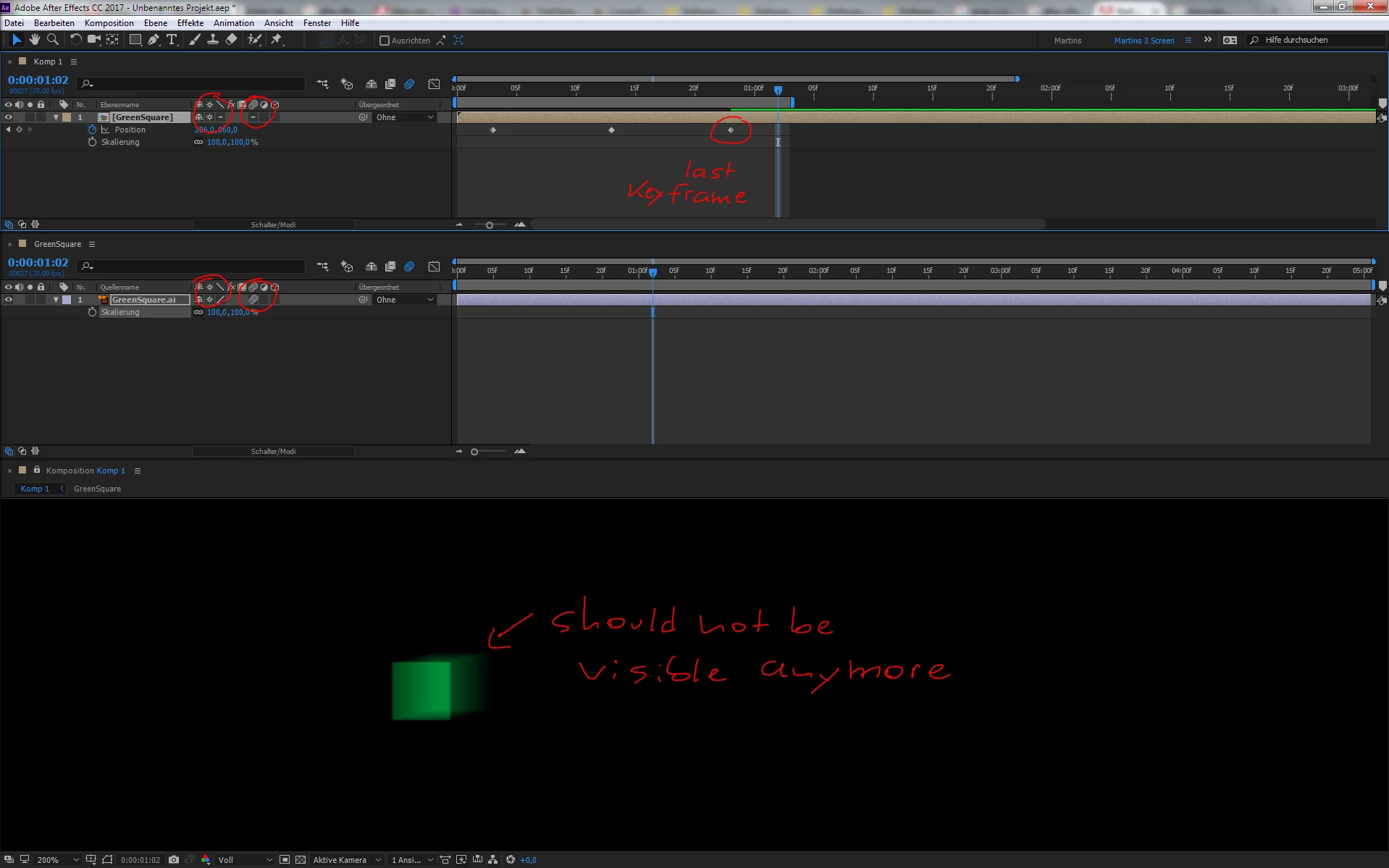
When I import an AI-graphic as composition and toggle collapse transformation and motionblur switches on both, AI graphic and comp, the graphic stays blured after the motion stopped. This is not happening when I deactivate collapse transformation on one of those items.

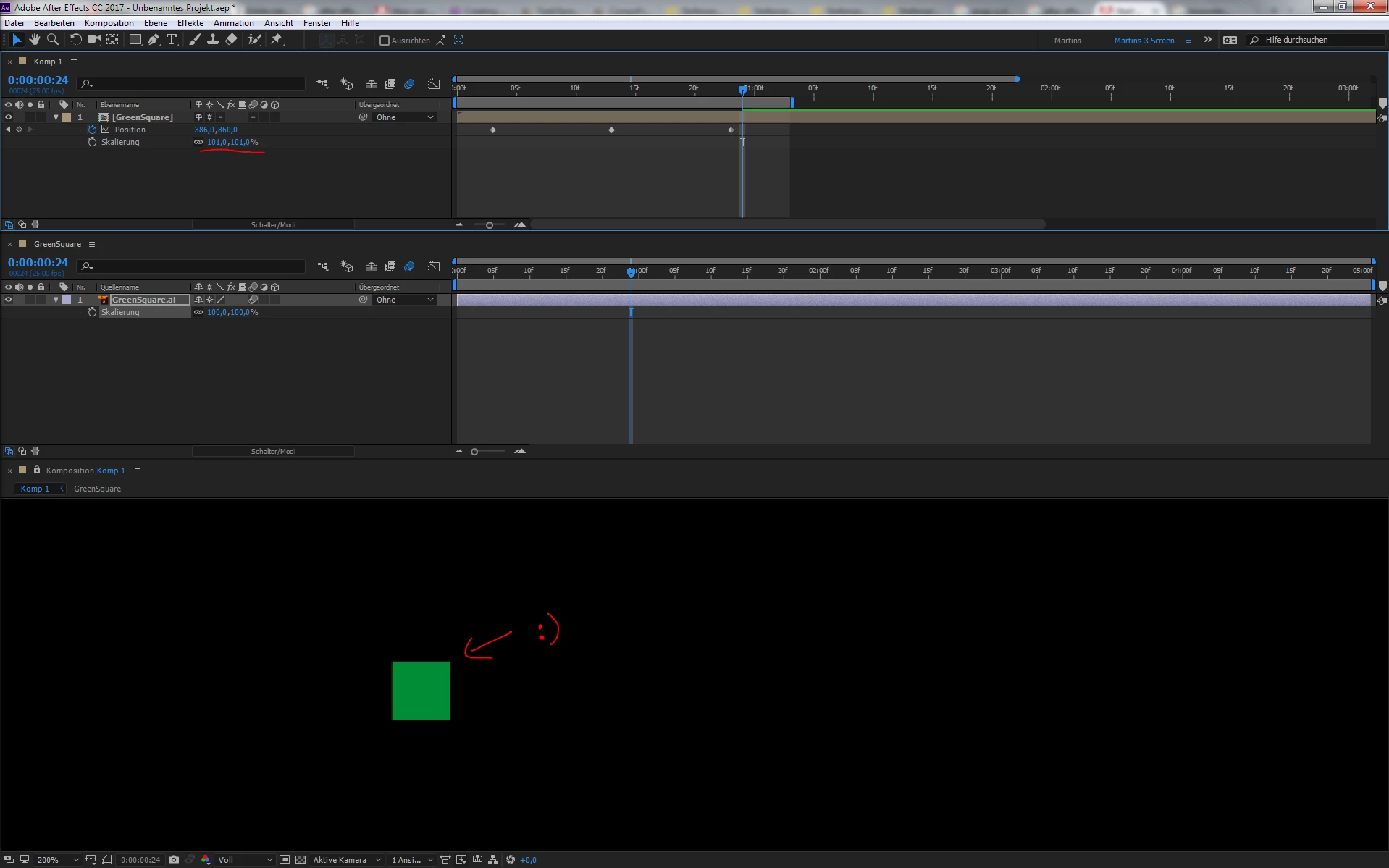
Now to the crazy part: if collapse transformation is activated on both items, motion blur stays at and after the last frame. When I go one frame further and change the scaling (99% or 101%) of the comp, motion blur disappears as it should be.

Playing around with scaling from very small to very large seems to resolve this behavior. But it comes back randomly.
Can someone confirm this?

Cheers,

Martin

This topic has been closed for replies.

2 replies

Community Expert
February 23, 2017

There is no bug if you are seeing motion blur on the same frame as the last keyframe because that frame is still playing back. The relationship between motion blur and the timing of the frame is set in the Advanced composition settings Advanced tab. The default is a 180º shutter and -90 for the phase. If you zoom in on the timeline to the frame level you can see width and position of the shutter. in this first screenshot the shutter angle is set at the maximum value of 720º so the motion blur covers two full frames and the phase is -211º so the shutter never lines up with the frames precisely. The lighter colored bar is the period of time where the shutter is open.

In this screenshot the shutter is set to the default value of 180º and the phase is at the default value of -90º. This closely imitates the motion blur you get with a motion picture camera. Notice how the light vertical bar is half the width of a frame:

The number of samples determines the look of the motion blur, the shutter angle determines how much movement is blurred and the phase determines when the blur happens in relationship to the movement. You'll have to study up on how a motion picture camera shutter works to get your head wrapped around this.

Move one frame forward from the last keyframe in the timeline and the motion blur will be gone. Move one frame back and the motion blur will be twice as large.

If you get occasional random blur frames in your preview then it is most likely a cache problem. If you really want to have the motion blur stop at last keyframe you can adjust the phase but you should also realize that if you do the layer will still be moving in that last frame so you'll have one frame without motion blur when there is movement.

I hope this helps. It is important for you to understand how motion picture camera shutters work and how that relates to electronic shutters on video cameras if you are going to accurately match the motion blur in your composite to the motion blur in your original video.

Community Expert
February 23, 2017

One side note... in Saving Private Ryan during the storming the beach scene, technicians fouled up the shutter phase on the Panavision cameras to allow the film to move in the gate for part of the exposure in purpose. This gave an additional slight vertical blur to some of the shots which added to the tension in the scene. it was amazingly effective and a perfect example of how you can use shutter phase and shutter angle to achieve different visual effects. Check out this article, and this one.

The second article talks about several shots where the shutter was set to 45º but kept in phase to increase the tension in the shot by giving the motion an unnatural stroboscopic feel.

Szalam
Community Expert
Community Expert
February 23, 2017

Is this AE version 14.0.0, 14.0.1, or 14.1.0?

Martin_Ritter
Legend
February 23, 2017

Ahh, version number!

It's 14.1.0.57 and I'm on Windows 7, 64bit.