
After Effects CC2018 transforming signal to Rec.709 Gamma 2.4 over Dynamic Link when Color Management is on, causing levels shift
I've identified what appears to be a regression in After Effects CC 2018. I'm planning to file a bug report, but before I do wanted to share this here to see if anyone else is experiencing this behavior, has additional information, solutions, etc.
CC applications that can use AE compositions via Dynamic Link (PP, AME, SG) expect a Rec.709 signal. After installing AE CC2018 and converting a current project along with its corresponding PP project, without changing any settings anywhere, Dynamic Link compositions in PP now appear brighter and have less contrast. Exports to Media Encoder have the same shift. To rule out problems with the converted projects, I created new ones for AE and PP, and loaded fresh footage. Same behavior. I uninstalled AE CC2018 without retaining settings, then reinstalled without migrating old settings. Same behavior.
I isolated the behavior to the combination of Dynamic Link and having Color Management on. When color management is off, everything works as usual. When Color Management is on, the shift happens with Dynamic Link, but NOT with exports through the AE Render Queue. Those are fine, too.
For context, I'm generally using Camera Raw through AE to debayer DNG sequences from Magic Lantern raw footage. However, the behavior happens with video footage used in a composition too.
I don't notice color shifts, just an exposure change, so I had a hunch that AE CC2018 is for some reason sending Rec.709 Gamma 2.4 (or thereabout) through Dynamic Link, when PP and AME still expect regular Rec.709 as before. To test, I exported through AE Render Queue set to Rec.709. Exported clip levels were normal. I then imported that clip back into AE with interpretation incorrectly set to Rec.709 Gamma 2.4. The levels in the AE preview are now darker than they should be. Viewed or exported via Dynamic Link, the shift from the wrong interpretation exactly offsets the shift introduced by the link.
I've used this workflow throughout the life of CC2015 and CC2017 with no issues. I did a side-by-side of comparison of the application and project settings between CC2017 and CC2018 looking for discrepancies, and found none. In fact, other than a new font and a few minor text changes in setting explanations, the interfaces are identical.
To summarize, with an example:
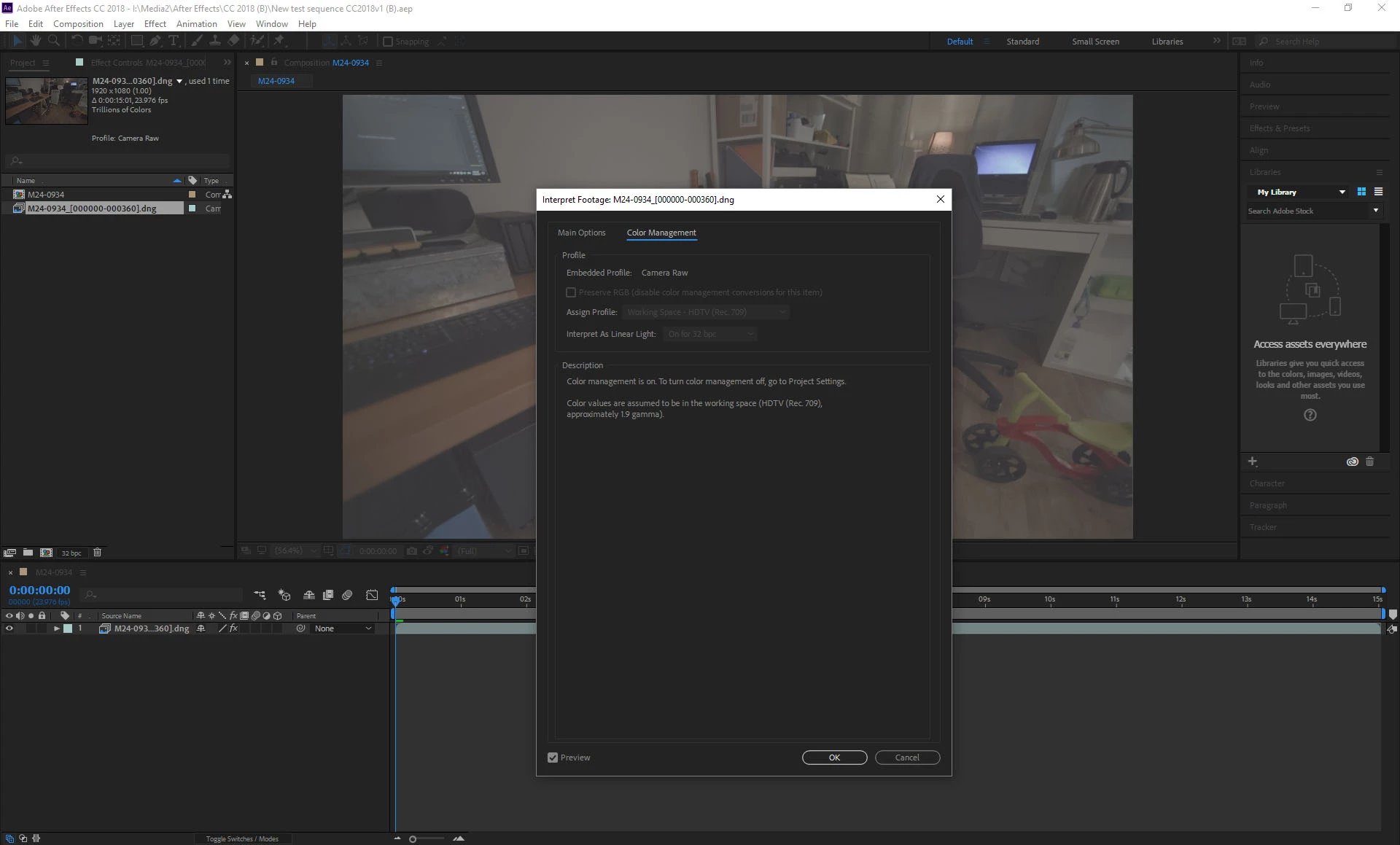
Raw footage comes in with embedded profile. (Video taken through the following flow behaves the same.)
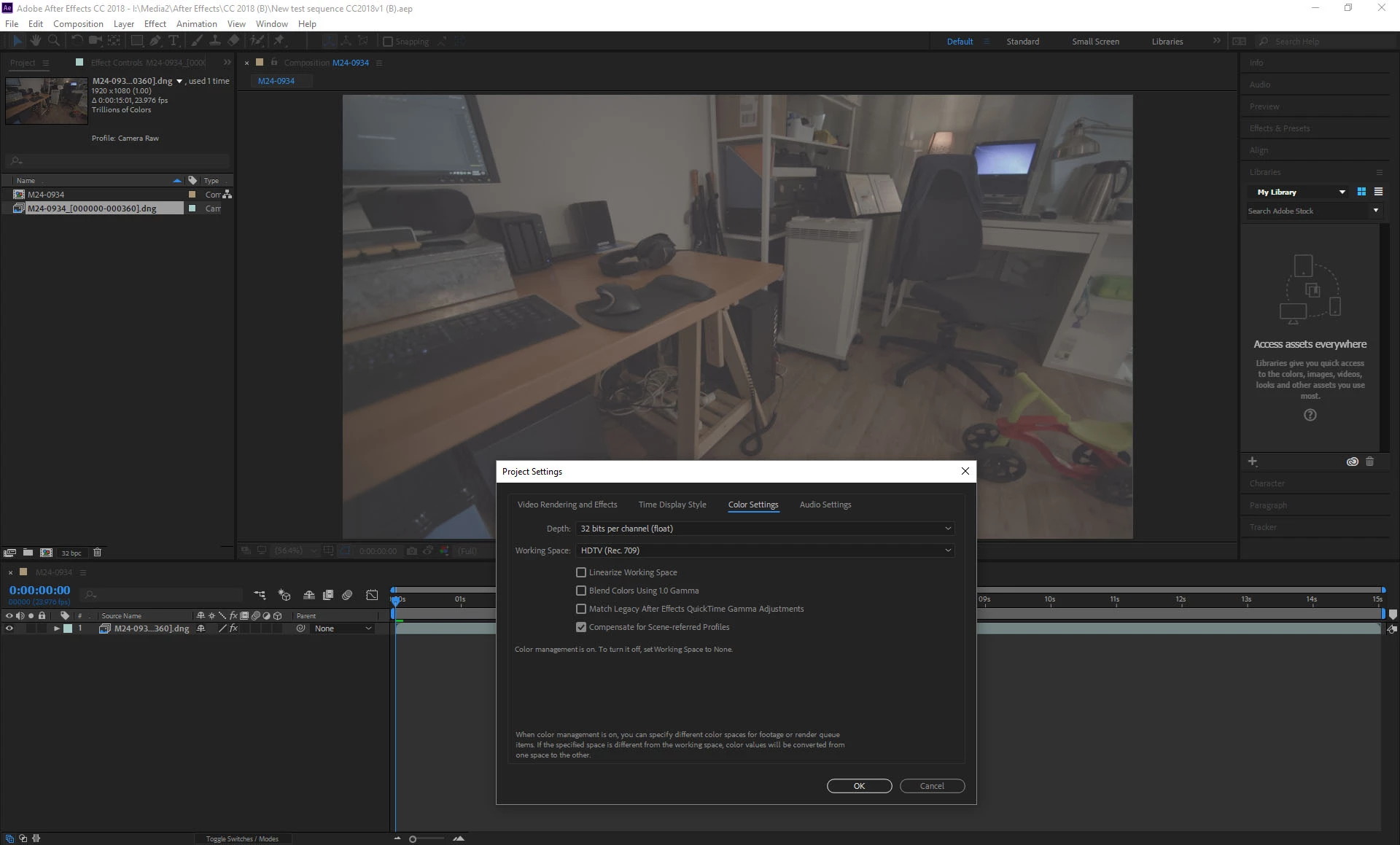
Color Management set to HDTV (Rec.709), everything unticked except for "Compensate for Scene-referred Profiles".
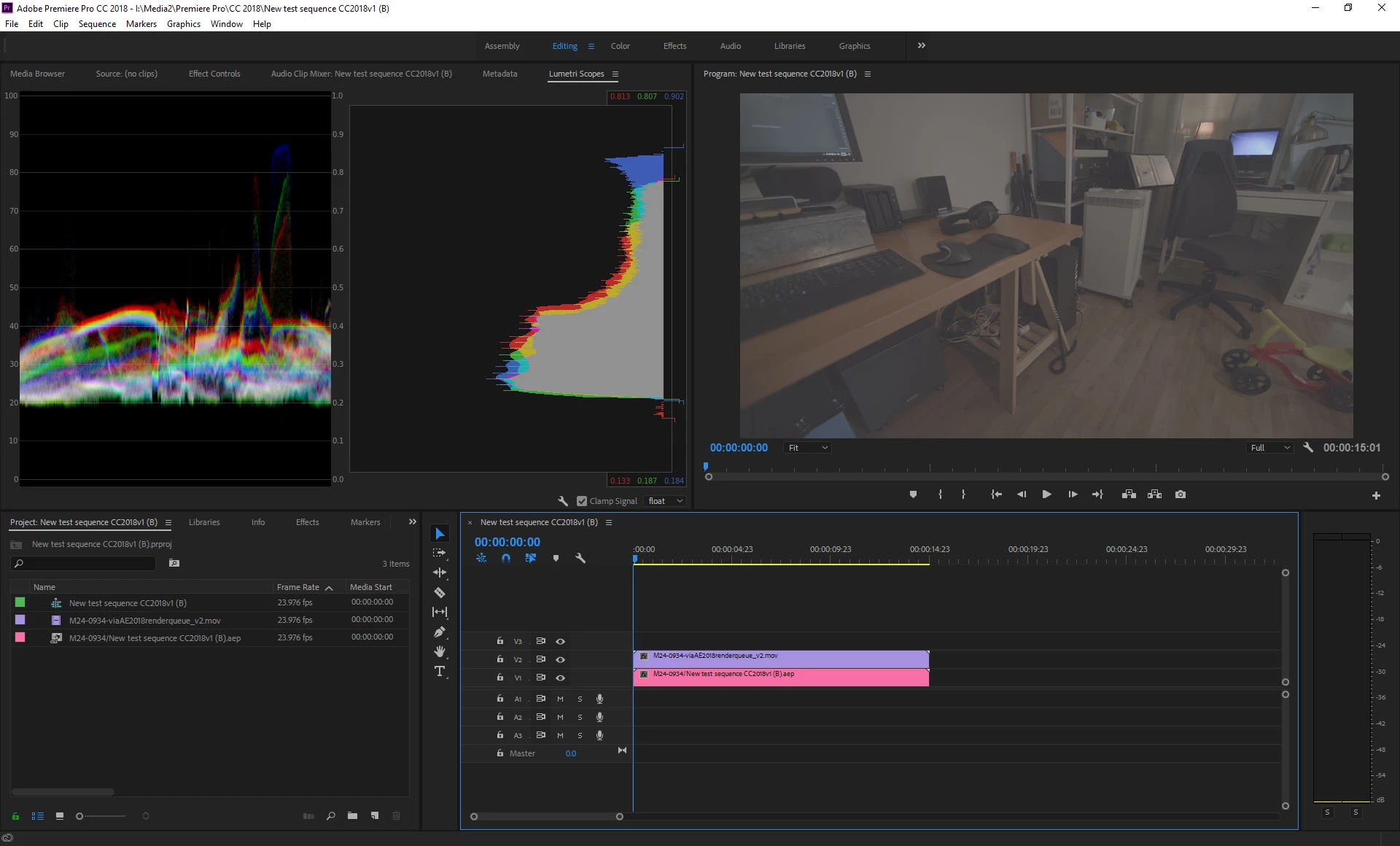
A clip exported via AE Render Queue is fine whether Color Management is on or off.
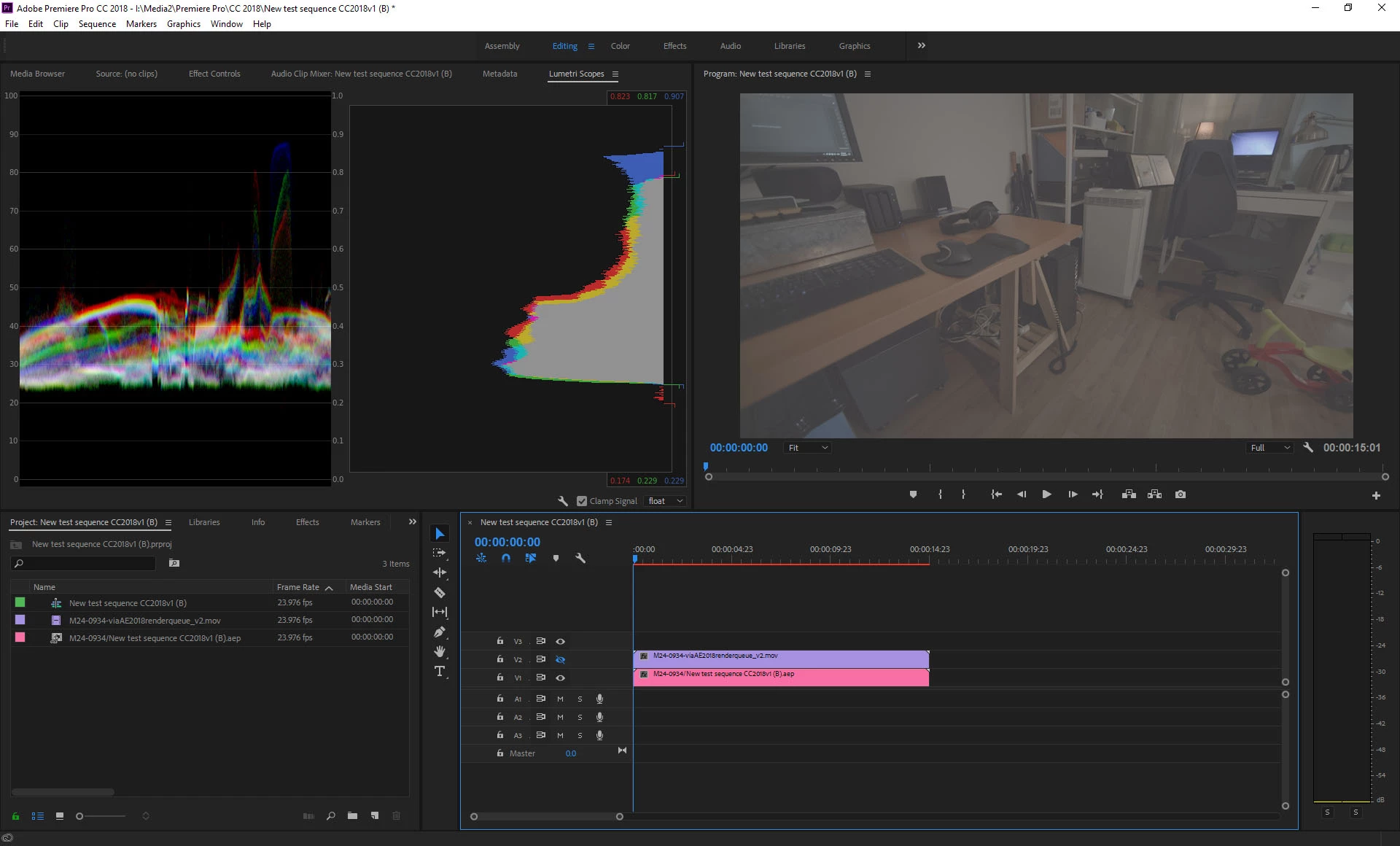
Dynamic Link causes a raised black level.
What am I missing?
 AdChoices