

After Effects Crashes when opening a Specific Project
Hello everyone and first of all thank you for your time!
I'm working since yesterday on a After Effects Project for a university submission. The file never gave me any headaches and I could open/close it multiple times without any problems. I was at "almost" finished point, rendered it to showcase to my groupmates and shut down my computer for a couple hours - when I came back to finish the last touches After Effects began giving me problems: Each time I try to open this particular project it crashes.
Then I thought It was that I haven't updated my AE in a while, did that and same thing happened.
I had a old version of macOS Sierra so I updated it again, but didn't get any results.
Went on the internet and read about Purging "Disk Cache and Memory" (which I never did since I downloaded AE, and got rid of a lot of GB worth of stuff) but again I had the same problem.
Then lastly I tried to open a couple AutoSaves I had but it crashes every single time. Again, this only happens with this particular project - the other ones (although aren't as heavy) work just fine and before the shut down of the computer I didn't stumble in any problem.
For Reference:
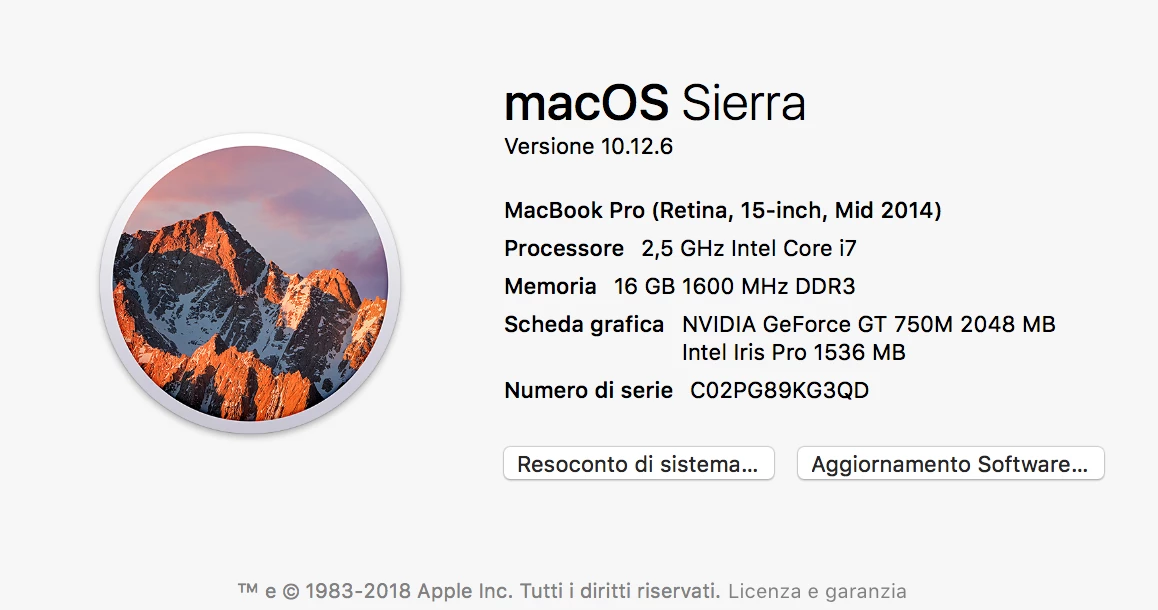
My Macbook info:
AE Error:
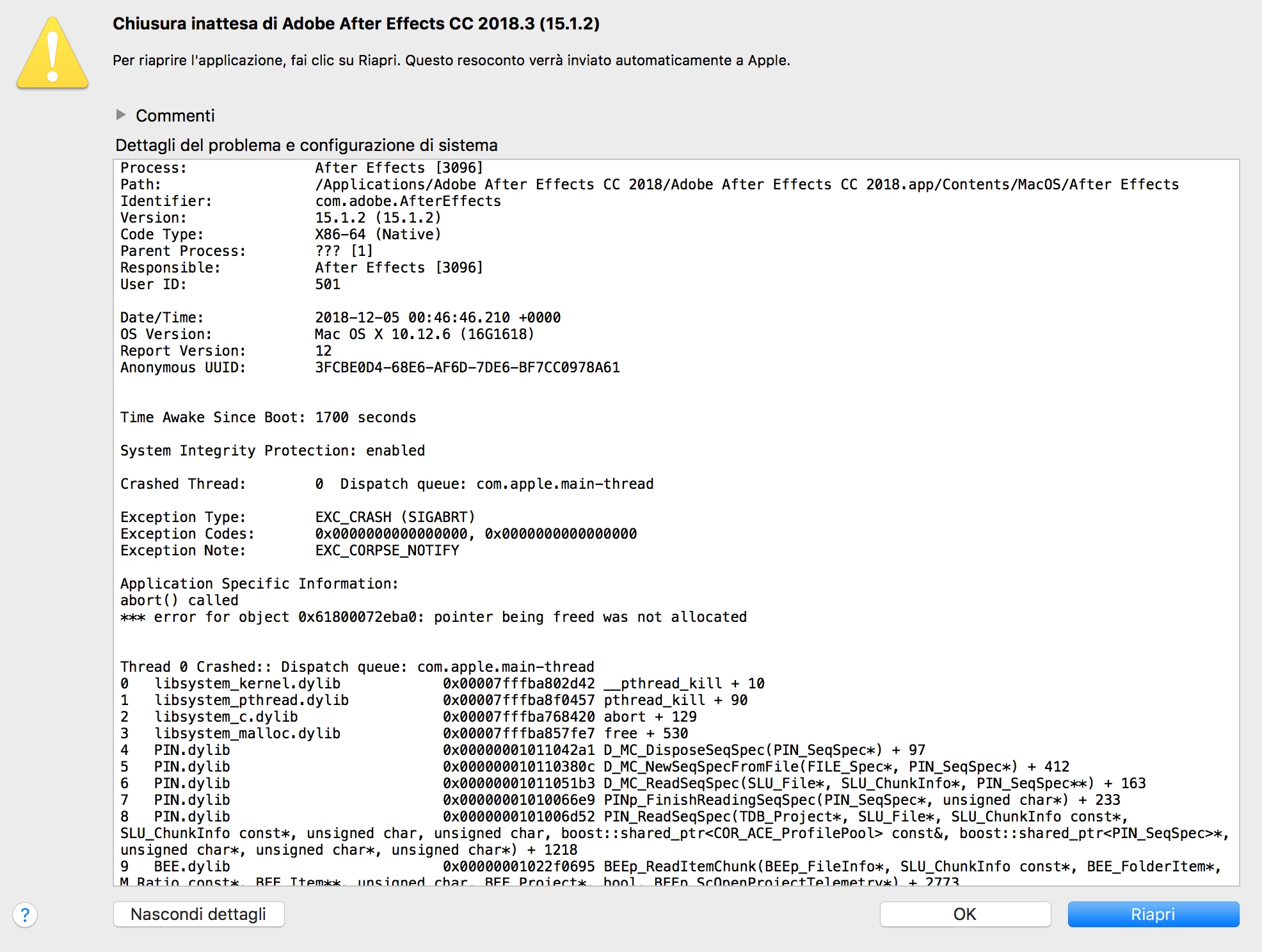
The whole message is extremely long but if need I can post it!
Thank you to anyone for your time, it's really appreciated!
 AdChoices