


Participant
October 9, 2023
Answered

After Effects Crashing no matter what I do

  • October 9, 2023
  • 10 replies
  • 1742 views

Hi, 


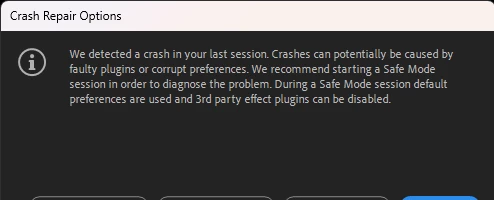
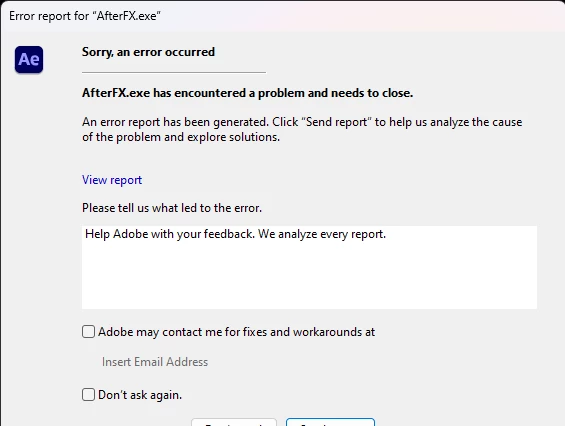
As the title says, I've tried every solution I've found on the internet and nothing seems to be working. New projects and old projects crash. It sometimes opens the files, but crashes without warning while I'm working on it. Attached screenshots of the error messages I get. 


I've uninstalled and reinstalled after effects, downgraded to after effects 2022, uninstalled all 3rd party plugins, started the application in Safe Mode, tried work arounds like importing an old project into a new one and reinstalled my GPUs. I'd like to know how I can fix this asap.
 

Correct answer Sunita32756130t9nu

I seemed to have fixed it by deleting app data from previous versions of after effects that was still stored in my computer. I'll post an update if I run into the same problem again

10 replies

Sunita32756130t9nuAuthorCorrect answer
Participant
October 16, 2023

I seemed to have fixed it by deleting app data from previous versions of after effects that was still stored in my computer. I'll post an update if I run into the same problem again

Community Manager
October 10, 2023

One other possibility would be that there is an installed font (perhaps used in the Project) which may also be causing AE to crash. Disabling installed fonts (via CC or other font utilities you may have installed) could be another thing to try.

Jenkmeister
October 10, 2023
Looking at the most recent Crash, it looks like the issue may be coming through the photoshop importer code. Do you have any of those in the project?

If so, you could try moving those out of their current location so AE treats them as a missing file. That might get the project open for you.
Jenkmeister
October 10, 2023
It’s a combination of the text layers and the content of the text layers. Project files shouldn’t end up in the state yours is in unless there was some corruption or a bug in our save project code. Right now we don’t have a repro in house so it’s really hard to know exactly what to fix.

You could try to recreate it in another project but I’m not sure if that will work. If you find repro steps though it’d be very helpful.

For the project that is under NDA, if you were able to share it with just us at Adobe for the sole purpose of fixing this issue, would that be ok?
Participant
October 10, 2023
Participant
October 10, 2023

I don't think I can since the projects are under NDA, is there something else I could do? Maybe use the same fonts in an other project?

Jenkmeister
October 9, 2023

Ok, we found one report from last week that we believe is yours. Based on where it is crashing, it looks related to type layers, potentially with one of the fonts being used. You might be able to import the project into another AE project, but the crash is unlikely to be fixed even in 24.0 or 24.1. It is occuring in some shared Adobe code for font handling. 


Are you able to share the project with us so that we can work on a fix for it? 

Jenkmeister
October 9, 2023
Please double check the email address associated with this forum account. There is no record of the crashes submitted with the email address used here in the forums.
Participant
October 9, 2023

Hi,


I've done that already 

Jenkmeister
October 9, 2023

When the Error Report for AfterFX.exe appears, please put your email address into the contact section (the one you use in these forums) and send the report. That will allow us to look up the crash and provide information for you on what's happening.