Participant
April 22, 2020
Answered

After Effects Crashing when color picking (and changing text size too)! on Windows 10

  • April 22, 2020
  • 3 replies
  • 3135 views

Hello guys.

My specs:

   CPU: AMD Fx-8350 4.0GHz

   RAM: 16gb DDR3 1600MHz

   GPU: Radeon RX 580 gb

   SSD: 240gb (AFX installed on it)

   OS: Windows 10 Home 64-bit (10.0, Build 17763)

Unfortunately i'm almost unable to use After effects, because when i want to change a shape color or a text color, when i click in the color picker to pick a color, AFX just crashes, the Composition screen goes all white, like in the next screenshot.
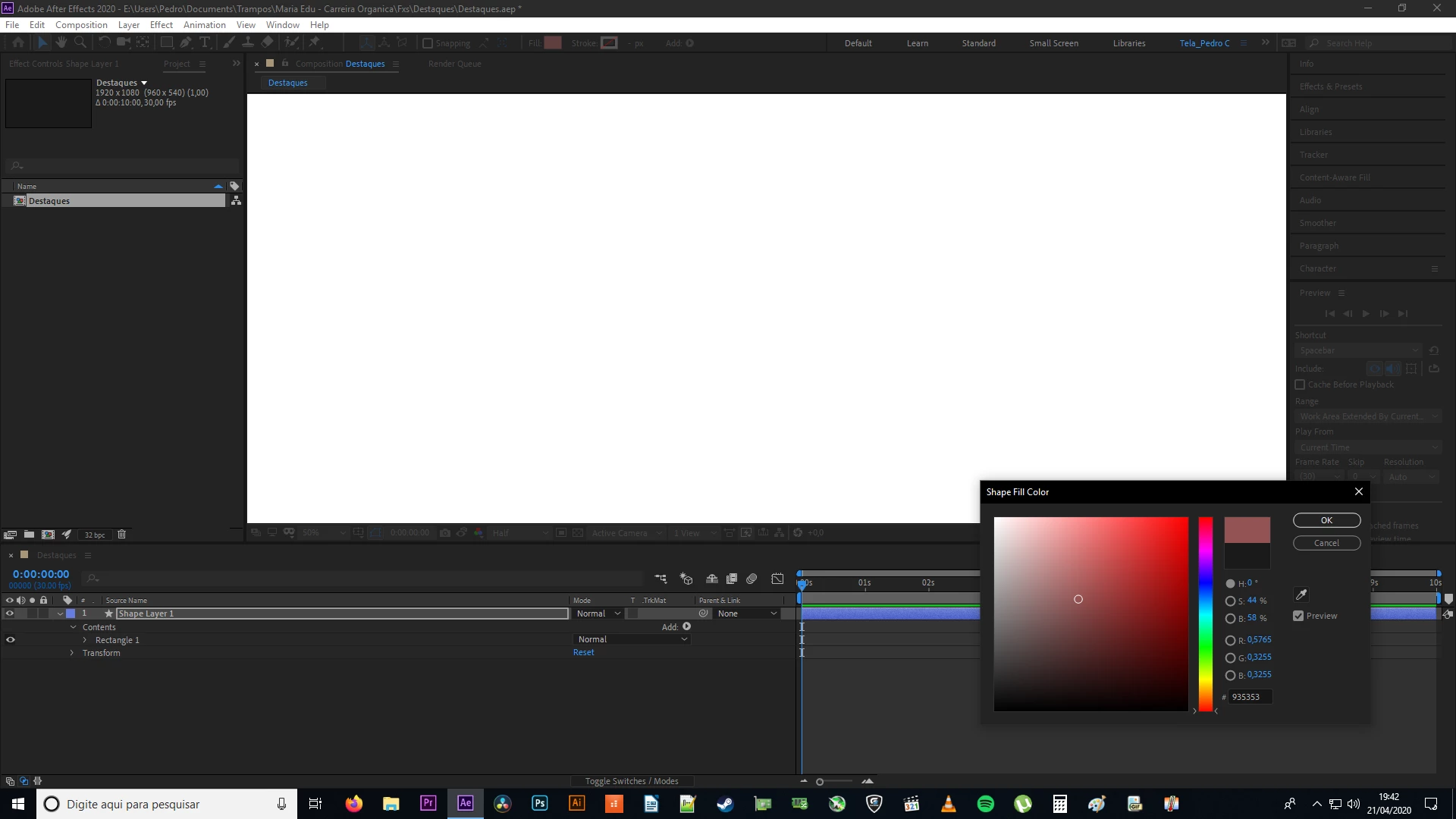

I was having a problem also that when i change a text size, it crashes too. So, i'm having a lot of problems and a hard, HARD time using after effects, yesterday i lost 2-3 hours just trying to make AFX AND Premiere Pro (Yes, Premiere Pro isnt helping me too 😞 ) to work.

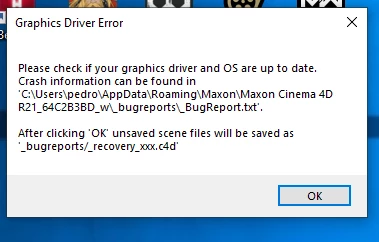
I uninstalled and installed AFX, but no results. I uninstalled and installed my graphics card driver up to date, no change.


These are the warnings that i've received:
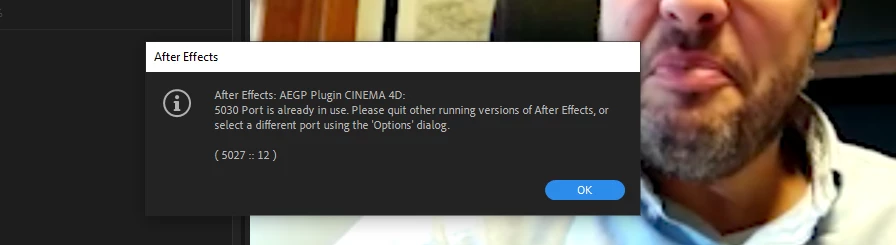
I think it's my a gpu, but im not sure. And i dont know if it's a useful information, but after these problems occurs and i restart AFX a lot of times, my Memory Dumps increases in my CCleaner. I've attached the _BugReport form Maxon Cinema 4D and my dxdiag to this post.

Can someone save my life hehe?

Thanks you in advance!


Title edited by Mod.

This topic has been closed for replies.
Correct answer Martin_Ritter

Check system requirements - it seems that your windows is outdated.


https://helpx.adobe.com/after-effects/system-requirements.html


I cannot open any of the files you attached, they are bring me back to this page. Also if I download them (just a HTML document with this page as content, odd).


*Martin

3 replies

Participant
May 31, 2020

Boa noite, está acontecendo esse mesmo problema aqui, estou com o windows atualizado, drive da placa de video, e ainda assim nao funciona

nishu_kush
Legend
April 23, 2020

Hi there,


Thanks for the detailed post. I see that After Effects is crashing at your end.

As Martin suggested, did installing the Windows updates help? If not, try running After Effects as Administrator.

Let us know how it goes.


Thanks,

Nishu

P3DR0_BRAuthor
Participant
April 23, 2020

Hey nishu, I just updated my window from 1809 to 1909 version and it fixed my problems and now I am happy again hehe. I would never imagine that this would fix this problem, never ever hehe.

Thank you for your reply and have a nice day!

nishu_kush
Legend
April 24, 2020

Happy to help. Feel free to reach out if there are any other questions.


Thanks,

Nishu

Martin_Ritter
Martin_RitterCorrect answer
Legend
April 22, 2020

Check system requirements - it seems that your windows is outdated.


https://helpx.adobe.com/after-effects/system-requirements.html


I cannot open any of the files you attached, they are bring me back to this page. Also if I download them (just a HTML document with this page as content, odd).


*Martin

P3DR0_BRAuthor
Participant
April 23, 2020

Man.... I updated my Windows and it worked! And now I am a happier person hehehe! I would never imagine that this would fix this problem.

Thank you very much and have a nice day!