After Effects crashing when previewing/rendering in AME
Hello!
So I am having a specific problem that has been occurring ever since I bought and assembled my desktop PC, but I didn't use it for work since I had my laptop for it. So the laptop started having problems so I moved from my working laptop to my desktop pc for the last 3 months and from the start, my AE crashes frequently on any type of project, no matter how heavy it is. I am literally unable to edit/render anything that is not just a plain video without effects and other elements.
I have been using AE for the past 4 years on much lower-end machines and I never encountered a problem like this.
Times when it happens are:
- Previewing project on "full" resolution (Also super slow with no fluid previewing at all, even on close to empty projects, keep in mind these projects are mainly 800x1000 or 720x1280, so nothing heavy at all)
- Scrubbing the timeline indicator
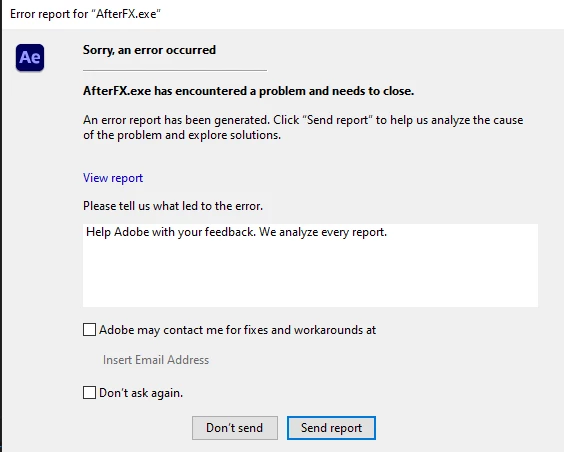
When rendering in AME, I get multiple error report notifications that my AE has crashed and the render gets stuck until I force crash AfterEffects.exe in Task Manager, or just close the AE error window, then render continues to render out but it usually ends up with a bugged/glitched audio on some parts of the video.
Other applications or games work flawlessly on my PC with high frame rates and super stable usage. Only Adobe After Effects seems to struggle and be really unstable.
I am using
- Adobe After Effects v22.6.5 & AME v 22.6.4 licensed and without any extra 3rd party software/plug-ins. - Microsoft Windows 10 Home licensed - fresh install
My PC specs are :
- Intel Core i9 13900K 24 (8+16) 3.00GHz
- NZXT Kraken x53 CPU Cooler
- Gigabyte Z790 AORUS Elite AX 1 Motherboard
- 64GB (4x16) Corsair Dominator Platinum DDR5-6200 CL36-39-39-76
- 16GB Palit GeForce RTX 4080 GameRock with the NZXT Vertical GPU-Mounting Kit
- 850 Watt be quiet! Straight Power 11 Modular 80+ Gold
- M.2 SSD 2TB Kingston KC3000 NVME (System on it + split in half on :C and :D)
- M.2 SSD 256GB ADATA SX8200 PRO (Used for cache only)
- SSD 480GB GIGABYTE GP-GSTFS31480GNTD
- SSD 960 GB KINGSTON A400
- Dual monitor setup with LG UltraGear 34GN850-B and MSI Optix MAG274QRFDE-QD both connected with DisplayPort cable to GPU
Peripherals are :
- Razer Hunstman v2 Wired Keyboard
- Razer DeathAdder V3 Pro Wireless Mouse
- Razer Blackshark V2 Pro Wireless Headset
- Razer Kiyo Webcam
I have tried :
- Purge Memory & Cache
- Switching renderer from Mercury Software Only to Mercury GPU Acceleration CUDA both in AE & AME, but Mercury Software Only seems more stable
- Turning off Hardware Accelerate Composition, Layer and Footage Panels
- Allocating more RAM for other applications
- Reinstalling Creative Cloud with all applications
- Tried After Effects 23.5
- Tried older versions of 22.?
- Switching Cache folder location in preferences
- Fresh Windows 10 OS install
- Running all Windows Updates
- Reinstalling Graphics Card Drivers 536.40 with DDU
- Downgrading Graphics Card Drivers to the recommended one 528.49
- Switch between Studio Drivers and Game Ready Drivers
- Turning on/off XMP profiles, low latency, high bandwidth modes in BIOS
- Removing RAM sticks and testing in one by one, the same problem happens, a slight improvement in stability when using 1 RAM stick - Might be a placebo? Not sure.
- Updating BIOS to the latest version (F6)
- Switching GPU from 3070 to 4080
- Disabled Fast Startup in Windows settings
- And many other things that I probably even don't remember by now.
I really don't wanna try moving to Windows 11 because that would be my last resort since I had major problems with my laptop and Windows 11. And that is one of the reasons I moved my work to this desktop PC.
One thing to keep in mind is that If I turn on my XMP profile on Z790 Motherboard, my pc becomes unstable, and Adobe becomes even messier with XMP On, sometimes resulting in frequent BSOD. This is a general problem on high-speed performance RAM and z790 motherboards. So just a heads up on that because it might be linked to a solution.
Crash log files from today are here :
https://drive.google.com/drive/folders/1KtU7yUg8LX1jp9GejFAi4xxnD276NdzF?usp=sharing
Please if someone has an answer or a solution I can try, I am more happy to hear from you!
Thank you! 🙂
 AdChoices