
Question
After Effects does not load the opacity of some illustrator layers.
I built a big city isometrically in Adobe Illustrator, this city has a size of 5400 px / 2200 px.
The machine I'm running after and illustrator has the FX-8350 CPU, 8GB RAM, 450GB SSD, GTX 1060 3GB.
When I imported the city for after effects, I noticed that some trees, and buildings that have shadows (opacity) weren't loading correctly.
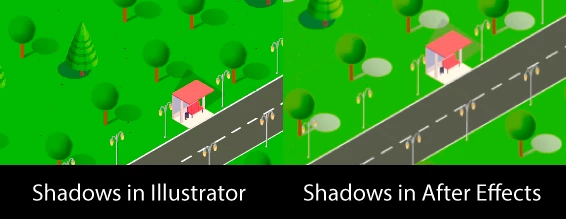
But in some strange way, some parts of the city, it's correctly loading the tree shadows:

As this area of the city has a different colored floor, I decided to do a separate test in After.
I imported a new illustrator file into after, which only contained a few floors and trees, and to my surprise, after effects managed to load correctly:
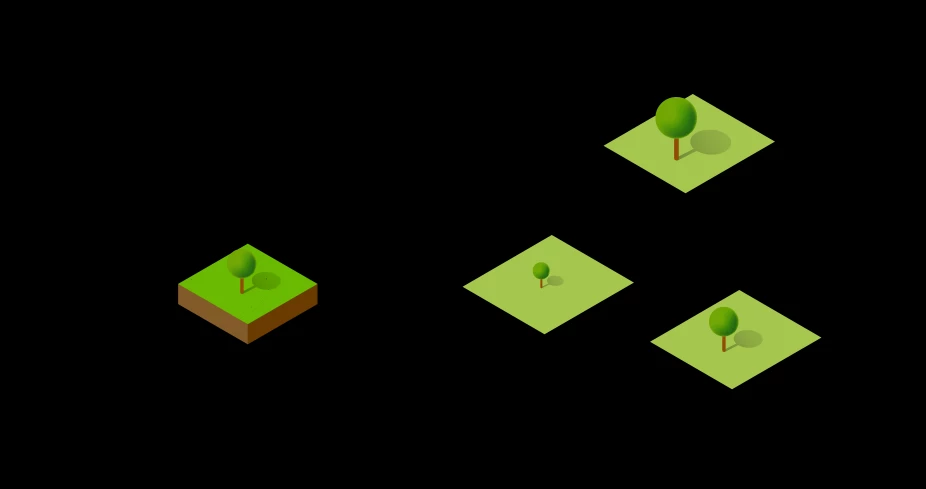
How can I fix the error of the shadows happening in my city?
 AdChoices