


Inspiring
January 20, 2020
Answered

After Effects doesn't show my Image in the preview window

  • January 20, 2020
  • 3 replies
  • 17283 views

Hello guys,

first of all I'm sorry if my english isn't perfect.


I just started using AE and tryed following a tutorial to track a title to my video.

All worked fine until I applied my tracking data to my null object, suddenly the preview window

stopped showing my Image. I searched here for solutions but didn't find anything, I closed AE and did it again, same problem after applying my tracking data. 
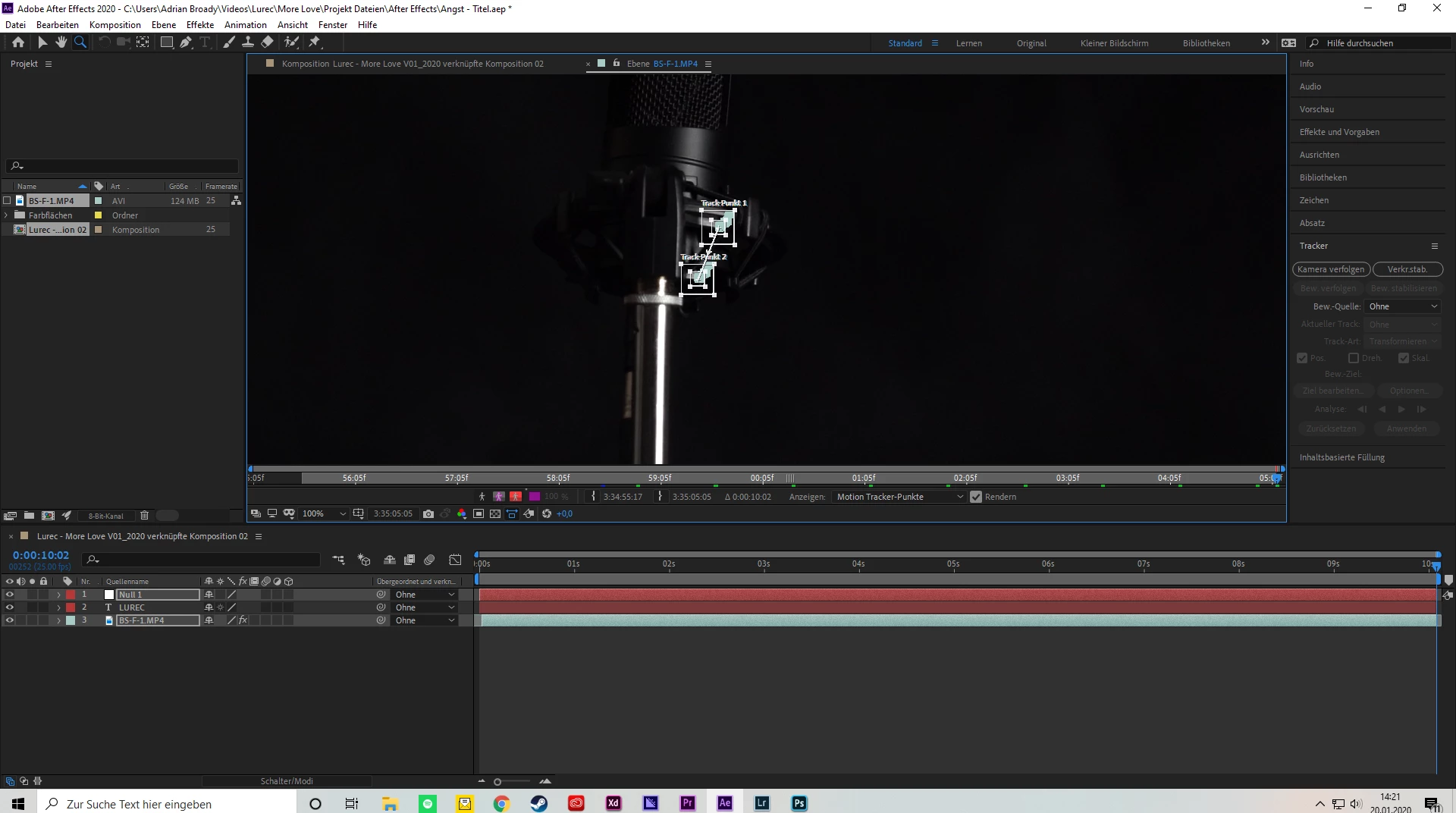


The image above shows the new window where I tracked everything. The image below shows my composition after applying the tracking data.
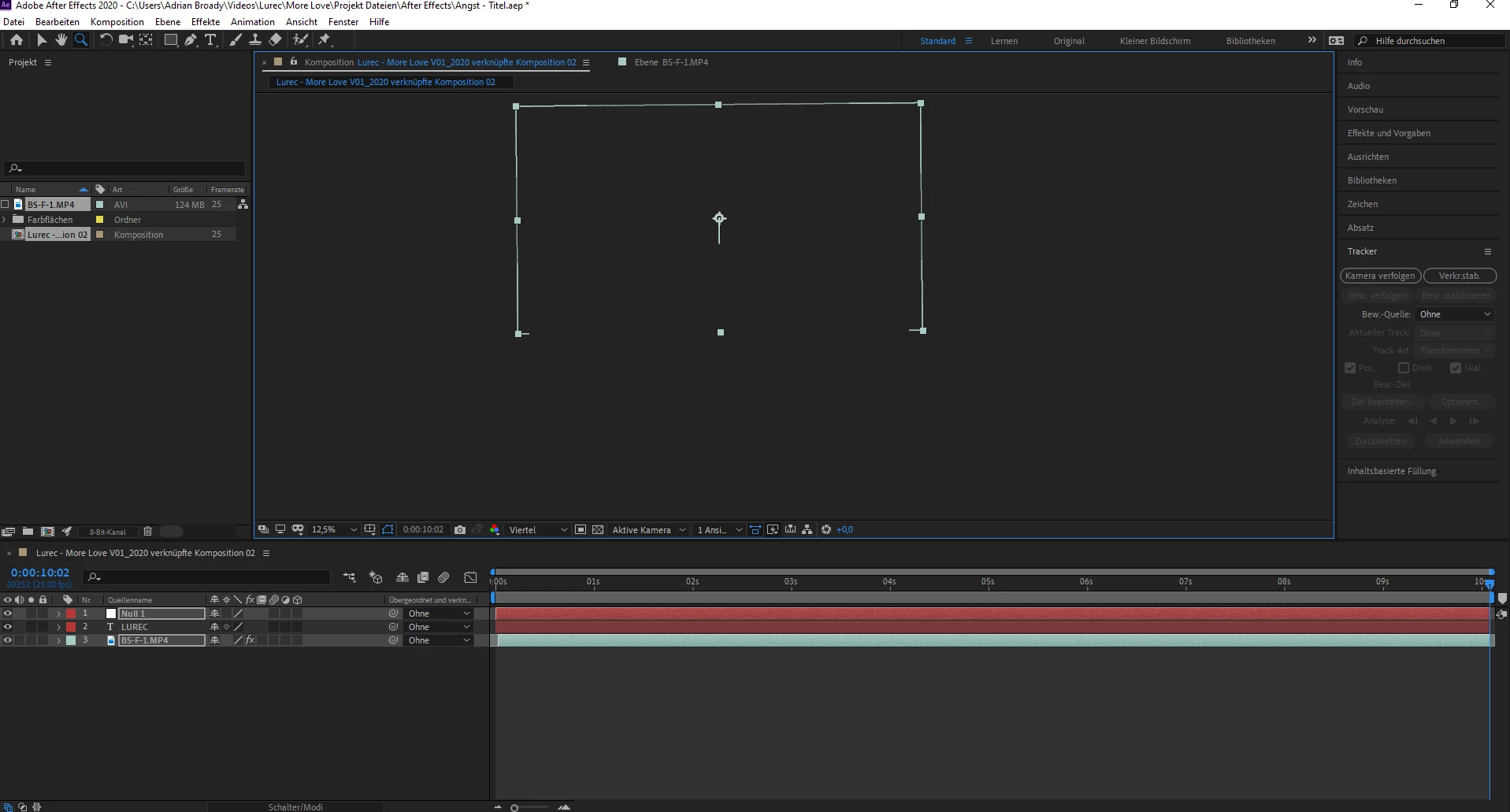


It seems that the programm still does what I want but I just can't see what I'm doing, AE just shows me the white outline of my image.


I hope you guys can help me out, I know AE is an awesome programm but it's realy frustrating with such problems that you just can't figure out.


Thanks in advance,

Broady


(My specs, if needed:

AMD Ryzen 7 3800X, 8x 3900 Mhz

GeForce RTX 2070 Super, ASUS Dual-RTX2070S-8G-EVO, 8 GB GDDR6

Mainboard ASUS TUF B450-Plus Gaming

16 GB DDR4-RAM, Dual Channel (2x 8GB), 3000Mhz, G.Skill Aegis

1000GB M.2 PCle SSD Intel 660p

This topic has been closed for replies.
Correct answer adrianc96564196

Okay I just found a solution, I right-clicked in the composition window and changed the preview settings from audio (didn't noticed when that changed?) to play actual preview (word to word translation from german to english) and however now its all working fine.


Thank you to all of you for your help 🙂

3 replies

Participant
February 21, 2024

you put the image at the bottom. move it up

Participating Frequently
January 21, 2020

This could happen if your GPU driver goes wonky. Try updating or rolling back your GPU driver. 

Inspiring
January 21, 2020

I updated my GPU driver once with my device manager and with the GeForce Experience application. I don't know how to roll it back, but I didn't mentioned earlier that I just bought this PC a few days ago, so there shouldn't realy be something to roll back too?

adrianc96564196AuthorCorrect answer
Inspiring
January 21, 2020

Okay I just found a solution, I right-clicked in the composition window and changed the preview settings from audio (didn't noticed when that changed?) to play actual preview (word to word translation from german to english) and however now its all working fine.


Thank you to all of you for your help 🙂

Mike_Abbott
Legend
January 20, 2020

Well, first of all, it looks like you are zoomed out to 12.5% view in the composition window. How's the view at 100%?

Inspiring
January 20, 2020

Same issue at 100% or anything between.

ToolfarmJP
Community Expert
Community Expert
January 21, 2020

Would you change the scale to Fit in the red line option below?