
m_beam
Participant
June 20, 2019
Answered

After Effects error 205

  • June 20, 2019
  • 9 replies
  • 30533 views

So, yesterday everything was working fine.

Today, I open up After Effects, I'm getting an error

Sorry, After Effects has encountered an error and needs to close.

Use Reference code 205.
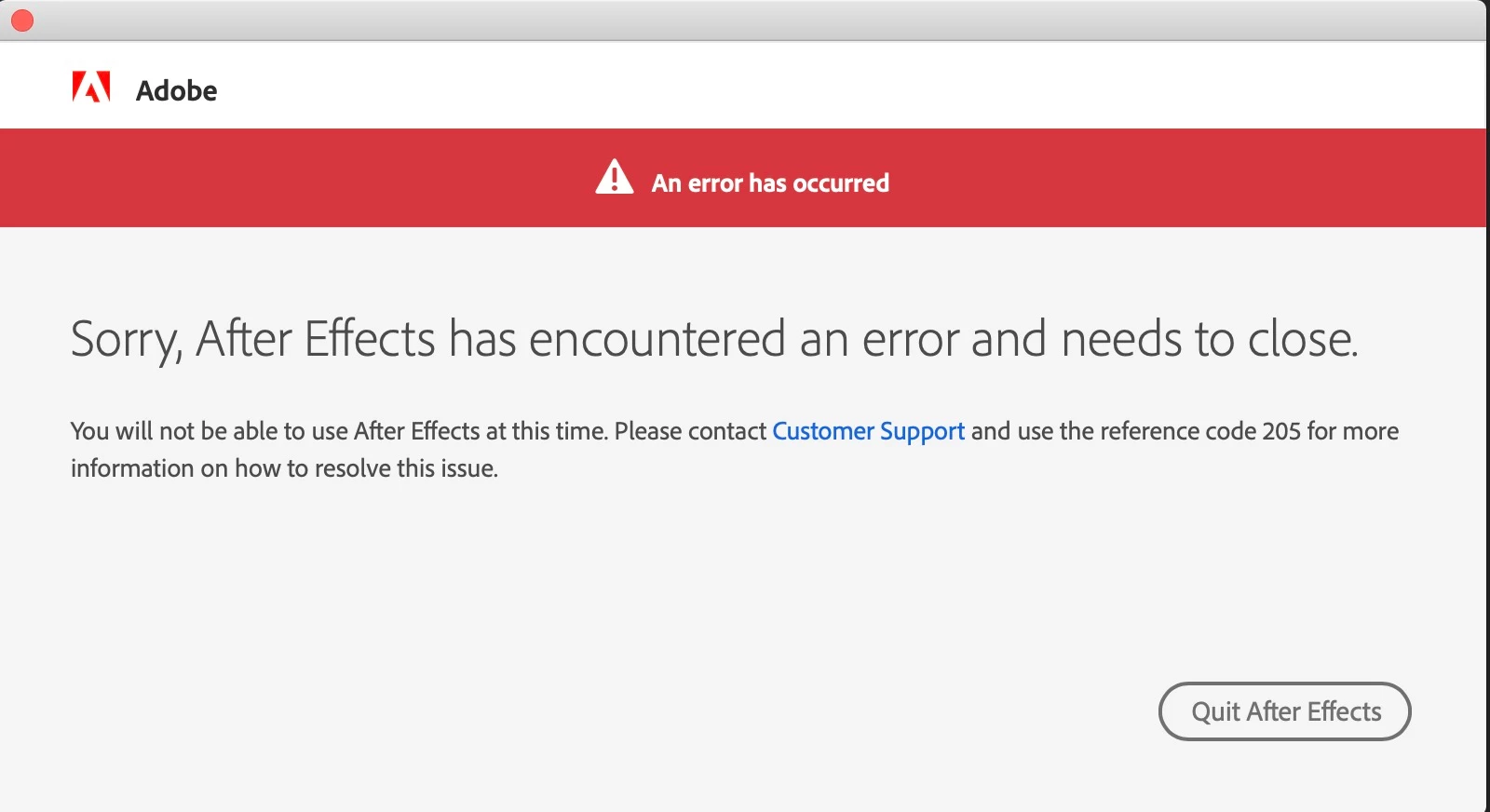
The stuff that I tried:

Reinstalling After Effects

Direct download & install without Creative Cloud installer

Deleting Older After Effects

Reinstalling Creative Cloud

Redownloading Creative Cloud and installing After Effects over different network

Adobe Cleaner

Deleting preferences

Checking permissions

Checking firewall

Nothing worked

So then I did a timemachine backup restore to yesterday.

I booted up After Effects, seemed to work.. UNTIL.. I logged into Creative Cloud.

Boom. Error.

So I logged out again.

And restarted After effects.

It seems to work, can't do anything because I have to log into Creative Cloud, and the moment that I do that, I get the error.

The older After Effects and other adobe software are not affected.

Please please please please let there be a fix.

I've searched the forums and have seen all the suggestions, both typed and copy pasted from manuals.

Looking forward hearing your thoughts.

Correct answer Jess JAM

(cross posted from a thread that is experiencing a similar problem)

EDITED:

Suggestion to try:

1. You can try deleting entries in login keychain > Secure Notes that start with Adobe *

It seems like the individuals experiencing this issue are on Mac - is this issue seen by anyone on Win?

9 replies

Mohammad Aamir Khan
Adobe Employee
Adobe Employee
March 29, 2024

I researched this and found that there are a series of steps that are working for most of our users with the same issue.

1> Close all Adobe applications
2> Log out from the Creative Cloud desktop application
3> Quit all the Creative Cloud and Adobe-related processes from Activity Monitor [Note: Make sure you quit Adobe IPC Broker at the end].
4> Open Keychain Access [you can search for it in Spotlight].
5> Delete all Adobe secure notes
6> Sign in to Creative Cloud
7> Launch the application.
Let me know if it helps.

Participant
May 31, 2022

Hi there I experienced this in Windows as did others I was lucky I uninstalled the App allowed it to throw away all the preferences then I logged out of the Creative Cloud App fully with the usual warnings that it would disable everything on the Computer then relogged in & reinstalled the App & the error has gone away.

    Hopefully it will stay that way - indicates that there was an inter related security issue that logging out & back in solved

Regards

Stephen

Participant
May 31, 2022

This issue seems to be related with the login and the credentials. For me removing all the Adobe related credentials in the windows credentials manager worked like a charm. 

without reinstalling anything.


because of the many credentials in the credentials manager and the stupid from Microsoft designed way to delete these credentials (Manually one by one!), I've wrote a tiny batch script to do that fast and reliable.


you can find it above in this thread.

Participant
July 28, 2021

I'm struggling to delete Adobe Items in the Keychain (Secure Notes). Hitting delete but nothing. I have quit everything Adobe that I am able to, followed steps to this point. If it helps, Photos Agent is not letting me switch off in Activity monitor. Anyone have any ideas? Thanks 🙂 

Participant
February 28, 2020

Thanks a lot. This was driving me insane for weeks. 

Participant
March 12, 2021

SOLVED! I deleted the security notes in the key chain and that worked.

trashcaneron
Inspiring
August 18, 2019

This occurred when I sent some files from Premiere to After Effects via Dynamic Link.

Activity monitor wouldn't allow me to quit or force quit the 3 instances of Adobe CEF Helper. Updated to the latest AE and Premiere to see if that solved the trick, and... the results are in: Problem solved with Premiere 13.1.4 Magician and After Effects 16.1.2

Shivangi_Gupta
Community Manager
Community Manager
August 19, 2019

Thanks for letting us know. I'm sure it will be useful for other users.

PJ-AVT
Participating Frequently
July 18, 2019

Argh. Today again after ~6 hours working in AE. Working between PPro & AE (not using linked comps). Closed AE. Opened AE little later. Same error again.

I reinstalled AE, no change. I trashed preferences, no change... Will have to delete adobe keys again.

Shivangi_Gupta
Community Manager
Community Manager
July 18, 2019

This behavior is very strange. I would recommend you to contact our phone/chat support team once. They'll have an option to access your computer remotely and see what is causing the issue to happen.

Contact Customer Care

PJ-AVT
Participating Frequently
July 19, 2019

Thanks shivangi gupta will do if it happens again

Jess JAMCorrect answer
Participant
June 21, 2019

(cross posted from a thread that is experiencing a similar problem)

EDITED:

Suggestion to try:

1. You can try deleting entries in login keychain > Secure Notes that start with Adobe *

It seems like the individuals experiencing this issue are on Mac - is this issue seen by anyone on Win?

Participant
June 21, 2019

My problem was resolved fairly quickly after contacting Adobe through chat and granting remote access.  It did have something to do with the login keychain. 

Participant
June 21, 2019

Exact same problem here.  Mac OS X: Yesterday fine - today error 205 when launching After Effects.  Other Adobe products open fine.  I've tried the anti-virus, alternate network approaches. Tried re-installing creative cloud desktop app and after effects.

I'm a freelance artist and am my own IT department.  I have a client waiting.  I need to get into After Effects now. 

Help would be greatly appreciated!

Shivangi_Gupta
Community Manager
Community Manager
June 21, 2019

Hi m_beam,

Thanks for reaching out. I appreciate that you came to us after trying multiple steps to get the issue sorted. We're here to help you find the reason causing the crash. I'll get in touch with my team if we are getting any similar issue from other users. Meanwhile, please share the following information:

  • Which version of After Effects are you using?
  • Do you get this error while doing something specific?

Let us know.

Thanks,

Shivangi

Participant
June 21, 2019

I am also having this issue.  I don't have my computer on me but in my situation the error pops up upon opening the app. The app fully loads and then the error pops up. It's different than normal errors. It's much bigger (like in the image above). It actually looks a lot like the creative cloud splash screen that pop's up when you are not logged into  your CC account. Makes me also think it has to do with CC log-in's or something.

Yo bad you have to be logged in to use it!!!