
gabed51988042
Inspiring
March 16, 2019
Question

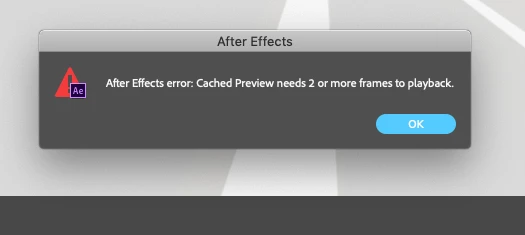
After Effects error: Cached Preview needs 2 or more frames to playback

  • March 16, 2019
  • 3 replies
  • 1566 views

Hi,

I'm working on a large project and AE won't play any portion of the animation.

I've been on this project for nearly two weeks and AE has preformed good -- until today March 16, 2019.

The error in the title block is the error I get when I try to play back something?

Might anyone know the reason?
    This topic has been closed for replies.

    3 replies

    OBDL
    Participant
    May 22, 2019

    I'm glad you had fixed this. I had this error for another reason that had nothing to do with memory. On one of my pre-comps, I had accidentally slid the Time Ruler to one frame. The problem went away when I expanded it out again.

    gabed51988042
    Inspiring
    March 17, 2019

    Hi,

    I cleared After Effects preferences and caches -- and it seems to have improved.

    It would be great to have further insight on the impact of comp settings and preview settings.

    I've attached current settings of both.

    ...thank you for taking the time to respond

    gabed51988042
    Inspiring
    March 17, 2019

    an additional note:  99% of the time I use .img animation files.  These are files created in Electric Image.  I have a plug in and it works we'll

    Mylenium
    Legend
    March 17, 2019

    Start by flushing your caches. The rest we can't know. You have not provided any actual info about your project like what files it uses, what comp settings, what preview settings and so on.

    Mylenium