
Participant
September 28, 2022
Question

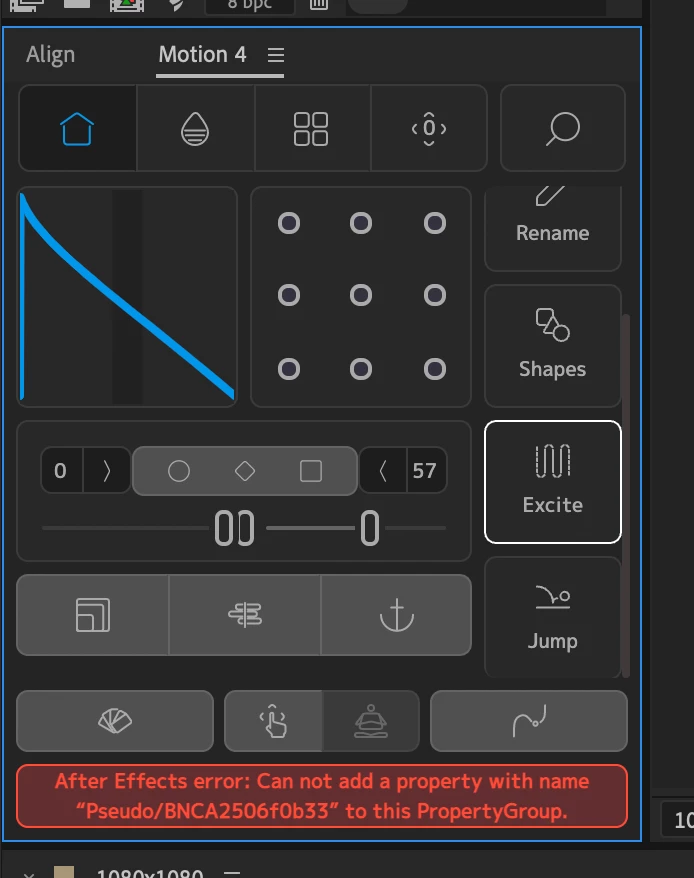
After Effects error: Can not add a property with name "Pseudo/BNCA2506f0b33" to this PropertyGroup.

  • September 28, 2022
  • 4 replies
  • 1313 views

I'm using the Mt. Mograph Motion v4 Plug-in. When i go to apply the 'Excite' effect i get this message:

After Effects error: Can not add a property with name "Pseudo/BNCA2506f0b33" to this PropertyGroup. (Screenshot below)


Has anyboy else come across this error and did you find a fix?
This topic has been closed for replies.

4 replies

Participating Frequently
October 7, 2022

Sorted it! Thanks to Luuk at Mt Mograph, if you simply close extension (right click the title and hit close panel), then reopen it (Window > Extensions > Motion 4), it starts working again!


According to Luuk, "There's a boot that happens when the extension first opens, and if that step fails, it could lead to this error."


Hope this works for anyone else having this prob!

Participating Frequently
October 7, 2022

You're not alone. I'm getting the same - in fact it's happening on Excite, Jump, Burst, all sorts. I'm guessing it's a compatibility error with the latest version of AE, or possibly with the Silicon M1 chip. I've emailed Mt Mograph, and I'll report back here if I get any response.

Participant
October 7, 2022

Its something to do with AE. I cleared my cache and restarted AE and that seemed to do the trick. Let me know if this worked for you.

Participating Frequently
October 7, 2022

Alas not 😞

JohnColombo17100380
Community Manager
Community Manager
September 29, 2022

Hi @Liam26147030tu5h,

Sorry to see you're experiencing this issue with the Mt. Mograph Motion v4 extension. Since this is an issue with an extension and not with After Effects itself, I've moved the discussion out of the Bugs section and into Discussions.


We recommend contacting Mt. Mograph about this issue. If they are here in the Adobe Community, it might be ideal to point them to this thread so that any discussion/troubleshooting can provide help for others who might be experiencing this same issue with the Motion extension.


Cheers,

- John, After Effects Engineering Team 

Mylenium
Legend
September 28, 2022

Well, have you actually selected the right property or for that matter layer type? From the message and function you chose I would suspect it wants to be applied to a transform property and you may have selected a shape layer path or something like that. Otherwise I could only suspect access issues with the preferences files where those pseudo-effects are actually stored, so you may need to check fiel and folder permissions.


Mylenium