
Participant
April 18, 2022
Answered

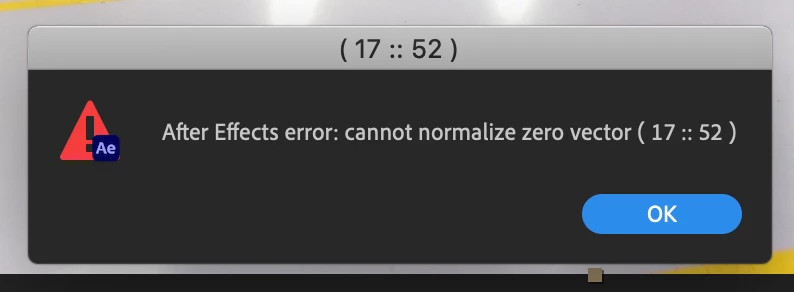
After Effects error "Cannot normalize Zero Vector ( 17 :: 52 )
  • April 18, 2022
  • 3 replies
  • 2515 views

When trying to navigate within the VR comp editor using the orbit tool, it throws this error.  I can navigate by changing the rotation on the VR Master Cam Controller null, but not the orbit tool.  The footage I'm using is 7680x4320, and I'm on an iMac Retina 27-inch 2019 machine.  Any help is greatly apprecaited, as there seems to be next to no information regarding this error when searching both Adobe support threads and the internet in general.

Correct answer Dustin23335434ozbp

Hello Nishu,

The AE version I'm using is 22.3.0 (Build 107).  The steps I took to set up the comp are, import footage < select VR Comp Editor < Add 3D Edit < then selected the orbit tool using the shortcut "C". I repeated this process multiple times and wouuld always get the same error.  I had a colleague do a test on his machine as well (also iMac) and got the same error.  I did finally find a solve after a fair ammount of troubleshooting - that if I cycled through the three camera movement tools by pressing "C" a few times, I was able to select the orbit tool again and it works without issue.  Afterwards, I was able to replicate the error message if I try to use the dolly towards cursor tool.  To reiterate, I have found a solution and will mark this post as solved.  I very much appreciate your response, and thank you kindly!

3 replies

Participating Frequently
May 16, 2025

I am having this same issue.  The orbit tool works fine, but the error appears when I attempt to use the dolly zoom.

Mylenium
Legend
April 19, 2022

It's simply a generic internal math error. That aside I think a ton of the VR features are broken and/ or don't work correctly with the new 3D navigation introduced last year, so it may simply be one of those situations. Other than that I could also imagine conflicts with hardware accelerated functions, but of course on a Mac there's only so much you can do about it. If it's an option, I'd at least try to create a lower res version as a test. If that works, then this might indeed indicate that you're simply running out of hardware resources in the GPU department...


Mylenium

Participant
April 19, 2022

Hello Mylenium,


I was able to find a solve after a fair ammount of troubleshooting.  I posted a response above and marked it as solved.  I very much appreciate your response and thank you kindly for your time and effort!  Hope that you have a great day!

nishu_kush
Community Manager
Community Manager
April 19, 2022

Hi Dustin,


Thanks for writing in.

What's the version of After Effects you're using? Could you share the steps to replicate the issue at our end?

We're here to help.


Thanks,

Nishu

Dustin23335434ozbpAuthorCorrect answer
Participant
April 19, 2022

Hello Nishu,

The AE version I'm using is 22.3.0 (Build 107).  The steps I took to set up the comp are, import footage < select VR Comp Editor < Add 3D Edit < then selected the orbit tool using the shortcut "C". I repeated this process multiple times and wouuld always get the same error.  I had a colleague do a test on his machine as well (also iMac) and got the same error.  I did finally find a solve after a fair ammount of troubleshooting - that if I cycled through the three camera movement tools by pressing "C" a few times, I was able to select the orbit tool again and it works without issue.  Afterwards, I was able to replicate the error message if I try to use the dolly towards cursor tool.  To reiterate, I have found a solution and will mark this post as solved.  I very much appreciate your response, and thank you kindly!