


Participant
Dec 20, 2019 10:44 PM UTC
Answered

After effects error: crash in progress [Windows 10]

After effects error: crash in progress, last logged message was:<8896><BEE_WorkQueue><5>BEE_Project::TimestampGetNext ZANZIBAR-3: cannot produce Timestamp,frozen=0, open=0
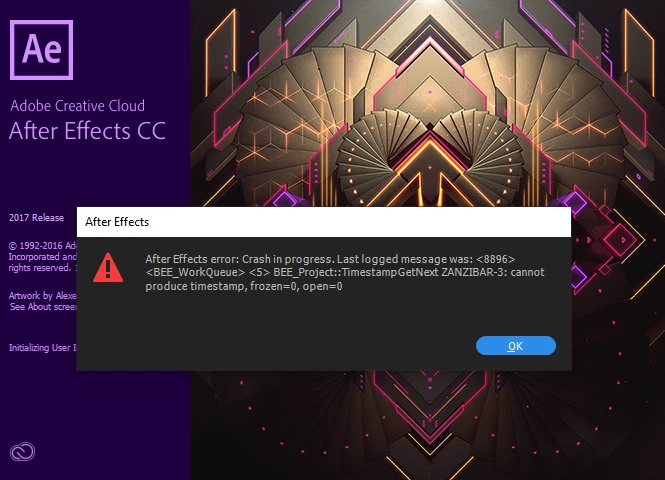
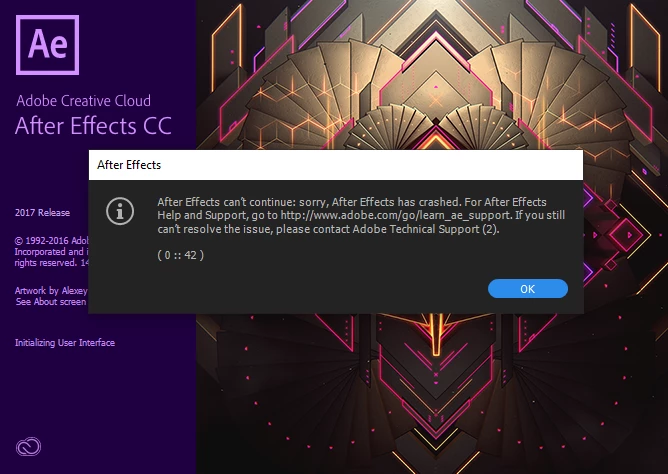
Note:
adobe master collection cc 2017
Windows 10 Pro


Title edited by Mod

christinar29522630Correct answer
Participating Frequently
Jun 15, 2021 11:40 AM UTC

This workaround WORKS! First, launch AE by clicking on a file extension that is supported by AE; I used .aep. After effects will launch and open the project file. Second, head over to preferences GENERAL dialog and untick the ENABLE HOME SCREEN. Close then re-launch AE by ticking on your shortcut to the AE executable and enjoy. Thank you!

31 replies

Participant
Jan 22, 2023 4:51 AM UTC

Can anyone pls help solve my issue, when i open after effects, the crash error messages pop up and when i press "ok" for both of them and gives me a chance to save the project which i'm never able to start since yesterday, i looked at the comments below and most of the solutions are not possible for me as none of the buttons or functions are working. Please help if you know what this is. 

Also, 

i'm using after effects 2022 on a dell laptop, i'm not sure which one though sorry. 

Translate
Participant
Jan 22, 2023 11:41 AM UTC
It will work if you open an existing project by clicking on the ae file
then follow procedure, don’t launch the project on it’s own
Translate
Participant
Sep 23, 2023 4:44 AM UTC

Thanks you so much ! This work for me

Translate
Participant
Nov 8, 2022 6:44 PM UTC

I still have this issue!! When I try the workaround, it says "Invalid Menu Option" on clicking the Edit button!!

Translate
Participant
Jun 1, 2021 6:31 AM UTC

Hello ...
How to Resolve this problem ?
Same Condition 

Translate
christinar29522630Correct answer
Participating Frequently
Jun 15, 2021 11:40 AM UTC

This workaround WORKS! First, launch AE by clicking on a file extension that is supported by AE; I used .aep. After effects will launch and open the project file. Second, head over to preferences GENERAL dialog and untick the ENABLE HOME SCREEN. Close then re-launch AE by ticking on your shortcut to the AE executable and enjoy. Thank you!

Translate
Participant
Aug 3, 2021 8:42 PM UTC

this worked. What is the cause of this though?

Translate
gupta shivangi
Legend
Dec 21, 2019 12:14 PM UTC

Hi Mohamadh,


I understand After Effects fails to launch for you. Could you share the following information before we start troubleshooting?

  • Please share your system details(RAM, GPU, CPU, etc)
  • The screenshot you shared says the application is from 2017 release. Is there any reason for not updating the software?


Looking forward to the response. Meanwhile, I'd recommend to try this:

Right click on the application shortcut > Select Run as administrator


Let us know if it helps.


Thanks,

Shivangi

Translate
Participant
Dec 21, 2019 8:09 PM UTC

thank you Shivangi
the reason was the mediaplayer i installed
when i uninstall it it work good
thank you

Translate
nishu_kush
Legend
Dec 27, 2019 1:39 PM UTC

Glad to know that you were able to resolve the issue. Would you mind sharing the name of the media player?


Thanks,

Nishu

Translate