
Participant
March 3, 2022
Answered

"After effects error : File couldn't be opened for writting : (3;;0)"

  • March 3, 2022
  • 5 replies
  • 34667 views

Hello.
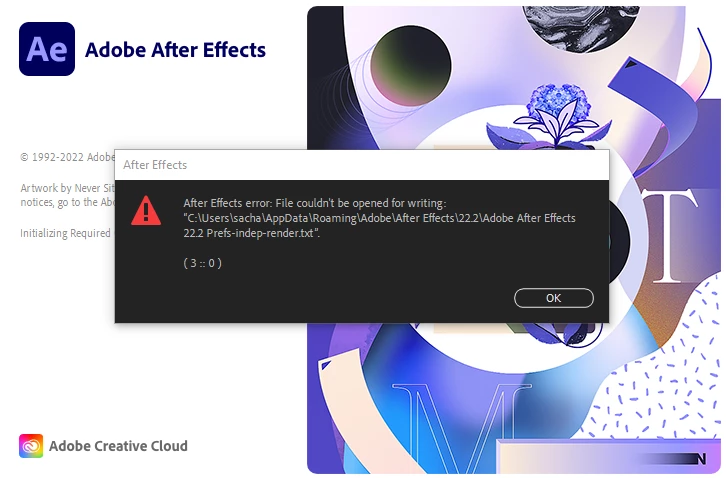
Lately i've had an issue with my after effect. Immediately after lauching the software, i get a message error saying "After effects error : File couldn't be opened for writting : "C:...\Adobe after Effects 22.2 Prefs-Indeprender.txt". (3;;0)" 

I did try to change in "paramaters/Security" the accessibility for ritting of the folders (and others that ere concenred by the same problem", but everyting seems in check.
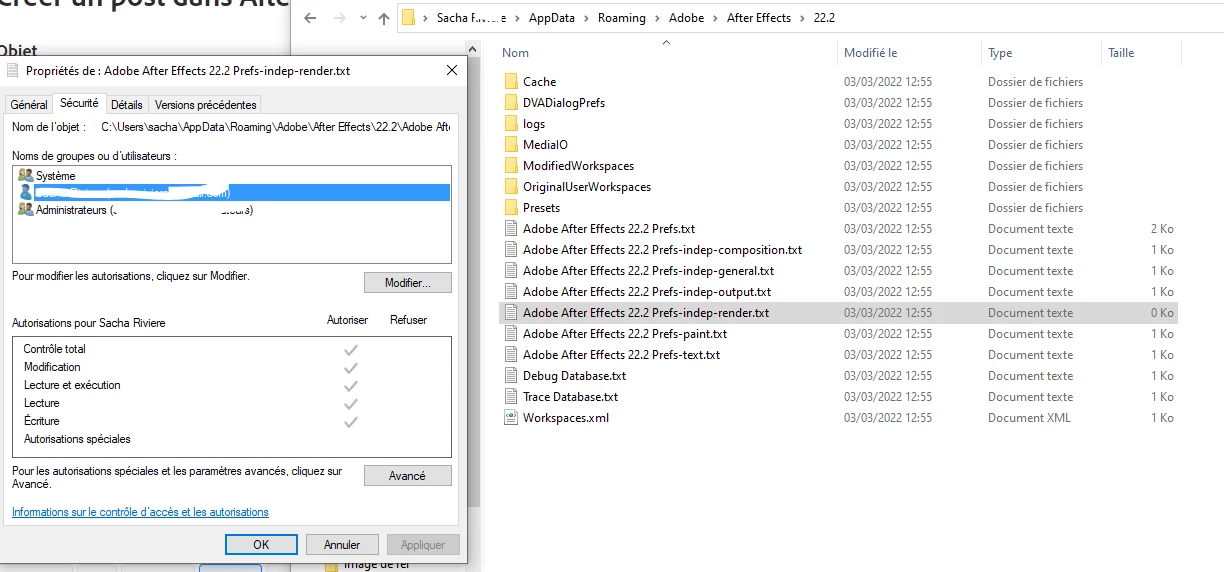
 

I've tried erasing the folders, but as soon as I do smth on AE, they reapear, still faulty.
I tired desinstalling/reinstalling the software from adobe creative cloud app, even in differents versions, erasing the preferences, but the probleme still persists.
This is problematic since it seems to prevent the functionning of a render plugin/script (gifGun) I absolutly need to work.
I can not recall any modification of parameters change I might have done to provoc that type of problem.
This seems to concern every .txt folders on the media cache. Nor erasing or displacing them seems to change a thing.

Let me know if anyone had this probleme before, knwo where it could come from or a way to prevent this.

Correct answer Joseemuneq

I also had that error, in my case what solved it was to delete in the folder "Media Core".


C:\ProgramFiles\Adobe\"Plug-ins\<version>


then delete the Media Core folder.
then start the installer in Administrative mode and install it outside the default adobe folder (precisely in program files).

Finally start the program by pressing CTRL + ALT + SHIFT, delete the preferences and you are done.
The program starts normally.

Clearly in my case, it may or may not work for you, try it.

5 replies

Participating Frequently
March 14, 2025

Means your harddrive is full, just empty cache Edit -> Purge -> All Cache and you can save again .

Participant
March 14, 2025

thanks! 🙂 

Participant
June 18, 2024

Hola, tengo este problema

  Yo siempre trabajo en mi disco externo por la cantidad de archivos que uso, y últimamente mi after me da este error cuando intento jalar archivos desde el disco. Y también cuando intento guardar nuevos proyectos en el disco. 
¿Alguien más tiene este error? ¡Ayuda!

Participant
March 29, 2024

I'm on mac and all I had to do was clear my Disk Cache


Participating Frequently
March 29, 2024

hello Diego24275221otbz
I am also working on a mac I cleaned out my Cache and I am still getting the same error whenever I try and save Really would like some help with this ..
thank you 

Participant
May 22, 2024

i think i figured it out on mac for some reason the project was saving in the volume folder for whatever reason wasnt working i changed it back to my original folder for AE folders and everything working again 


Joseemuneq
JoseemuneqCorrect answer
Participant
March 24, 2024

I also had that error, in my case what solved it was to delete in the folder "Media Core".


C:\ProgramFiles\Adobe\"Plug-ins\<version>


then delete the Media Core folder.
then start the installer in Administrative mode and install it outside the default adobe folder (precisely in program files).

Finally start the program by pressing CTRL + ALT + SHIFT, delete the preferences and you are done.
The program starts normally.

Clearly in my case, it may or may not work for you, try it.

nishu_kush
Community Manager
Community Manager
March 9, 2022

Hi Sacha2341894348cf,


Sorry for your issue.

Could you try the following - 

Let us know if it helps.


Thanks,

Nishu

Participant
June 8, 2023

did not work for me. My user iss for Read and write. Is there anoother solution??