Participant
February 27, 2022
Question

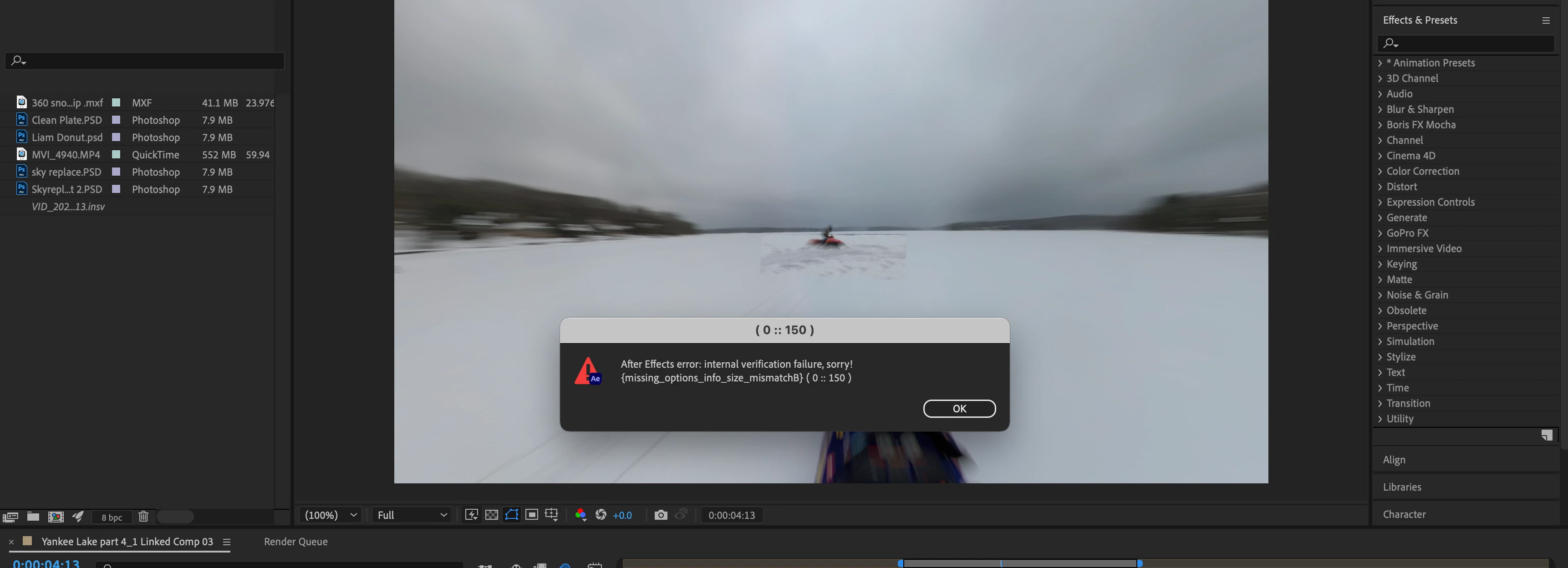
After Effects error. Internal Verification error, sorry! missing options info size mistmatch
  • February 27, 2022
  • 1 reply
  • 225 views

  Does anyone have any solutions for this. I was working on a project & everything was fine & then I was doing some edits on a clip in photoshop to come back to this message. Nothing seems to help. I uninstalled AE aswell & that didnt help. Also cleared the cache & still nothing. Would love some help because i really do not want to start this transition all over again i was literally one mask away from it being done. 

This topic has been closed for replies.

1 reply

nishu_kush
Legend
March 1, 2022

Hi joejugs,


Thanks for writing in.

Are you using any third-party plug-ins? What's the exact version of After Effects you're using? Also, what are your system specifications (CPU, GPU, RAM, OS version)?

Try resetting the preferences of After Effects and see if brings any change. Here's how: https://community.adobe.com/t5/after-effects-discussions/faq-how-to-reset-trash-preferences-in-after-effects/td-p/10634342

Let us know.


Thanks,

Nishu

joejugsAuthor
Participant
March 10, 2022

Hey nishu, i actually fixed it im not really sure how it got fixed but I was able to finish up the project. But my specs are the new Macbook Pro Max 64gb ram im not to sure about what the other stuff is but its a maxed out m1 max.

nishu_kush
Legend
March 10, 2022

Thanks for updating the thread and sharing the system details.

Feel free to reach out if there are any other questions.


Thanks,

Nishu