


StarSMASH
Participant
March 10, 2019
Answered

After Effects file saving error

  • March 10, 2019
  • 7 replies
  • 50146 views

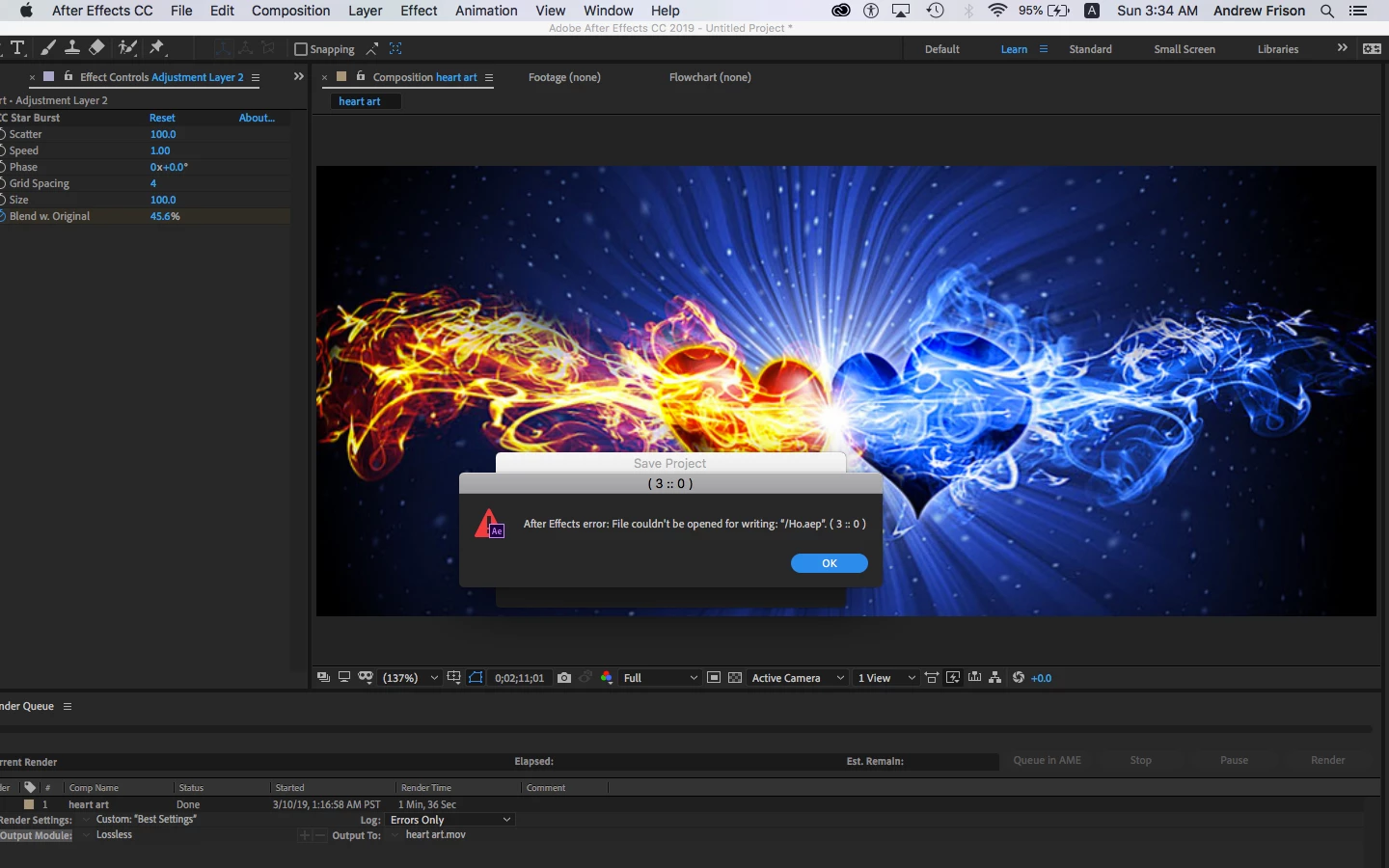
I keep getting this error when trying to save my after effects project.  I type command + F, choose my location on my HD, and save it as an .aep (the default setting) and this is the error i get - "After Effects Error: File couldn't be opened for writing: "(name of project).aep". (3 ;; 0)

Correct answer OussK

Did you try to save in different location? to save on desktop directly or different HD if you have 

7 replies

Participant
January 8, 2025

Just clear out All memeory and Disk Cache

Edit -- Purge --- All Memory & Disk Cache...

Inspiring
February 3, 2026

This worked for me - thank you!

Participant
July 16, 2024

I tried saving in a new location and saving as a copy but neither worked.

I saw @gangrell04's post below about clearing disk cache and that fixed the issue.


To quickly delete memory and cache:

Go to Edit > Purge > All memory & disk cache.


I usually do this if I get a notice that I'm low on memory space. It's surprising how quickly this fills up. I purged 77GB this time around.

Participant
May 31, 2024

 I tried to change the location of the file of auto-save (preferences), & it works
Hope this gonna help

Participant
March 31, 2024

I could also be that the current HD is full, no space left, so it can't save to its original location, just delete a few things and make space 

gangrell04
Participant
July 15, 2021

Hello. I justa had that same exact issue, and i spent this whole afternoon with a big frustration. But i finally figured it out. I do not have a lot of free space in my HD, so i think that's the reason why.


Just go to preferences and delete de Cache from AE, and i think that is it.


Participant
April 19, 2022

Yep thats true. i freed up my memory and the file got saved  

Participant
March 24, 2020

It's also possible that the folder you're trying to save it in needs Admin. permission. 

Save the preset in an other location like Desktop, then manually in the Finder or in Documents Window drag the .ffx file to the Presets Folder.

Participant
April 27, 2020

What do you mean by this? I keep getting "error with file" after effects and premiere pro

OussK
Community Expert
OussKCommunity ExpertCorrect answer
Community Expert
March 10, 2019

Did you try to save in different location? to save on desktop directly or different HD if you have 

StarSMASH
StarSMASHAuthor
Participant
March 11, 2019

thank you.  This worked.