


Participant
Jun 21, 2020 8:06 PM UTC
Answered

After Effects: Green Lines across program monitor


After Effects is showing these green lines across the program monitor since a few days ago. I updated to the latest version, thinking it would be fixed, but the problem persists. I tried restarting my PC, uninstalling and reinstalling After Effects and changing settings, but nothing seems to work. Help.
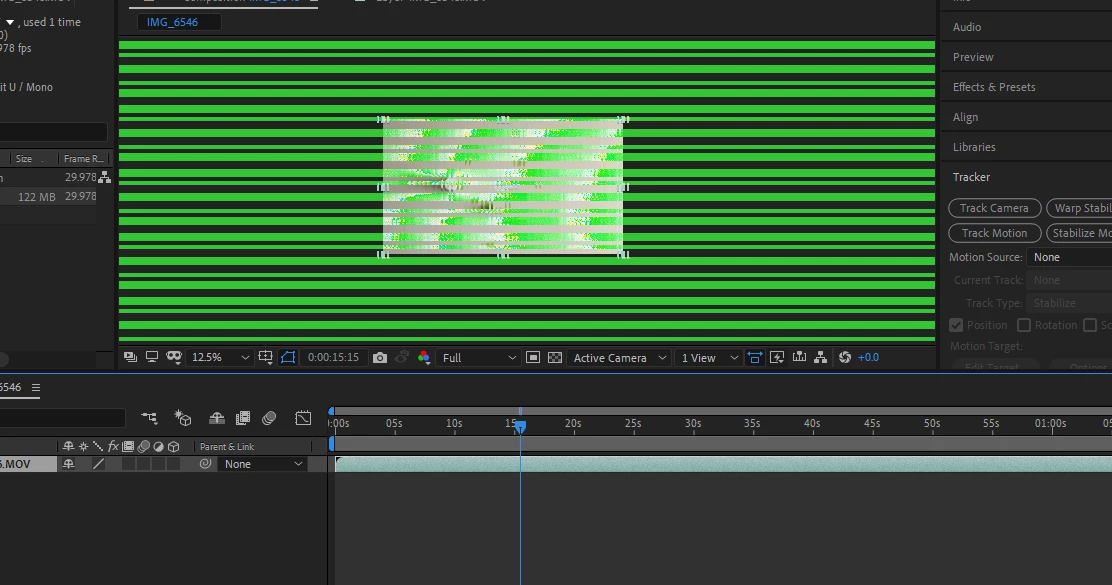
EDIT:

I'm having a similar issue with Premiere. It's probably my graphics driver.


This topic is closed to new replies. Start a new post to keep the conversation going.
Vincent SingerCorrect answer
Participant
Jun 21, 2020 9:00 PM UTC

I fixed it by downgrading my Intel graphics drivers from version 27.20.100.8280 to version 27.20.100.8190.


3 replies

Inspiring
Jun 21, 2020 8:46 PM UTC

Hello there!


Exactly the same issue. Ae 17.1.1

PC restarted, graphic driver reinstalled. Green stripes all over the Comp-viewport even when creating a new empty file.


Translate
Vincent SingerAuthorCorrect answer
Participant
Jun 21, 2020 9:00 PM UTC

I fixed it by downgrading my Intel graphics drivers from version 27.20.100.8280 to version 27.20.100.8190.


Translate
Inspiring
Jun 22, 2020 8:55 AM UTC

Thank you Vincent!

Translate