


Participating Frequently
Oct 2, 2018 4:13 PM UTC
Question

After Effects Images not showing

Hi all,

I am new to After Effects and I am using the 2018 version. I have watched the lynda.com introduction videos to after effects and read articles as well. when I open up the after effects and I import an image, it just refuses to populate on my screen. Below is a screen shot of the image I just getting. Is something wrong with my setting? am i missing something? please help me out.
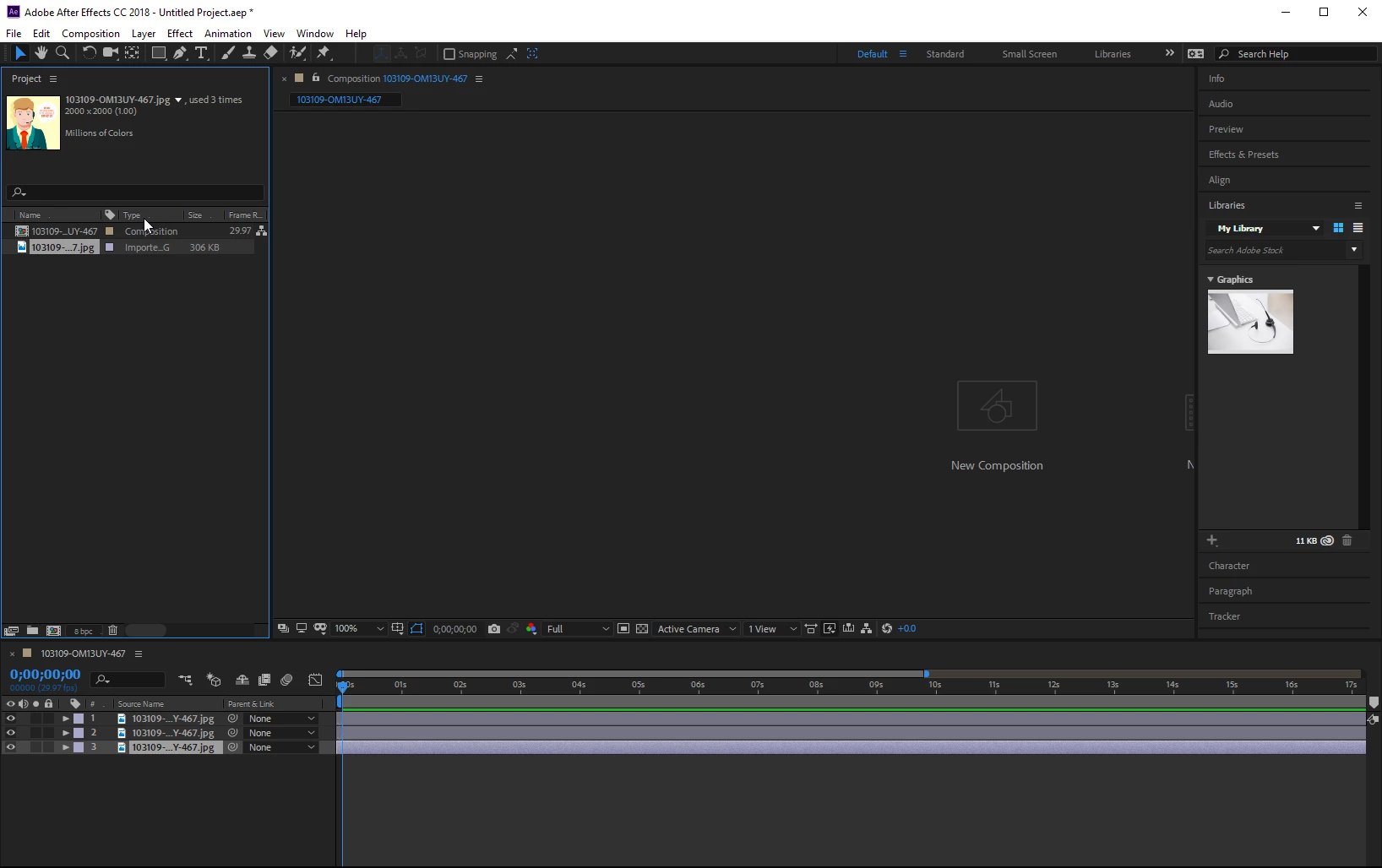
    This topic is closed to new replies. Start a new post to keep the conversation going.

    12 replies

    Participant
    Nov 4, 2022 10:58 AM UTC

    I have similar issue, photos jpeg, RGB space, they import correctly but invisible on screen. Changing format in photoshop to png or resaving as jpeg doesn't help. No clue what's on...

    Translate
    Participant
    Nov 4, 2022 11:02 AM UTC

    Ok I sorted it out - changing a name to something without "-" did help. Just wrong file name made this, but After Effect did not show the error. 

    Translate
    Participant
    Jun 30, 2024 5:43 AM UTC

    can you brief it i have problem of every format becoming invisible


    Translate
    OussK
    Community Expert
    Community Expert
    Oct 5, 2018 12:14 PM UTC

    Really from your Screenshot it look like you have a workspace issue

    Go to Window menu > Workspace >Standard

    then reset your stander. Go to Window menu > Workspace >Reset"standard"to saved layout

    Translate
    ToolfarmJP
    Community Expert
    Community Expert
    Oct 5, 2018 12:57 AM UTC

    Hello,

    The image format seems *.jpg. Would you try this way?

    1. You open the image file by Photoshop.

    2. You save it as another different name. It is even fine to choose *.psd format.

    3. You import it into After Effects and open it.

    Translate
    lambiloon
    Community Expert
    Community Expert
    Oct 2, 2018 4:25 PM UTC

    Hi double on composition layer which is above the image then it will open all is good to go....Thanks.

    Translate
    Ali Sajjad / Graphic Design Trainer / Freelancer / Adobe Certified Professional
    wendu_Author
    Participating Frequently
    Oct 2, 2018 5:00 PM UTC

    Thank you for your quick response. can you clarify what you mean by "double on composition layer" do you mean double click? if yes I have done that and nothing pops up. If possible can you send me a screen shot of what I should double click on so I can confirm I am doing the right thing.

    Thank you

    Translate
    ToolfarmJP
    Community Expert
    Community Expert
    Oct 4, 2018 11:04 AM UTC

    Hello,

    Would you try to change the workspace? Something might be hidden.

    Window menu > Workspace > (you choose anything else.)

    Translate