
April 15, 2018
Answered

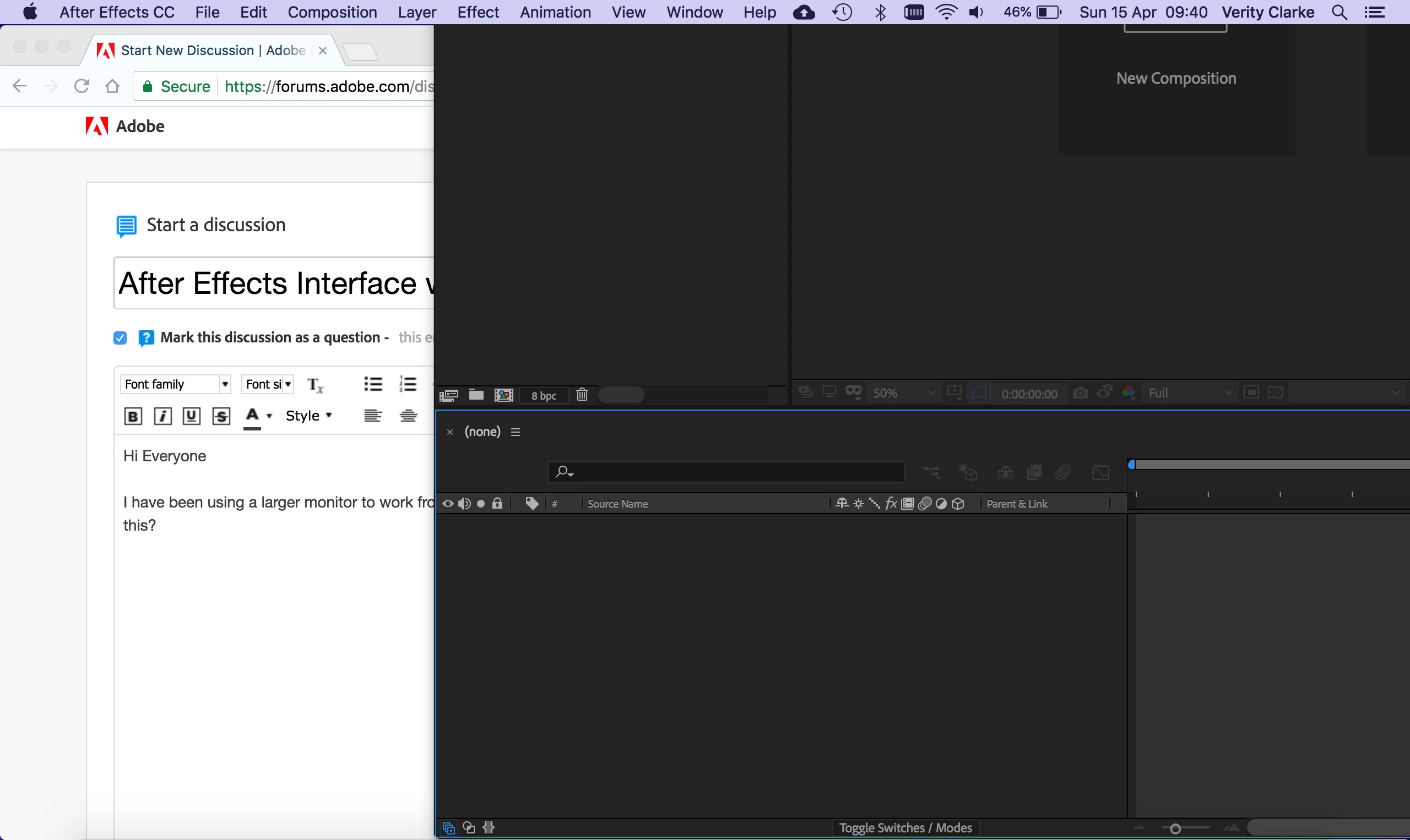
After Effects Interface wont scale down to smaller screen size

  • April 15, 2018
  • 3 replies
  • 4172 views

Hi Everyone

I have been using a larger monitor to work from recently, then when I switch back to using my smaller size macbook pro the application doesnt re-size. How do I fix this?
This topic has been closed for replies.
Correct answer angie_taylor

Try going to Window > Maximise. If not - Restart After Effects and you hold down Shift-Command  and Alt. This will allow you to reset the prefs.

3 replies

angie_taylor
angie_taylorCorrect answer
Legend
April 15, 2018

Try going to Window > Maximise. If not - Restart After Effects and you hold down Shift-Command  and Alt. This will allow you to reset the prefs.

kirkeric
Inspiring
April 15, 2018

Yes, reset workspace or do maximize (I presume you tried), perhaps even just relaunch?  Seems like one of those things that corrects itself like when you are using two different monitors and switching back and forth.

Eric

Roland Kahlenberg
Legend
April 15, 2018

Have you tried to Reset Workspace? You will also do well to create a shortcut to this Command - it comes in handy.

Very Advanced After Effects Training | Adaptive & Responsive Toolkits | Intelligent Design Assets (IDAs) | MoGraph Design System DEV