


Malanche
Participant
October 27, 2021
Answered

After effects is not working with Monterey OS

  • October 27, 2021
  • 16 replies
  • 39310 views

After install the new OS Monterey the app is not working. 

Be careful friends. i spend all night trying delete every single scrpit that makes the crash and still not working.

Correct answer jenkmeister17177426

We've heard from the AE Juice developers. They have updated plugins that support Monterey available here: 


Windows: https://aejuice.com/pack_manager/AEJuice_Pack_Manager.zip
macOS: https://aejuice.com/pack_manager/AEJuice_Pack_Manager_mac.zip


Please download these to continue to use AE Juice on MacOS 12.

16 replies

jenkmeister17177426Community ManagerCorrect answer
Jenkmeister
November 1, 2021

We've heard from the AE Juice developers. They have updated plugins that support Monterey available here: 


Windows: https://aejuice.com/pack_manager/AEJuice_Pack_Manager.zip
macOS: https://aejuice.com/pack_manager/AEJuice_Pack_Manager_mac.zip


Please download these to continue to use AE Juice on MacOS 12.

Participant
November 1, 2021

Thank you! It's finally working!

Bad Mosquito Films
Known Participant
November 1, 2021

So my initial problem was apps Ae/Pr/PS crashing after Monterey and 2022 update.

I removed the AEJuice plug in and they now work, however I couldn't save/render anything as the menus weren't appearing.

I have now identified this problem, I have a second monitor connected through thunderbolt, and by disconnecting it its now all working. But I cannot use the second monitor!!!!


Adobe: When is this being fixed??? 

As this is a joke, were all paying for this product, that fails constantly. 

Sort this out as it's messing with our livelihoods!!!!!

Jenkmeister
November 1, 2021

Sorry you're running into issues. For the second monitor/missing menus, is this with AE and Pr and PS or just AE? I know it's a basic request, but have you rebooted with after connecting the second monitor? I'm not sure that we've had reports of missing menus before now so we'll need more details from you to help futher. 


Thanks

Sean

Bad Mosquito Films
Known Participant
November 1, 2021

Hi, I've rebooted several times, uninstalled, reinstalled and its the same, it's a hassle to keep going behind my monitor to plug in/out.

Jenkmeister
October 29, 2021

The After Effects team has reached out to the plugin developers for AE Juice to try to identify what is causing the crash and how we or they can fix it quickly. Apologies for the issues!

Participant
October 30, 2021

Thank you, we will be waiting for the solution.  
The fix suggested here is not working for me as well - I still can't get past the splash screen it crashes. 
AE v.22 on Monterey OS

Jenkmeister
November 1, 2021

So you've removed the AE Juice plugin and AE is still crashing? Do you have any more information on the crash? Log files, etc? 

Participant
October 27, 2021

I also got the same problem with AE when upgarde to V.22  on Monterey OS. please reslove this cash problem .

Thank you

nishu_kush
Community Manager
Community Manager
October 27, 2021

Hi Malanche & Mossy79,


Sorry for the crash. Please share the the following details:

Let us know, we're here to help.


Thanks,

Nishu

Participant
October 27, 2021

Hi Nishu,


I am currently using version 22.0

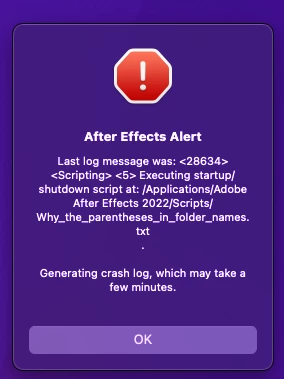
This is now the error I recieve 

Previously I recieved the scripts error. But that has been replaced after I deleted the preference settings,

It does generate a crash report.

The last module loading is "Initializing Media Core"


Thanks.

Participant
October 27, 2021

Hi Nishu,

I was able to solve this problem. It seems to have been caused by a plugin.

Thank you.

Participant
October 27, 2021

I also have the same problem. AE was working fine till upgrading to Monterey and now AE keeps crashing on start up.

Participant
December 7, 2021

So I had issues with AE Crashing on start up and I tried the solutions provided with moving the plug in folder but my AE Juice folder couldnt be found. I updated to the latest version of AE Juice and it fixed the crashign issue for my AE! 


Hope this helps someone as well!