
Participant
December 2, 2021
Question

After Effects - Lighting Glitch

  • December 2, 2021
  • 2 replies
  • 793 views

Hey all,


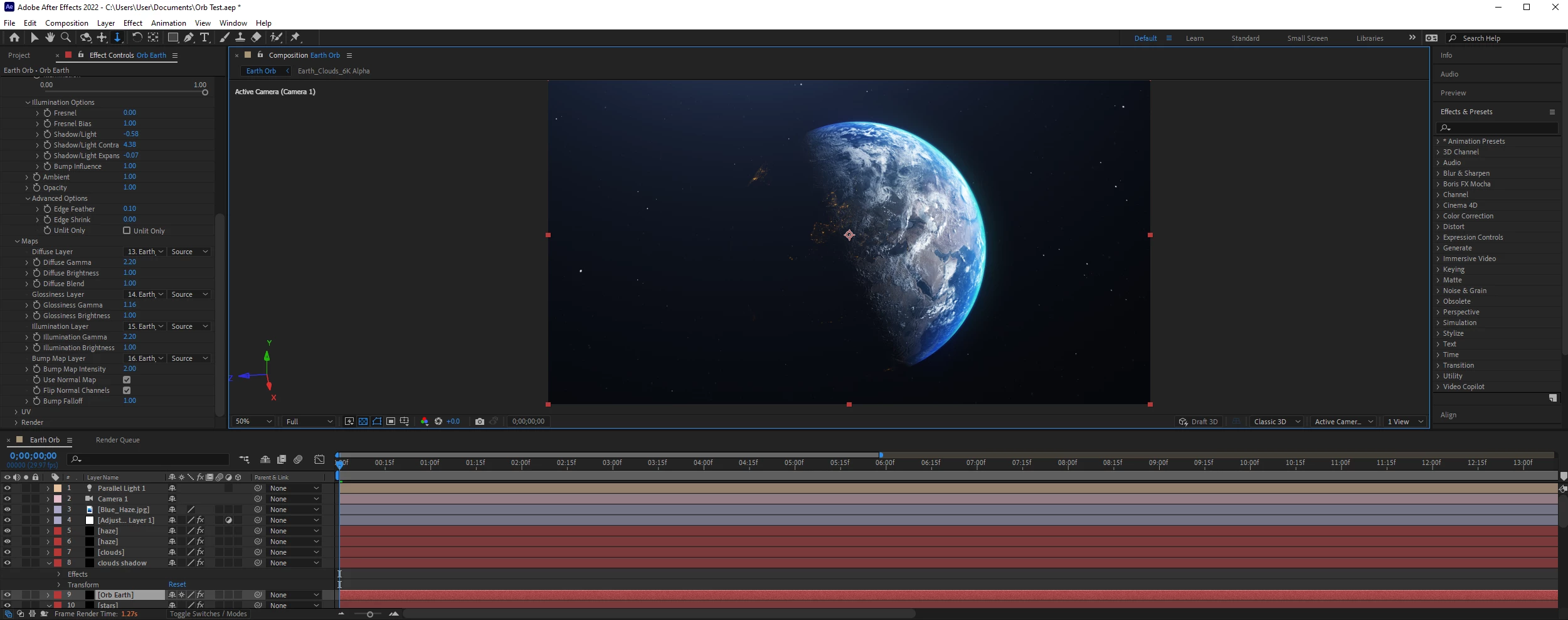
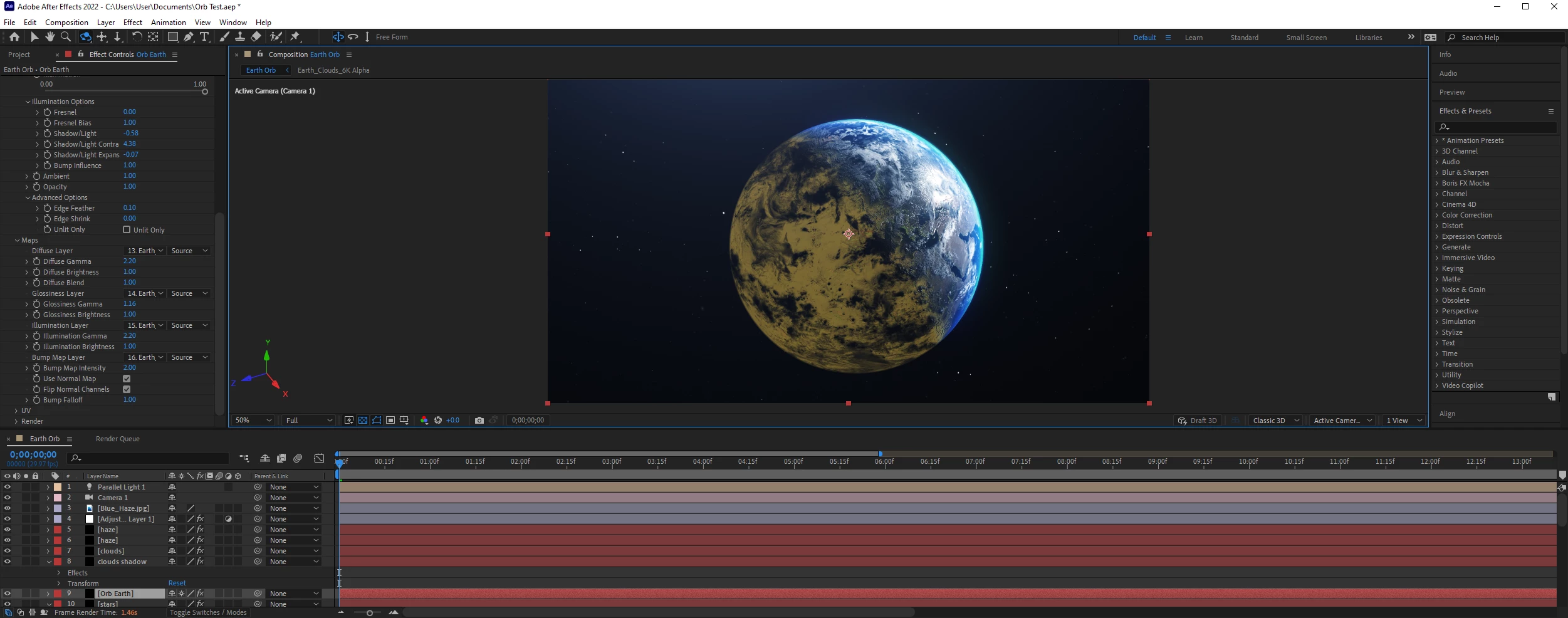
I'm about 3 days into learning AE, and was following the VC Orb tutorial on Youtube. Everything was going well, until when I would rotate the camera and my "Earth" would render weirdly. Where the light wouldn't be cast, instead of appearing darkened it appears yellow.


I found that messing around with the Bump Map layer would get rid of it, but would introduce more problems (textures loading the continents would disappear). Also selecting "play as current preview" would correct the issue, but would have the issue appear on the keyframe section if I was to go back a few frames.


When i rotate the camera quickly it does this. When I'm doing a lot of camera movements, and moving the direction of where the light is shining, it does this. I'm just not sure what to do lads, makes me wanna throw in the towel :(. If you could assist me that would be awesome!
 

This topic has been closed for replies.

2 replies

Mylenium
Legend
December 3, 2021

Yes, it's possible that this may not be resolvable to your satisfaction just within the plug-in if there are genuine compatibility issues. You may need extra masking or simply use other effects liek AE's native CC Sphere, Circle shapes, feathered wipes etc. like we used to do in the old days to create planets and such. More work and not as interactive, but perfectly doable.


Mylenium

Mylenium
Legend
December 2, 2021

These are limitations in the shaders used by Orb and the underlying OpenGL. I can't remember the tutorials too well, but most of the time you're supposed to actually rotate the sphere, not move the camera around. Possibly you may also get better results by using a spotlight instead of a parallel light, you may jsut need to tweak the settings. and of course the standard platitudes: Since the plug-in is GPU-accelerated, it might be a good idea to check your graphics card settings and e.g. play with the OpenGL levels. The VC plug-ins aren't exactrly fresh off the manufacturing line and sometimes have weird compatibility issues with newer graphics hardware.


Mylenium

Participant
December 3, 2021

Thanks you for your response mate!


I had a look on their website, and it looks like my Graphics Card is not on their "recommended Graphics cards". Would I be right in assuming this is the likely cause?


If so, I'd assume there's no fix for this, but to keep my fingers crossed and hope it doesn't persist?


I'll have a play around with the things you mentioned also. Again, thank you for your response. I've learnt a lot from it!